


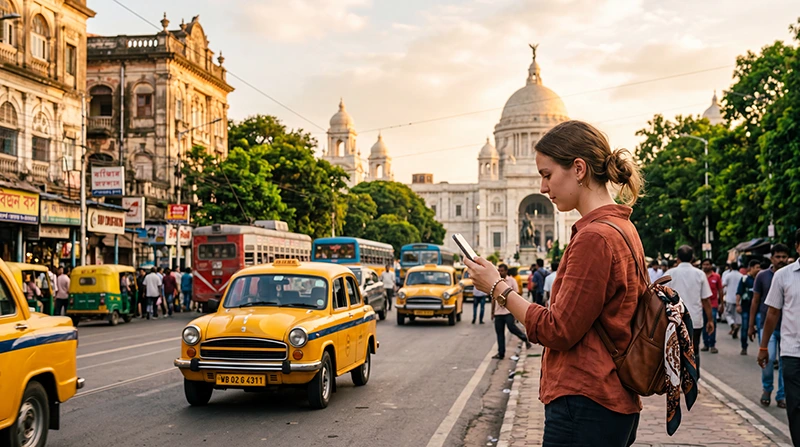

Internet in Kolkata for tourists is easiest when mobile data is ready from arrival and hotel Wi-Fi is used for larger downloads. A travel eSIM avoids waiting for local SIM registration, while an Indian SIM can suit a longer stay or a visitor who needs a local number.
Mobile data helps with maps, hotel messages, ride-hailing and ticket information across a large, busy city. Reception can still weaken inside older buildings, stations and crowded indoor areas, so save essential details offline.
NoveSIM travel eSIMs are data-only. We do not provide an Indian telephone number or conventional calls and SMS; internet-based messaging and calling continue through data.
Quick answer: Install an India eSIM before travelling if your phone is compatible and unlocked. After arrival, select it for Mobile Data, enable roaming on that line and keep an offline Kolkata map plus your accommodation address.
Top India eSIMs


Which internet option is best for a Kolkata trip?
- Travel eSIM: practical for immediate data without changing the primary SIM.
- Indian SIM: useful for longer stays or services requiring a local number.
- Roaming: convenient only when the home carrier’s price and allowance are acceptable.
- Hotel Wi-Fi: useful for updates and backups, but not a city-wide connection.
Compare the wider choices in the India internet guide and review the available India eSIM plans.
Use mobile data for transport and navigation
Save your hotel pin, station entrance and destination name before setting out. In busy streets, the nearest vehicle pickup point may not be the same as the address pin. Confirm the meeting point in the app and keep the driver’s details available.
Download an offline map for central Kolkata and any day-trip route. Live traffic and public-transport information still require data, but an offline map protects the basic route when reception drops.
Do you need a local Indian number?
Maps, browsing and WhatsApp do not require a new Indian number. Some local services may expect one, so check the particular bookings or apps you plan to use. If a domestic number is important, read the India SIM-card guide before arrival.
Set up an eSIM for Kolkata
- Confirm eSIM compatibility and carrier-unlocked status.
- Choose a plan that explicitly includes India.
- Install it on stable Wi-Fi and label it clearly.
- After arrival, select the travel line for Mobile Data.
- Enable Data Roaming on the eSIM and disable it on the primary SIM.
- Test a webpage with Wi-Fi off before beginning the airport transfer.
Follow the India activation instructions. If NoveSIM requires a manual APN, use data.esim.
Use Wi-Fi carefully
Hotel and café Wi-Fi can reduce mobile-data use, but confirm the network name with staff. Prefer mobile data or another trusted connection for sensitive accounts. Pause photo backup and application updates until you deliberately connect to a suitable network.
Prepare for weak or interrupted service
Keep tickets, passport copies, addresses and emergency contacts available offline. Carry a charged power bank on long sightseeing days. If the eSIM has signal but no data, verify the selected line, roaming and APN before restarting the phone.
Do not delete the installed profile while diagnosing the connection. Use the India eSIM troubleshooting guide if basic checks do not work.
Related Articles
- Best Way to Get Internet in India
- Best SIM Card for India
- How Much Data Do You Need for India?
- Internet on Indian Trains
FAQ
Does an India eSIM work in Kolkata?
A plan that includes India can connect through its supported partner network, subject to the device, exact location and local coverage.
Can I keep my normal SIM active?
Yes, on a compatible dual-SIM phone. Use the eSIM for data and keep roaming data disabled on the primary line.
Is hotel Wi-Fi enough for sightseeing?
No. It does not help between locations, so mobile data and downloaded offline essentials provide a more reliable setup.
How much data do I need in Kolkata?
Maps and messages use relatively little data; streaming, video calls, hotspot use and cloud backup need much more. Choose from your actual activities.
Final Recommendation
For internet in Kolkata as a tourist, prepare mobile data before arrival and use trusted Wi-Fi for heavier tasks.
Select the travel eSIM for data, enable roaming only on that line and test it before leaving the arrival area.
Keep maps, addresses and tickets offline so that an indoor coverage gap does not interrupt the journey.