


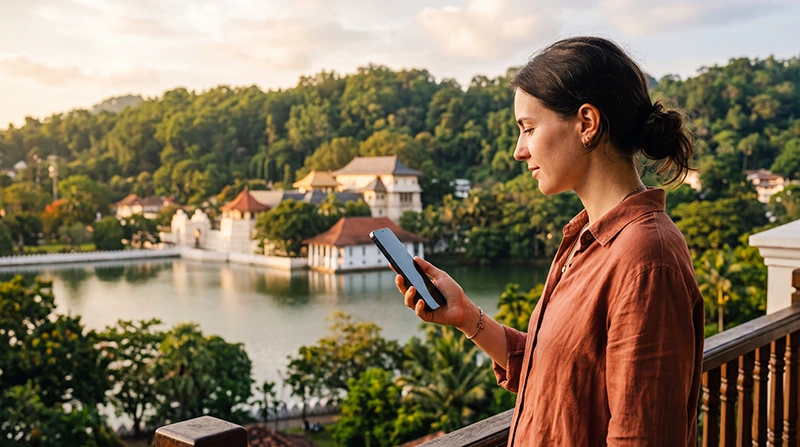

Internet in Kandy helps tourists navigate the city, contact accommodation and prepare for train or road travel into Sri Lanka’s hill country. Mobile data is more useful while moving around; hotel Wi-Fi is better for large downloads and laptop sessions.
Kandy’s hills, buildings and the exact indoor location can affect reception. A connection that works on a main road may be weaker inside a room or on a rural approach outside the city.
NoveSIM travel eSIMs are data-only. We do not provide a local number or conventional calls and SMS, but maps and messaging work through mobile data.
Quick answer: Use mobile data for city navigation and transport, confirm hotel Wi-Fi before remote work, and download the Kandy and hill-country map areas before continuing towards Ella or more remote routes.
Top Sri Lanka eSIMs

Sri Lanka eSIM
Fixed
1 GB, 7 days€ 4.442 GB, 15 days€ 7.103 GB, 30 days€ 9.32Unlimited
Unlimited, 1 day€ 4.88Unlimited, 3 days€ 11.09Unlimited, 5 days€ 17.30
What Tourists Use Internet for in Kandy
- Walking directions and saved place pins.
- Accommodation and driver messages.
- Train and onward-journey preparation.
- Restaurant and attraction information.
- Booking access and translation.
Prepare maps with the Google Maps in Sri Lanka guide.
Mobile Data or Hotel Wi-Fi?
Use mobile data while exploring and Wi-Fi for large downloads. Ask accommodation for a recent test from the actual room when calls or laptop work matter; lobby performance may not reflect the room.
Prepare for the Kandy–Ella Journey
Do not schedule an important live task around the railway journey. Tunnels, cuttings and terrain can interrupt reception. Download tickets, maps and entertainment before boarding and read the Sri Lanka train internet guide.
Set Up an eSIM for Kandy
- Install over reliable Wi-Fi before travel.
- Select the eSIM for mobile data after arrival.
- Enable data roaming on that line.
- Disable automatic data switching.
- Test with Wi-Fi off.
Current options are shown on the Sri Lanka eSIM page. Network access depends on the plan, device and local coverage.
When Reception Changes
Move near a window or outside, pause background traffic and keep network selection automatic. If bars appear but no page loads, follow the Sri Lanka no-data checks. Do not delete the eSIM.
Related Articles
- Sri Lanka eSIM Plans
- Internet on Sri Lanka Trains
- Google Maps in Sri Lanka
- Best Internet Options for Sri Lanka
FAQ
Is mobile internet available in Kandy?
Generally yes in established areas, but indoor location, terrain, device and supported network affect the result.
Can I work from hotel Wi-Fi in Kandy?
Possibly, but request a recent test from the exact room and keep a mobile backup.
Will internet work continuously on the train from Kandy?
No. Expect interruptions and prepare offline files before boarding.
Can I use WhatsApp with a data-only eSIM?
Yes. Keep the number already registered in WhatsApp and use the eSIM for data.
Final Recommendation
Tourists in Kandy should use mobile data for everyday movement and verified Wi-Fi for longer laptop tasks.
Download maps and documents before leaving the city for hill-country routes.
Keep the travel eSIM selected for data and expect reception to change with terrain and buildings.