


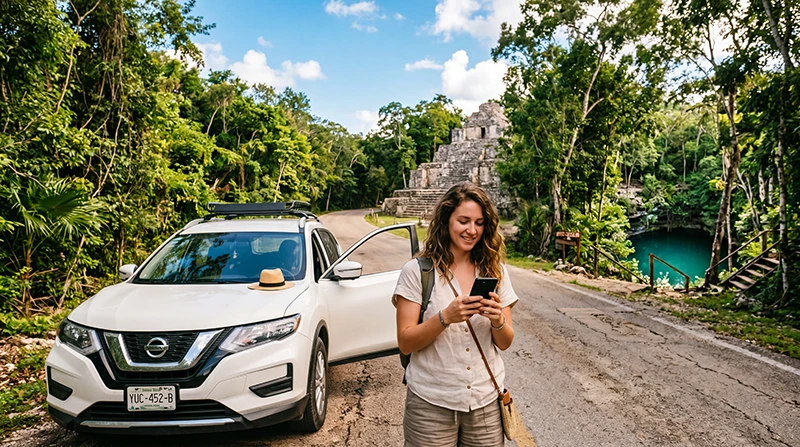

Prepare internet for a Yucatán road trip by saving each day’s complete route, accommodation address and attraction entrances before leaving Wi-Fi. Check mobile coverage for the roads and stops you actually intend to use, including the last approach to a cenote or rural property.
A journey from Cancún through Valladolid and Chichén Itzá to Mérida needs more than downloaded town maps. Include the connecting roads and your planned detours, then check that the saved information opens without internet.
NoveSIM travel eSIMs provide prepaid mobile data without a Mexican number, conventional calls or carrier SMS. Internet messaging and calling apps can use the data connection when service is available.
Quick answer: Check your existing Mexico roaming first. If you need another service, compare its permitted network, usable dates and allowance against the whole itinerary. Save the correct entrance and return arrangements for each stop, and keep the journey workable without live navigation updates or messages.
Top Mexico eSIMs

Mexico eSIM
Fixed
1 GB, 7 days€ 3.642 GB, 15 days€ 5.913 GB, 30 days€ 7.28Unlimited
Unlimited, 1 day€ 3.64Unlimited, 3 days€ 8.64Unlimited, 5 days€ 13.65
North America eSIM
Fixed
1 GB, 7 days€ 4.092 GB, 15 days€ 7.283 GB, 30 days€ 10.01Unlimited
Unlimited, 1 day€ 5.91Unlimited, 3 days€ 15.47Unlimited, 5 days€ 25.48Central America eSIM
Fixed
1 GB, 7 days€ 7.732 GB, 15 days€ 12.283 GB, 30 days€ 16.38Unlimited
Unlimited, 1 day€ 6.82Unlimited, 3 days€ 16.83Unlimited, 5 days€ 26.84Cancún to Valladolid: Prepare the First Drive
If collecting a rental vehicle after a flight, save the collection instructions, rental contact and the first accommodation address before travelling. Check the airport code on the booking and the actual collection location instead of assuming that the vehicle is waiting at your arrival terminal.
Download the map area for the route you intend to take from Cancún to Valladolid, including the final streets around the accommodation. Keep any entrance or check-in instructions separately: a map pin alone may not identify the door or vehicle access the host wants you to use.
Test mobile data before starting the drive, but retain the saved route even if that test works. For arrival setup through Cancún, use the airport eSIM guide. Deal with registration or settings while stopped, before you need the device for directions.
Valladolid and Chichén Itzá: Save the Exact Stop
For a visit to Chichén Itzá, save the current entrance directions, booking details and any meeting instructions supplied by your guide or tour provider. Check current visitor information before leaving your connection rather than depending on a fresh search at the gate.
If combining the visit with a cenote, download the additional approach and return route. Do not assume an attraction name in a search result identifies the correct entrance for your booking.
Before continuing towards Mérida, save the next accommodation’s complete address and check-in contact. Recheck messages at a suitable stop while connected, and keep the day’s essential details available outside one app that may need to reload.
From Mérida: Prepare for the Direction You Choose
Use Mérida as the starting point for checking each separate day’s route. A previous successful connection on the way into the city does not establish service along a different road or inside the next attraction.
| Planned outing | Save before leaving | Check while connected |
|---|---|---|
| Uxmal | The full road route, visitor entrance, reservation details and next accommodation address. | Current visitor instructions and any guide meeting point for the booking. |
| Celestún | The route, exact operator meeting point if taking an excursion, contact and return arrangements. | The provider’s latest departure and meeting instructions; do not assume data continues during a boat trip. |
| Progreso | The intended destination or booked property, meeting point and return route to Mérida. | Any updated collection or booking message before moving away from the connection. |
These are preparation tasks, not claims about identical reception in the three directions. Check your chosen plan’s permitted partner coverage for the actual roads and addresses. The Mérida internet guide provides context for the city stop.
For Cenote Detours, Download the Last Approach Too
Ask the operator or accommodation for the precise entrance, parking or meeting instructions. Save those alongside the booking and a map covering the final road section. The town name or a general cenote map is not enough if you cannot identify the last turn offline.
Agree the pickup time and location before separating from a driver or organiser. Keep the contact details and return route downloaded. Do not make returning to the accommodation depend on sending a message from an untested connection.
Reception near the entrance does not establish reception underground. If your route continues towards Tulum, the Tulum connection guide covers preparation for excursions and the accommodation entrance.
Choose a Connection for This Itinerary
Check whether your home tariff already includes sufficient Mexico data and usable dates. Review any daily charge, restrictions and separate telephone-service costs in the Mexico roaming guide before buying another connection.
A domestic SIM may suit a need for local telephone services; confirm registration, included features and the full price. A travel eSIM can provide prepaid data on a compatible, unlocked device. Compare the current Mexico offers with the planned roads and stops rather than assuming a nationwide operator label guarantees the journey.
Read the exact plan’s authorised partner information and consult the Mexico network guide. We do not identify one network as the safest choice for every Yucatán drive. Additional GB cannot restore service where the permitted network has no usable coverage.
Prepare Maps and Data Before Each Driving Day
- Review the day’s route, planned detours and final accommodation approach.
- Download an area covering the complete journey and check that it opens offline.
- Save bookings, entrance instructions, meeting points and contacts separately.
- Check the remaining mobile-data allowance and expiry, then charge the device.
- Confirm any changed arrangements while connected and before driving.
Google Maps’ offline instructions state that the whole driving route must be inside the downloaded area. Traffic information and alternative routes are unavailable offline. Downloading only Valladolid and Mérida does not establish that the road between them is included.
Estimate data from your own navigation, messages and booking use, then include uploads, streamed entertainment and any permitted hotspot sharing. Use the Mexico allowance guide rather than a fixed quantity for every week-long drive. Keep usable data and validity for the final transfer as well as sightseeing days.
Keep Setup and Troubleshooting for a Suitable Stop
Before installing an eSIM, check what starts the purchased plan’s validity and any installation deadline. Download it over reliable internet when the instructions permit, and test the selected mobile-data line with Wi-Fi briefly off before setting out.
If data disappears, use the saved route and stop somewhere suitable before changing settings. A loss of reception, an exhausted allowance and an expired plan require different responses. The Mexico road-trip guide covers the general connection checks and preparation without repeating them for every regional stop.
For a NoveSIM problem, retain the installed profile while using the Mexico troubleshooting guide. Delete it only if NoveSIM Support instructs you to do so.
Related Articles
FAQ
Can I download only the towns on my route?
For offline driving navigation, include the connecting roads and planned detours too. Google Maps requires the entire route to be inside the downloaded area. Save accommodation and entrance instructions separately.
What should I save before a cenote visit?
Keep the exact entrance, last road section, booking and return route offline. Agree the pickup time and place beforehand if using a driver. Do not assume reception at the entrance continues underground.
Do I need a different eSIM when continuing from Valladolid to Mérida?
A Mexico plan can remain usable where its permitted partner provides service, subject to allowance and validity. Changing towns alone does not require another purchase. Check the route and dates rather than buying by city name.
Final Recommendation
For a Yucatán drive, prepare the road between stops as carefully as the stops themselves.
Choose a connection against the actual itinerary, and save the correct entrances, accommodation details and return arrangements while online.
Keep the journey workable offline, and investigate connection problems only after stopping somewhere suitable.