


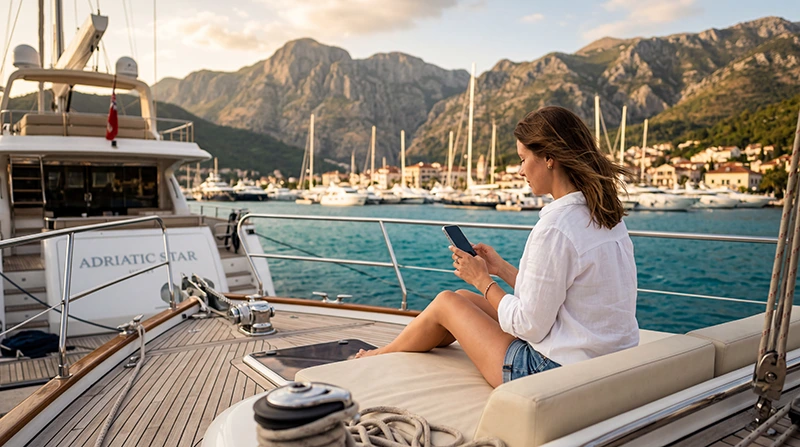

Internet for a yacht charter in Montenegro is useful for messages, weather checks, restaurant bookings and shore arrangements, but it should not be treated as a safety system. A phone may connect well beside a marina and lose usable data after the boat moves behind terrain or farther from the coast.
The Bay of Kotor itinerary creates a particularly misleading impression because towns and mountains often remain visible. Kotor, Tivat, Perast and Herceg Novi are close on a map, yet signal conditions can change around headlands, inside a cabin or between the inner and outer parts of the bay.
A NoveSIM travel eSIM provides data only. We do not provide a Montenegrin number, conventional calls or SMS. Use it for internet-based services where coverage and plan conditions allow, while keeping the vessel’s approved navigation, radio and emergency equipment independent of the phone connection.
Quick answer: Install and test mobile data before boarding, confirm whether the yacht has its own router or Wi-Fi package, and download charts, charter documents and the first day’s route for offline use. Treat marina Wi-Fi and coastal mobile data as convenient access layers—not as replacements for the skipper, official charts, VHF radio or the vessel’s safety procedures.
Top Montenegro eSIMs

Montenegro eSIM
Fixed
1 GB, 7 days€ 3.552 GB, 15 days€ 5.323 GB, 30 days€ 7.10Unlimited
Unlimited, 1 day€ 3.99Unlimited, 3 days€ 8.43Unlimited, 5 days€ 12.87
Balkans eSIM
Fixed
1 GB, 7 days€ 4.442 GB, 15 days€ 7.103 GB, 30 days€ 9.32Unlimited
Unlimited, 1 day€ 4.88Unlimited, 3 days€ 11.09Unlimited, 5 days€ 17.30Plan internet for a yacht charter in Montenegro in three layers
| Connection layer | Best use | Main limitation |
|---|---|---|
| Marina or shore Wi-Fi | Larger downloads while alongside | May require a login and may not reach every berth or cabin |
| Travel eSIM or local mobile data | Messages, maps and everyday browsing near covered coastal areas | Reception varies with location, terrain, vessel structure and network load |
| Yacht router or charter internet package | Sharing a connection among passengers | Equipment, allowance, coverage and cost depend on the specific boat and operator |
No single layer should be assumed to work throughout the trip. Use Wi-Fi for planned downloads, mobile data for flexible access around the coast and the charter company’s installed system only after its terms and equipment have been confirmed.
Ask the charter company precise questions
“Does the boat have Wi-Fi?” is too broad. The answer may describe a cellular router, a paid data package, marina access or equipment that is available only on certain vessels. Ask for details tied to the exact yacht and booking dates.
- Is a router physically installed on this boat?
- Is internet included, prepaid or purchased separately?
- What data allowance, speed policy and device limit apply?
- Does the system use a coastal mobile network or another connection?
- Who provides support if the router does not connect?
- Will the base staff show the crew how to power or reset it?
Do not assume that the same fleet has identical connectivity on every yacht. Record the answer in writing and inspect the router during check-in. If reliable access matters for work, carry an independent data option rather than making the onboard system the only plan.
What to expect around the Bay of Kotor
A charter may begin near Tivat, including the marina area around Porto Montenegro, or from another base on the coast. Connectivity alongside can be stronger than it is under way, but even at a marina the usable result depends on berth position, network congestion and whether the phone is below deck.
The route through the bay can include narrow passages, steep surrounding terrain and stops near Kotor, Perast, Tivat or Herceg Novi. Those physical conditions make a blanket “full coverage in the bay” claim unsafe. Test the connection at each overnight location before relying on it for a call or a time-sensitive booking.
Move onto deck before changing phone settings. A metal or heavily built cabin can weaken reception that is available outside. If the phone connects but data stalls, wait until the vessel is safely berthed or the skipper confirms that troubleshooting will not distract from navigation.
Use marina Wi-Fi for planned tasks
Ask marina staff for the official network name and current access procedure. Avoid similarly named open networks, and do not assume that a signal visible in a restaurant or reception building will remain usable at the assigned berth.
When the connection is stable, use it to download large files, update offline maps and save entertainment for later. Complete important account logins before departure so an unexpected verification request does not become a problem at anchor.
Public or shared Wi-Fi is not the place to ignore normal security practice. Confirm the network with staff, use encrypted websites and the security controls required by your employer, and avoid sensitive transactions if the network or login page looks suspicious.
Prepare the eSIM before leaving the charter base
- Install the eSIM while dependable private internet is available.
- Label it clearly so it is not confused with the primary SIM.
- After arrival, choose the travel eSIM for Mobile Data.
- Enable Data Roaming on the travel eSIM when the plan requires it.
- Keep Data Roaming off on the primary SIM unless its charges are understood.
- Disable automatic mobile-data switching.
- Open a web page and send a test message before boarding.
If manual NoveSIM APN entry is required, use data.esim and leave the username and password blank. Do not delete the installed eSIM unless NoveSIM Support specifically instructs you to do so.
Review the live Montenegro eSIM plans for allowance, validity and hotspot conditions. If the phone will share data with other passengers, test the hotspot at the base and make sure its use is permitted by the selected plan.
Choose enough data without planning around a perfect signal
Messaging, light browsing and occasional route research use much less data than video meetings, cloud photo uploads or streaming. A shared hotspot can consume the allowance quickly when several phones begin automatic backups at the same time.
Before departure, disable unnecessary photo synchronisation, app updates and cloud backup on mobile data. Download music and video on Wi-Fi. The Montenegro data guide helps translate trip activities into a practical allowance.
Keep some capacity for the final day rather than using the entire plan early. Return logistics, transport from the marina and communication with the charter base can still require data after the sailing portion is complete.
Save essential information offline
Store the booking confirmation, crew list, insurance information, base contact details, yacht inventory and return instructions on the device. Keep a second copy accessible to another responsible crew member. A cloud-only document is not a usable backup when the login or connection fails.
Download the areas needed for shore navigation, but recognise the boundary: a consumer map app is not an official marine chart. Use the yacht’s approved navigation equipment and charts as instructed during the handover. Follow the skipper or charter company’s route and safety requirements.
Save the agreed check-in and check-out location, fuel procedure and after-hours contact details. If plans change, communicate with the base while a dependable connection is available instead of waiting until the final approach.
Do not use mobile internet as the emergency channel
Mobile data may disappear precisely when it is most needed. Montenegro’s official maritime safety service operates maritime communications and search-and-rescue functions, including VHF channels and the maritime emergency number stated by the authority. During the yacht briefing, ask the skipper or base staff to identify the vessel’s radio, emergency contacts and the procedure applicable to that boat.
Do not replace VHF or onboard safety equipment with WhatsApp, a browser or a social-media message. In an emergency, follow the skipper’s instructions and the vessel’s documented procedure. A travel eSIM is for ordinary connectivity, not distress communication.
Weather pages and apps are also supplementary. Use the forecasts, warnings and navigation information specified by the charter company, and do not make a sailing decision from a single consumer app.
Manage calls and remote work cautiously
If a work call is unavoidable, schedule it while the yacht is expected to be securely berthed and test the connection in the exact location beforehand. Do not promise attendance during a passage based on a coverage map or yesterday’s signal.
A hotspot below deck may overheat, drain the phone or lose reception. Keep the device charged and ventilated, but do not leave it unsecured on deck. For genuinely critical work, plan a shore-based working period rather than trying to turn the entire charter into a mobile office.
The Montenegro network guide explains the factors behind network choice. It cannot guarantee reception at a particular anchorage, berth or position at sea.
Prevent roaming charges on the primary SIM
Montenegro is not covered automatically by every EU-style roaming arrangement. A visitor whose home plan works elsewhere in Europe should still check the carrier’s Montenegro terms before arrival. See the Montenegro roaming guide for the decisions to make before switching on the phone.
Keep the travel eSIM selected for data and turn off automatic switching. The primary line may remain available for its number if required, but calls and SMS can still be billed under the home carrier’s rules. A data-only NoveSIM eSIM does not receive ordinary SMS verification codes.
Yacht-charter connectivity checklist
- Exact yacht internet equipment and charges confirmed.
- Travel eSIM installed, labelled and tested at the base.
- Hotspot terms and device limits checked.
- Primary-SIM roaming settings reviewed.
- Charts, shore maps and charter documents stored offline.
- Automatic backups and large mobile downloads disabled.
- Power bank and charging cables packed.
- VHF, emergency contacts and onboard procedure covered in the briefing.
Related Articles
- Montenegro eSIM Plans
- Mobile Internet in Montenegro
- Best Network in Montenegro
- How Much Data Do You Need for Montenegro?
- Roaming Charges in Montenegro
FAQ
Will mobile data work throughout the Bay of Kotor?
It may work in many coastal locations, but performance varies with terrain, vessel position, cabin structure, congestion and the partner network. Download essentials offline and do not treat coastal reception as guaranteed.
Do Montenegro charter yachts include Wi-Fi?
It depends on the exact yacht and operator. Ask whether the vessel has a router, whether service costs extra, what allowance applies and how many devices can connect. Do not infer one boat’s setup from another boat in the fleet.
Can I use a NoveSIM eSIM as a yacht hotspot?
Hotspot use depends on the selected plan and device. Check the current plan terms, test it before departure and remember that reception aboard still depends on local coastal coverage and the phone’s position.
Can a phone replace the yacht’s navigation or emergency equipment?
No. Consumer maps and mobile data are supplementary. Use the vessel’s approved charts, navigation and radio equipment, and follow the skipper, charter briefing and official emergency procedure.
Final Recommendation
Plan internet for a yacht charter in Montenegro in layers. Confirm the exact boat’s equipment, install independent mobile data and use marina Wi-Fi for downloads, while expecting conditions to change once the yacht leaves the berth.
Prepare the offline layer just as carefully: save charter documents, shore maps and contact details, and use the vessel’s approved charts and systems for navigation. Keep the primary SIM’s roaming controlled and reserve enough data for return-day logistics.
Most importantly, separate convenience from safety. A travel eSIM can support everyday communication near covered coastal areas, but it does not replace VHF, onboard emergency equipment, the skipper’s judgement or the charter company’s procedures.