


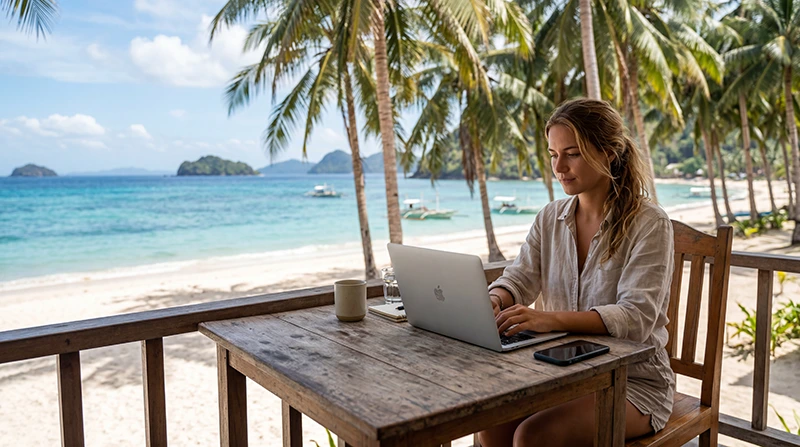

The Philippines has become one of the fastest-growing remote work destinations in Southeast Asia. With affordable living costs, widespread English proficiency, beautiful tropical islands, modern cities, and a growing digital nomad community, it attracts freelancers, entrepreneurs, startup founders, and remote employees from around the world.
Whether you’re planning to work from Manila, Cebu, Siargao, Boracay, Bohol, Palawan, El Nido, or Coron, reliable internet access is one of the most important factors for maintaining productivity.
Quick answer: The best internet setup for remote work in the Philippines combines reliable accommodation WiFi with a travel eSIM for backup connectivity. For most remote workers, NoveSIM provides an easy way to stay connected throughout the country while traveling between destinations.
Top Philippines eSIMs


Why Reliable Internet Is Essential for Remote Work
Unlike traditional vacations, remote work depends entirely on stable internet access. A poor connection can result in missed meetings, delayed projects, frustrated clients, and lost productivity.
Most remote workers depend on internet access for:
- Video conferences
- Email communication
- Cloud-based applications
- VPN connections
- File sharing
- Client communication
- Remote desktop access
- Online collaboration tools
- Project management platforms
- Business operations
Best Internet Options for Remote Workers in the Philippines
| Option | Best For | Main Limitation |
|---|---|---|
| Travel eSIM | Mobile connectivity and backup internet | Requires eSIM-compatible device |
| Accommodation WiFi | Daily work | Quality varies by property |
| Coworking Spaces | Professional work environment | Limited availability outside major cities |
| Local SIM Card | Long-term stays | Registration process required |
| International Roaming | Very short visits | Usually expensive |
Why NoveSIM Is a Good Choice for Remote Work
Remote workers often move between hotels, apartments, coworking spaces, cafés, airports, and islands. Having reliable mobile data available at all times helps reduce downtime and improves flexibility.
NoveSIM offers several advantages for remote workers.
- Instant QR code delivery by email
- Installation before departure
- No physical SIM card required
- Coverage across major destinations in the Philippines
- Keep your primary SIM active
- Works with Zoom, Teams, Slack, Google Meet, WhatsApp, and Telegram
- No SIM registration process
- Quick activation upon arrival
- Useful as a backup internet connection
- Customer support when needed
Best Cities and Islands for Remote Work
| Destination | Remote Work Advantages |
|---|---|
| Manila | Strong infrastructure and coworking spaces |
| Cebu City | Modern city with reliable connectivity |
| Siargao | Popular digital nomad community |
| Boracay | Beach lifestyle with good infrastructure |
| Bohol | Affordable and relaxed environment |
| Palawan | Nature-focused lifestyle destination |
| El Nido | Remote work in a tropical paradise |
Can Mobile Data Replace WiFi?
In many situations, yes.
Many professionals use mobile data for:
- Video meetings
- Email management
- Cloud applications
- VPN access
- Project collaboration
- Remote desktop sessions
However, for intensive workloads and long work sessions, combining WiFi and mobile data is usually the best solution.
Internet Quality in Popular Remote Work Destinations
| Destination | Internet Quality |
|---|---|
| Manila | Excellent |
| Cebu City | Excellent |
| Boracay | Very Good |
| Bohol | Very Good |
| Siargao | Good |
| Palawan | Good |
| El Nido | Good |
| Coron | Good |
| Siquijor | Moderate to Good |
How Much Data Do Remote Workers Need?
| Work Style | Recommended Data |
|---|---|
| Basic Remote Work | 10–20 GB |
| Regular Video Calls | 20–50 GB |
| Full-Time Remote Work | 50–100 GB |
| Content Creation | 100 GB+ |
| Heavy Media Uploads | Unlimited |
Can You Use Your eSIM as a Hotspot?
Yes.
Many remote workers use their smartphone as a hotspot for:
- Laptops
- Tablets
- Secondary devices
- Backup internet access
- Mobile workstations
This is especially useful during travel days or temporary WiFi outages.
Can You Keep Your Home Number?
Yes.
Most modern smartphones support dual-SIM functionality.
- Use your Philippines eSIM for internet
- Keep your home SIM active
- Receive SMS verification codes
- Continue using your existing number
Will Business Apps Work?
Yes.
Your internet connection supports:
- Zoom
- Google Meet
- Microsoft Teams
- Slack
- Telegram
- Google Workspace
- Dropbox
- Notion
- Trello
How to Activate an eSIM Before Arriving
- Purchase your eSIM before departure.
- Connect to WiFi.
- Scan the QR code.
- Install the eSIM.
- Travel to the Philippines.
- Enable the eSIM.
- Select it for mobile data.
- Enable data roaming.
Recommended eSIM Settings
| Setting | Recommended Value |
|---|---|
| Mobile Data | Philippines eSIM |
| Data Roaming | ON |
| APN | data.esim |
| Primary SIM | Calls and SMS |
| Automatic Data Switching | OFF |
Related Philippines Travel Guides
- Best eSIM for Digital Nomads Philippines
- Remote Work Philippines Internet
- Best Data Plan Philippines
- Best eSIM for Philippines
- Mobile Internet Philippines
- Internet Philippines for Tourists
- Best eSIM for Siargao
- Best eSIM for Boracay
- Best eSIM for Palawan
- Best eSIM for El Nido
- Best eSIM for Bohol
- How Much Data Do You Need for Philippines Travel?
Frequently Asked Questions
Is the Philippines good for remote work?
Yes. The Philippines offers affordable living, English-speaking locals, beautiful destinations, and growing digital nomad communities.
Can I attend Zoom meetings using mobile data?
Yes. Mobile data is suitable for video calls in most major destinations and works well as a backup to WiFi.
Should I have both WiFi and mobile data?
Yes. Most experienced remote workers use both to maximize reliability.
Can I use my phone as a hotspot?
Yes. Most travelers use hotspot functionality to connect laptops and tablets when necessary.
How much data does remote work require?
Most remote workers use between 20 GB and 100 GB monthly depending on video calls and cloud-based workflows.
Final Recommendation
If you plan to work remotely from the Philippines, combining accommodation WiFi with a reliable eSIM is usually the best strategy. It provides flexibility, backup connectivity, and internet access while traveling between destinations. For remote workers looking for a simple and dependable solution, NoveSIM offers an excellent way to stay connected throughout the Philippines.