


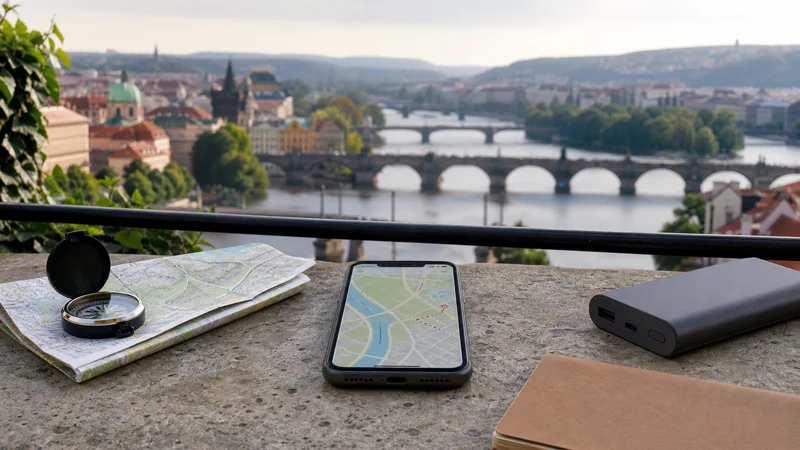

Navigation in the Czech Republic does not require a continuous internet connection if the map is prepared correctly. GPS can locate the phone offline, while mobile data supplies new searches, live traffic, public-transport changes and route recalculation beyond the downloaded area.
A Czech travel eSIM is useful for that live information, particularly when a trip moves between walking, trains and driving. It should be tested outside Wi-Fi before the first journey so that a permissions or data-line problem is not mistaken for poor coverage.
Quick answer: Download the complete map area, allow precise location for the navigation app and select the Czech eSIM for mobile data. Save the accommodation, stations and parking locations as offline pins; GPS will still position you during a temporary signal gap.
Top Czech Republic eSIMs

Czech Republic eSIM
Fixed
1 GB, 7 days€ 1.772 GB, 15 days€ 3.553 GB, 30 days€ 4.44Unlimited
Unlimited, 1 day€ 2.22Unlimited, 3 days€ 4.88Unlimited, 5 days€ 7.99
Europe Extra eSIM
Fixed
1 GB, 7 days€ 2.222 GB, 15 days€ 3.553 GB, 30 days€ 4.44Unlimited
Unlimited, 1 day€ 2.66Unlimited, 3 days€ 5.32Unlimited, 5 days€ 8.87Europe+ eSIM
Fixed
1 GB, 7 days€ 2.662 GB, 15 days€ 3.993 GB, 30 days€ 5.32Unlimited
Unlimited, 1 day€ 2.66Unlimited, 3 days€ 6.21Unlimited, 5 days€ 10.20What works offline and what still needs data
| Navigation feature | Offline availability | Why data helps |
|---|---|---|
| GPS position | Yes | Faster map loading and context |
| Downloaded driving route | Usually | Live traffic and diversions |
| New place search | Limited | Current results and opening details |
| Public-transport planning | Limited | Delays, platforms and service changes |
| Ride-hailing | No practical offline mode | Booking, driver position and messages |
Offline features vary by app. Download the map and test a route in airplane mode before relying on it.
Prepare maps for the type of journey
For Prague or Brno, save the entire urban area rather than a narrow route between two pins. For trains, store the destination station and accommodation address, and keep the ticket outside the navigation app. For a road trip, download the surrounding region so a diversion does not lead beyond the cached map.
The Czech public-transport internet guide covers city travel, while the train internet guide explains why a connection can vary between stations.
Check phone permissions and data settings
- Enable precise location for the chosen mapping app.
- Allow the app to use cellular data.
- Select the Czech eSIM as the active mobile-data line.
- Apply the eSIM roaming setting supplied with the plan.
- Disable data switching to the home SIM if fallback charges are a concern.
- Turn Wi-Fi off briefly and calculate a test route.
If mobile data itself is not working, use the Czech eSIM setup guide before changing map-app settings.
Control battery and data use
Navigation usually uses less data than streaming, but continuous screen use, high brightness and location tracking consume battery. Mount and charge the phone safely in a car, or carry a power bank when walking. Pause photo backup and app updates so they do not compete with navigation.
For a realistic allowance that includes the rest of the trip, compare your usage in the Czech Republic data guide.
Fix a map that stops updating
First confirm that the position marker still moves. If it does, GPS is working and the missing element is likely map data or a live layer. Check that the offline area includes your position, then confirm that the eSIM has service and the app is permitted to use mobile data.
Do not adjust settings while driving. Stop safely, toggle airplane mode once if necessary and reload the route. Never delete the eSIM as an early troubleshooting step.
Related Articles
- Internet for a Czech Republic Road Trip
- Internet for Czech Republic Train Travel
- Czech Republic eSIM Plans
Frequently Asked Questions
Does GPS use mobile data?
GPS positioning itself does not require mobile data. The map, searches, traffic and updated route information may require data unless downloaded.
Which map area should I download?
Download the full city or region and some surrounding area, not only the planned line. This leaves room for missed turns and diversions.
Why does my map work on Wi-Fi but not on the eSIM?
The app may lack cellular-data permission, or the eSIM may not be selected for data. Test a webpage with Wi-Fi off to separate the two causes.
Can I navigate in Prague without data?
Yes for downloaded maps and saved routes, but live public-transport changes, new searches and ride-hailing need a connection.
Final Recommendation
Prepare navigation in layers: an offline map for continuity, saved pins for critical places and a Czech eSIM for live changes. Test both GPS and mobile data before the first journey, then keep the phone charged and accessible without handling it while driving.