


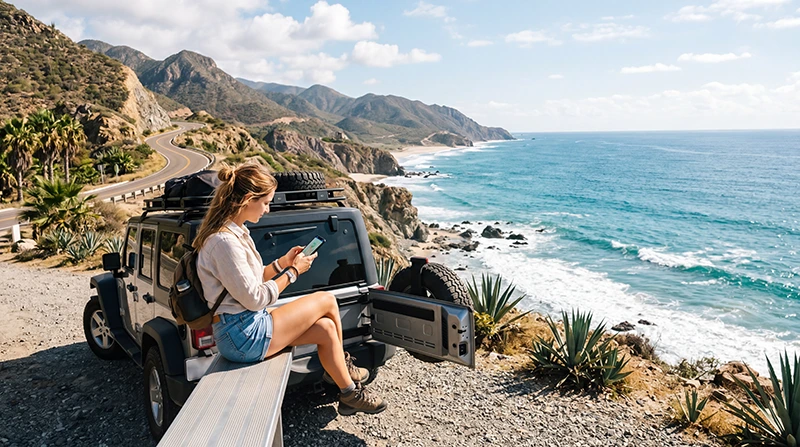

Prepare internet for a Mexico road trip one driving day at a time. Check mobile coverage along the planned route, download the full map area and save the next accommodation’s address before leaving a working connection.
Mobile data can help with updated directions, bookings and messages, but a connection in the departure town does not establish continuous service on the road. Your navigation and arrival details should remain usable when reception drops.
NoveSIM offers prepaid travel eSIMs for mobile data. They do not include a Mexican number, conventional calls or carrier SMS. Internet messaging and calling apps can use the connection when usable service is available.
Quick answer: Check whether your home tariff already covers Mexico, then compare any additional service against the actual roads, stops and travel dates. Download maps and save arrival details before each longer drive. Test the selected mobile-data line before setting off, and investigate a connection problem only after stopping in a suitable place.
Top Mexico eSIMs

Mexico eSIM
Fixed
1 GB, 7 days4.00$2 GB, 15 days6.50$3 GB, 30 days8.00$Unlimited
Unlimited, 1 day4.00$Unlimited, 3 days9.50$Unlimited, 5 days15.00$
North America eSIM
Fixed
1 GB, 7 days4.50$2 GB, 15 days8.00$3 GB, 30 days11.00$Unlimited
Unlimited, 1 day6.50$Unlimited, 3 days17.00$Unlimited, 5 days28.00$Central America eSIM
Fixed
1 GB, 7 days8.50$2 GB, 15 days13.50$3 GB, 30 days18.00$Unlimited
Unlimited, 1 day7.50$Unlimited, 3 days18.50$Unlimited, 5 days29.50$Check the Roads, Not Just the Destination
Identify the start, overnight destination and intended intermediate stops for each day. Compare the authorised partner network’s coverage with those places and the roads between them. A national footprint or a list of supported cities does not establish uninterrupted service along a particular journey.
For a travel eSIM, check which partner access is permitted by the purchased plan. A network shown in a manual search may reject the profile. The Mexico network guide explains how to use coverage information without treating it as a guarantee.
We do not rank one operator as the safest choice for driving across Mexico. The exact location, device and local conditions matter. More data cannot fix a coverage gap, and a 5G label is not a promise of 5G throughout the drive.
Choose Between Existing Roaming, a Local SIM and eSIM
| Option | When to check it | Before the first drive |
|---|---|---|
| Home roaming | Your current tariff may already include suitable Mexico data. | Confirm allowance, usable dates, restrictions, local access and any daily-pass charge. |
| Domestic SIM | You want a local offer or need Mexican telephone services. | Check included calls and SMS, registration, total cost, device unlocking and a working activation test. |
| Travel eSIM | You want prepaid mobile data on a compatible, unlocked device. | Check Mexico inclusion, permitted partners, validity, installation timing and hotspot conditions. |
| Accommodation Wi-Fi | You can prepare routes and handle heavier tasks at the overnight stop. | Download what you need for the next stage; the property’s Wi-Fi does not extend along the road. |
Read the Mexico roaming checks before paying for a second connection you may not need. If you choose an eSIM, compare the current Mexico offers against the route and duration rather than the starting price alone.
For a domestic service, ask the seller to complete the operator’s required registration and demonstrate mobile data before you leave. Keep the receipt, plan details and support contact available during the trip.
Prepare the Next Driving Day While Connected
- Check the intended route and save the full destination address, entrance location and check-in instructions.
- Download a map area covering the complete drive and any planned stops, not just the destination town.
- Save booking references, relevant rental-company contacts and a way to reach the accommodation outside a single app.
- Review current information you need for the journey, including planned stops, while you still have a working connection.
- Check the mobile-data allowance and expiry, and charge the device and any power bank.
- Confirm that the saved map and essential details open without internet before setting off.
If travelling in separate cars, agree a meeting point and what to do if messages stop arriving. Live location sharing needs a working connection to send updates; it should not be the only way to coordinate.
Know What an Offline Map Can Do
Google Maps’ offline guidance says driving navigation can work without internet when the entire route is inside the downloaded area. Offline driving does not provide traffic information or alternative routes, and offline walking, cycling and public-transport directions are unavailable.
Download and update the required areas before travelling. A screenshot of a map is useful for reference but is not the same as a downloaded navigation area. Check that your chosen app’s offline features cover the task you expect it to perform.
Keep the hotel entrance and booking instructions separately too. A downloaded road map does not necessarily contain the latest message from the host or a changed meeting point. Recheck updates when you next have a connection.
If Mobile Internet Disappears
Use the saved route and information. Stop somewhere suitable before using the device to investigate, change settings or search for another connection.
| Symptom | What to check when stopped |
|---|---|
| Service disappears on part of the route | It may be a coverage limitation. Continue using prepared offline information rather than assuming another allowance restores signal. |
| There is signal, but no data | Check the selected data line, remaining allowance, expiry and supplied roaming settings. |
| Only navigation updates fail | Compare a small webpage and another app. Check whether the route remains within the downloaded area. |
| Data becomes slow after heavy use | Check high-speed limits and background uploads, as well as local reception and congestion. |
For NoveSIM, use the Mexico connection troubleshooting guide if the problem continues. Keep the installed profile and delete it only if NoveSIM Support instructs you to do so. Do not apply NoveSIM settings to a domestic operator’s SIM.
Budget for Data Beyond Navigation
Use recent device statistics to estimate maps, messages and booking checks, then add the tasks that can consume more: streamed entertainment, video uploads, cloud backups and laptop sharing. Several people using one hotspot can change the total substantially.
Confirm hotspot permission before sharing. Use the Mexico data guide to include days without useful Wi-Fi and a margin for changed plans. A fixed number of GB is not automatically right for every one- or two-week drive.
Compare the total allowance with any daily high-speed restriction and the usable period. Reserve enough data and validity for the final transfer and departure. Move optional downloads and backups to suitable Wi-Fi if you want to keep mobile data for the journey.
Install and Test Before You Need Directions
Confirm exact-device compatibility and carrier-unlocked status before buying an eSIM. Read what starts the purchased plan’s validity and any installation deadline. Download the profile over reliable internet when its instructions permit.
At an included destination, select the travel eSIM for mobile data, apply its supplied roaming settings and review automatic switching to the home line. Turn Wi-Fi off briefly and load a small webpage before leaving the arrival area or accommodation.
The Mexico installation guide has the detailed steps. Preparing the connection ahead of the first drive reduces tasks at departure, but keep the offline route even after a successful test.
Related Articles
- Internet preparation for a Yucatán road trip
- Internet preparation for a Baja California road trip
- Compare local SIM and travel eSIM services
FAQ
Will mobile data work along every Mexican highway?
Do not assume continuous service. Check the permitted partner network along the actual route and prepare navigation, addresses and contacts for sections without a usable connection.
Will Google Maps still guide me if I lose internet?
Its offline driving navigation requires the entire route to be inside the downloaded area. Traffic information and alternative routes are unavailable offline. Download and check the maps before the drive.
Do I need another plan when I drive into a different Mexican region?
Check the existing service first. A Mexico plan can remain usable where its permitted network provides coverage, provided the allowance and validity are sufficient. Changing regions alone does not establish a need for another purchase.
Final Recommendation
Choose a Mexico road-trip connection from the actual route, available services, usable dates and expected data needs.
Prepare each day’s map and arrival details while connected, and test the mobile-data line before departure.
Keep the journey workable offline and make connection changes only when stopped in a suitable place.