
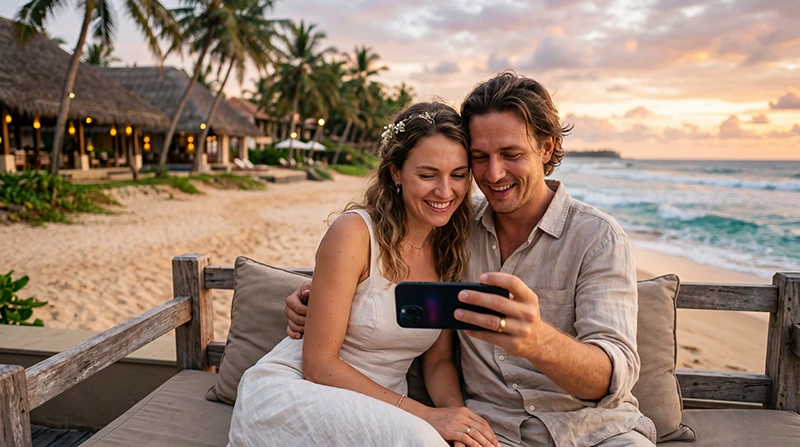

Honeymoon couple using mobile internet during a romantic trip to Sri Lanka

Internet for a Honeymoon in Sri Lanka: Stay Connected During Your Romantic Trip

A honeymoon in Sri Lanka can include tropical beaches, luxury resorts, scenic train journeys, tea plantations, wildlife safaris and romantic mountain escapes. Reliable internet helps couples organise transfers, contact hotels, navigate between destinations and manage bookings throughout the trip.

You may use mobile data for Google Maps, WhatsApp, restaurant reservations, spa bookings, airport transfers, weather forecasts and sharing photos with friends and family.

Couples can connect through a Sri Lanka travel eSIM, local prepaid SIM card, hotel WiFi or international roaming. For most honeymooners, an eSIM is the easiest option because it can be installed before departure and used shortly after landing.

Quick answer: install your Sri Lanka eSIM before travelling, enable it after arrival, select it for Mobile Data and turn on Data Roaming.

Top Sri Lanka eSIMs

What Is the Best Internet Option for a Sri Lanka Honeymoon?

Option Best For Main Advantage
Sri Lanka eSIM Most honeymoon couples Install before departure
Local prepaid SIM Long stays and local calls Usually includes a local number
Hotel and resort WiFi Streaming and large downloads Included at most properties
International roaming Emergency or very short use No additional installation

A practical setup is to install an eSIM on at least one phone and use trusted hotel WiFi for large uploads, streaming and video calls.

Why Use a Sri Lanka eSIM?

  • Install it before departure.
  • No physical SIM replacement.
  • No airport queue.
  • Keep your regular number active.
  • Use mobile data across Sri Lanka.
  • Ideal for Dual SIM phones.
  • Useful for transport and hotel communication.

Browse Sri Lanka eSIM plans.

How to Prepare Before Your Honeymoon

  1. Check that your phone supports eSIM.
  2. Confirm that the device is network unlocked.
  3. Choose a plan suitable for your trip length.
  4. Install the eSIM while connected to WiFi.
  5. Label the line Sri Lanka or NoveSIM.
  6. Save hotel and transfer details offline.
  7. Download offline maps of your destinations.

Your NoveSIM QR code and installation instructions are sent by email after purchase. The eSIM details are also available in your NoveSIM account.

Do not delete the eSIM after installation because many QR codes can only be used once.

How to Activate the eSIM After Arrival

  1. Turn off Airplane Mode.
  2. Enable the Sri Lanka eSIM.
  3. Select it for Mobile Data.
  4. Turn on Data Roaming for the eSIM.
  5. Turn off Automatic Data Switching.
  6. Keep Network Selection on Automatic.
  7. Wait several minutes for connection.

Recommended Mobile Settings

Setting Recommended Value
Mobile Data Sri Lanka eSIM
Calls and SMS Primary SIM
Data Roaming on travel eSIM On
Data Roaming on primary SIM Off
Automatic Data Switching Off
Network Selection Automatic
APN data.esim if required

Mobile Coverage in Popular Honeymoon Destinations

Mobile coverage is generally strong in cities, beach resorts and popular tourist destinations. Signal may become weaker in mountain areas, national parks and isolated coastal properties.

Destination Expected Coverage
Colombo and Negombo Excellent
Bentota and Galle Excellent
Mirissa and Unawatuna Very Good
Kandy Excellent
Ella and Nuwara Eliya Good to Very Good
Sigiriya Very Good
Yala National Park Variable

Download important booking details before safaris, mountain journeys and remote excursions.

Should Both Partners Have an eSIM?

One eSIM may be enough when you travel together most of the time. However, having mobile data on both phones gives you additional flexibility and backup.

Setup Best For
One eSIM Couples travelling together at all times
Two eSIMs Independent use and backup
One large plan with hotspot Sharing data between devices
Hotel WiFi plus one eSIM Light mobile use

Two separate connections are useful if one partner visits the spa, joins an excursion or travels separately for part of the day.

Internet at Luxury Hotels and Resorts

Most honeymoon resorts provide complimentary WiFi. It is useful for streaming, video calls, uploading photographs and planning the next part of your itinerary.

WiFi quality may vary between rooms, villas, restaurants and beach areas. Large resorts sometimes provide stronger coverage in reception areas than in remote villas.

Use your eSIM for navigation, transfers and communication outside the property.

Internet During Transfers and Excursions

Mobile data is especially useful when travelling between airports, hotels, railway stations and attractions.

  • Contact your driver.
  • Share your live location.
  • Check the route to your hotel.
  • Confirm restaurant reservations.
  • Open tickets and booking confirmations.
  • Check weather conditions.

Coverage may be interrupted briefly on mountain roads, railway tunnels and inside national parks.

Does WhatsApp Work During a Sri Lanka Honeymoon?

Yes. WhatsApp works through mobile data or WiFi and continues using your existing registered number.

You can use it to contact hotels, drivers, tour operators, restaurants and family members without changing your WhatsApp number.

Read our guide to using WhatsApp in Sri Lanka.

Can You Use Google Maps?

Google Maps works throughout most popular honeymoon destinations and is useful for finding hotels, beaches, restaurants and attractions.

Download offline maps before travelling through the hill country, visiting national parks or staying at isolated resorts.

How Much Data Does a Couple Need?

Trip Length and Usage Suggested Data
One week with maps and messaging 8–12 GB
One week with frequent social media 15–20 GB
Two weeks with normal use 20–30 GB
Frequent streaming and hotspot use Large or unlimited plan

Maps and messages use relatively little data. Video streaming, cloud photo backups and social media uploads consume much more.

Can You Use Personal Hotspot?

Personal Hotspot availability depends on the selected plan and device. When supported, one partner can share the mobile connection with another phone, tablet or laptop.

Turn off automatic software updates and cloud backups before using hotspot to reduce unnecessary data use.

Sri Lanka eSIM APN Settings

Most phones configure the APN automatically. If the phone shows signal but no internet, use the following settings.

Field Value
APN data.esim
Username Leave blank
Password Leave blank
Authentication None

What If Mobile Internet Is Not Working?

  1. Confirm that the Sri Lanka eSIM is enabled.
  2. Select it for Mobile Data.
  3. Turn on Data Roaming.
  4. Turn off Automatic Data Switching.
  5. Check that the APN is data.esim.
  6. Turn Airplane Mode on for 30 seconds.
  7. Restart the phone.

Do not delete the eSIM while troubleshooting.

Honeymoon Internet Tips

  • Install your eSIM before departure.
  • Save all hotel and transfer details offline.
  • Download offline maps.
  • Carry at least one power bank.
  • Use hotel WiFi for large photo uploads.
  • Disable roaming on your primary SIM.
  • Turn off automatic cloud backups on mobile data.
  • Keep important contacts available offline.

Related Sri Lanka Guides

FAQ

What is the best internet option for a Sri Lanka honeymoon?

For most couples, one or two Sri Lanka eSIMs combined with hotel WiFi provide the easiest and most reliable setup.

Do both partners need an eSIM?

No, but two separate eSIMs provide backup and allow both partners to use mobile data independently.

Does WiFi work well at honeymoon resorts?

Most resorts provide WiFi, although speed and coverage may vary between rooms, villas and common areas.

Will mobile internet work during a safari?

Coverage may be weak or unavailable in remote areas of national parks, so download important information before entering.

What APN should I use?

If manual configuration is required, use data.esim.

Final Recommendation

A Sri Lanka eSIM makes a honeymoon easier by providing mobile data for transfers, hotel communication, navigation, restaurant reservations and everyday travel planning.

One eSIM may be enough for couples who always travel together, while two connections provide better flexibility and backup. Use trusted resort WiFi for large uploads and streaming.

Install the eSIM before departure, enable Data Roaming after arrival and use data.esim if manual APN configuration is required.

Browse Sri Lanka eSIM plans here.

Scroll to Top