


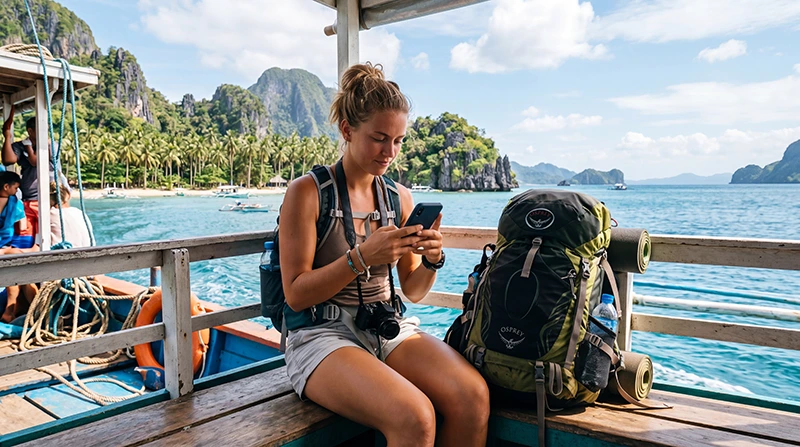

Internet for backpacking in the Philippines has to survive frequent moves between airports, bus terminals, ports, islands and guesthouses. A connection that works well in Manila or Cebu may become intermittent on a ferry, a mountain road or a smaller island.
The practical goal is not uninterrupted signal everywhere. It is dependable access when you need a ticket, accommodation message, route change or payment—and a workable offline plan during predictable coverage gaps.
NoveSIM travel eSIMs provide data only. We do not provide a Philippine number, conventional calls or carrier SMS. Internet calling and messaging apps can use mobile data when coverage is available.
Quick answer: prepare a travel eSIM before departure when the phone is compatible, but check its partner network against every island on the route. Keep tickets, maps, addresses and emergency contacts offline. Choose a local SIM instead when you need a Philippine number or the phone cannot use eSIM.
Top Philippines eSIMs


Map the connection around transfer days
| Travel stage | Online need | Offline preparation |
|---|---|---|
| Airport arrival | Pickup, maps and first booking | Arrival instructions and address |
| Bus or van transfer | Delay messages and navigation | Route, stop and operator details |
| Ferry crossing | Limited or unavailable offshore | Ticket and arrival directions |
| Island stay | Bookings, messages and local maps | Property pin and cash fallback |
Choose eSIM, local SIM or roaming deliberately
A travel eSIM reduces airport errands and keeps the physical slot free. A local SIM can include a Philippine number but requires registration and a suitable seller. Home roaming is simple only when the price and allowance are clear.
Compare these options in the Philippines internet-options guide. For a local purchase, review the Philippines SIM-card guide.
Check the weakest part of the itinerary
Do not choose solely from performance in the first city. Check the plan’s partner network for Palawan, Bohol, Siquijor, Boracay or any less-populated stop. Terrain, buildings and local congestion can still affect service inside a mapped area.
The Philippines network guide explains how to compare coverage by route instead of declaring one permanent national winner.
Buy enough data without carrying an oversized plan
Maps and messaging use far less data than video, cloud backup or hotspot sessions. Download entertainment on Wi-Fi and turn off automatic photo backup when the allowance is limited.
Estimate the trip in the Philippines data-planning guide, then add a small margin for delays and rebooking.
Prepare every ferry and long road segment
- Save the ticket and terminal name.
- Download the destination map.
- Store the complete accommodation address.
- Message the host before departure.
- Carry a charged power bank.
- Keep essential funds and documents accessible offline.
For routes built around multiple boats, use the Philippines island-hopping internet guide.
Protect the home SIM
Select the travel eSIM for mobile data and disable automatic switching. Data Roaming may need to be enabled on the travel line but should remain off on the primary SIM unless the home carrier has confirmed the charge.
Calls, SMS and voicemail on the home line can still create roaming fees. Keep WhatsApp on the existing number while it uses travel-eSIM data.
Related Articles
- Internet for a Philippines Road Trip
- Internet for Philippines Island Hopping
- Mobile Internet in the Philippines
- Best Data Plan for the Philippines
FAQ
What is the easiest internet option for backpacking in the Philippines?
A travel eSIM is convenient for a compatible unlocked phone because it can be prepared before arrival. Check its partner coverage for every island.
Will mobile data work throughout a ferry journey?
No. Offshore coverage can be weak or unavailable. Download tickets and arrival instructions before boarding.
Do backpackers need a Philippine phone number?
Many travellers use data apps, but some local services or contacts may benefit from a local number. Choose a registered local SIM if that requirement matters.
How can I reduce data use?
Download maps and entertainment on Wi-Fi, disable automatic backups and restrict background data for nonessential applications.
Final Recommendation
For backpacking internet in the Philippines, choose the connection for the weakest island and longest transfer—not only the arrival city.
Prepare the eSIM or registered local SIM before a complex route, protect the primary line from roaming and monitor the allowance.
Keep every ticket, address and map needed for the next leg available offline.