


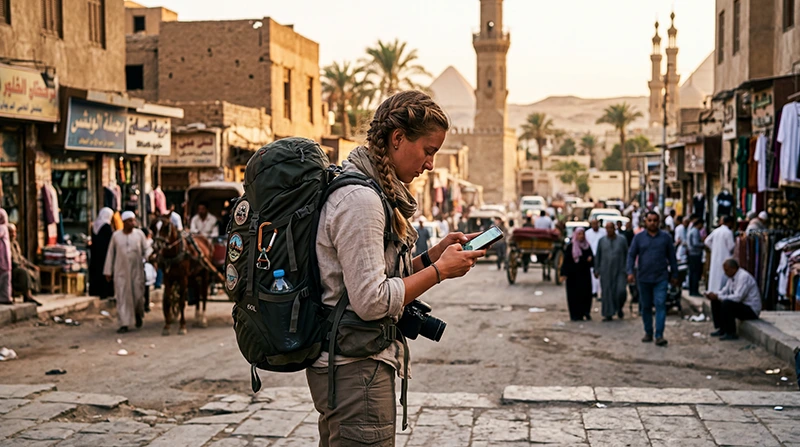

For backpacking Egypt, buy enough mobile data to handle the next arrival and an allowance whose validity covers your trip. Hostel Wi-Fi can help with downloads, but it cannot be your only way to retrieve an address after a late arrival or contact a host when your booking changes.
A flexible itinerary creates a different problem from a fixed resort holiday: you may extend a stay in Dahab, change accommodation in Cairo or reach Luxor later than planned. Keep your connection usable through those changes rather than spending the allowance on uploads during the first few days.
Our NoveSIM travel eSIMs are data-only. We do not provide an Egyptian phone number, conventional calls or SMS. Messaging apps can use the connection; a booking or service that specifically requires a local number needs a separate solution.
Quick answer: Before backpacking Egypt, check your phone’s eSIM compatibility, compare both data and validity, and save the next accommodation address and transport confirmation offline. Use hostel Wi-Fi for non-urgent downloads, reserve mobile data for travel-day decisions and check the remaining allowance before changing cities. Do not expect continuous reception on an intercity journey.
Top Egypt eSIMs

Egypt eSIM
Fixed
1 GB, 7 days€ 4.442 GB, 15 days€ 7.103 GB, 30 days€ 9.76Unlimited
Unlimited, 1 day€ 4.88Unlimited, 3 days€ 11.54Unlimited, 5 days€ 18.64
Africa eSIM
Fixed
1 GB, 7 days€ 10.202 GB, 15 days€ 19.083 GB, 30 days€ 26.62Unlimited
Unlimited, 1 day€ 13.75Unlimited, 3 days€ 39.49Unlimited, 5 days€ 65.22Compare the cost of the whole trip, not just the first bundle
A small package can suit a short visit with limited browsing. It becomes less useful if it expires halfway through the itinerary or requires another purchase sooner than expected. Compare the total cost of staying connected until departure, including any extra data you anticipate needing.
Check the current Egypt eSIM allowances and validity periods against your earliest arrival and latest likely departure. If your return date is uncertain, understand what happens when the package expires and whether another purchase will require a new installation. Do not assume unused data extends the validity period.
Unlimited also needs a terms check: it does not necessarily mean unrestricted high-speed data throughout the day. Read the current high-speed allowance and reduced-speed conditions before depending on a package for laptop work or video uploads.
If you are considering a domestic SIM instead, compare the current registration requirements, included services and full bundle cost in the Egypt SIM-card guide. The eSIM’s convenience is useful, but it is not evidence that it is always the cheapest choice.
Keep an arrival pack on the phone
Before leaving accommodation with working internet, prepare the next stop. A reservation stored only in an email or booking app may still need a connection to reopen. Save a copy you can actually display while offline.
- Save the next hostel’s address, map location and entrance instructions.
- Keep the transport confirmation and departure details available offline.
- Save the host’s contact details and any agreed late check-in procedure.
- Download the relevant map area and check that it opens without data.
- Keep the phone charged and put a charging cable where you can reach it.
In Cairo, a neighbourhood name alone may not identify the building entrance. In Luxor or Aswan, confirm which accommodation you booked before asking for a transfer. Use the address supplied by your host rather than a similarly named property found in a search result.
Offline copies are a fallback, not proof that a service is running. Recheck changed departure times or pickup arrangements while you have a connection.
Use hostel Wi-Fi selectively
Accommodation Wi-Fi is useful for updating apps, downloading maps and moving photos off the phone. Test it before leaving a large upload running: a connection that opens a message may still be too slow for a backup.
If the Wi-Fi needs a login page, complete that step before assuming your apps are broken. Ask the accommodation about access if the network name or login screen is unclear. Avoid repeatedly retrying a large download on mobile data simply because the hostel connection is inconvenient.
Keep mobile data available for tasks that cannot wait until the evening: confirming a changed bed reservation, contacting a host or checking the location of a meeting point. You do not need to buy enough data to reproduce every use of your home Wi-Fi.
Check the allowance before a bus or train journey
Opening videos throughout a long journey can consume the data you need when you arrive. Download entertainment beforehand and pause automatic photo backup. A weak connection can also make repeated uploads frustrating without making them essential.
Look at both the remaining data and expiry time before departure. If a package is nearly exhausted, arrange the next connection while you still have reliable internet rather than waiting until you are outside a station with luggage.
For a Cairo–Luxor or Luxor–Aswan travel day, save the arrival address and any pickup agreement before boarding. Neither the train nor the road route should be treated as a continuous mobile-coverage corridor. Service can change with location, network and the vehicle itself; signal bars do not prove that a booking app will load.
The Egypt data-usage guide helps estimate your allowance from the activities you actually use. Check your phone’s usage figures during the trip and adjust plans before the next transfer.
Changing the itinerary does not automatically require another eSIM
Moving from Cairo to Luxor or extending a stay on the Red Sea does not by itself mean you need a separate city package. First check whether your existing plan includes Egypt, has data remaining and is still valid. Actual reception at the new location remains dependent on the supported network and local conditions.
An extra week is different: the destination may still be included while the validity ends before you leave. Check that distinction before paying for another bundle. If you add another data line, label it clearly so you do not accidentally continue using the expired one.
For desert excursions from a backpacking base, take the operator’s meeting and return arrangements offline. Mobile data is not a replacement for the guide’s safety procedures or a reliable emergency connection in a remote area.
Prepare the data line before relying on it
Confirm that the exact phone model supports eSIM and is carrier-unlocked before buying. Install over reliable Wi-Fi according to the package instructions; do not leave installation until you are trying to find the next hostel.
Once in Egypt, select the travel eSIM for mobile data and enable Data Roaming on that line. Keep home-line data roaming off and disable automatic data switching if you want to prevent the phone falling back to your home SIM. Keeping the home line active does not make its calls or SMS free.
Test an ordinary webpage with Wi-Fi turned off. If it fails, check validity, remaining data and the selected line before changing other settings. Do not delete the installed eSIM unless NoveSIM Support instructs you to do so. Continue with the Egypt eSIM troubleshooting steps rather than reinstalling at random.
Related Articles
FAQ
Can I backpack Egypt using only hostel Wi-Fi?
You can use it for preparation, but it does not follow you to stations or your next accommodation. Save addresses and confirmations offline and keep a separate connection available for changes that need a response during a travel day.
Should I choose the smallest data package to save money?
Only if its allowance and validity cover your expected use. Compare the cost of the whole trip, including another purchase if the first bundle expires or runs out. Reduce uploads before cutting the data needed for arrivals and bookings.
Do I need a new eSIM when moving from Cairo to Luxor?
Not solely because you changed cities. Check that the existing plan includes Egypt, remains valid and has data left. A working connection at one stop does not guarantee the same reception on the journey or inside the next hostel.
What should I save before an overnight journey?
Keep the transport confirmation, arrival address, host’s contact details and late check-in instructions offline. Download the relevant map area and check the remaining data and validity before leaving your current accommodation.
Final Recommendation
For backpacking Egypt, spend on a connection that lasts through the itinerary and preserves data for the moments when accommodation Wi-Fi is unavailable. Choose the allowance around your bookings, messages and travel days, not an automatic recommendation for every backpacker.
Before each move, save the next address and confirmation, check the package balance and postpone large uploads. Prepare the data line over reliable Wi-Fi and test it before depending on it outside accommodation.
A changed hostel or delayed arrival is easier to handle when the essentials are already on your phone and some mobile data remains available.