


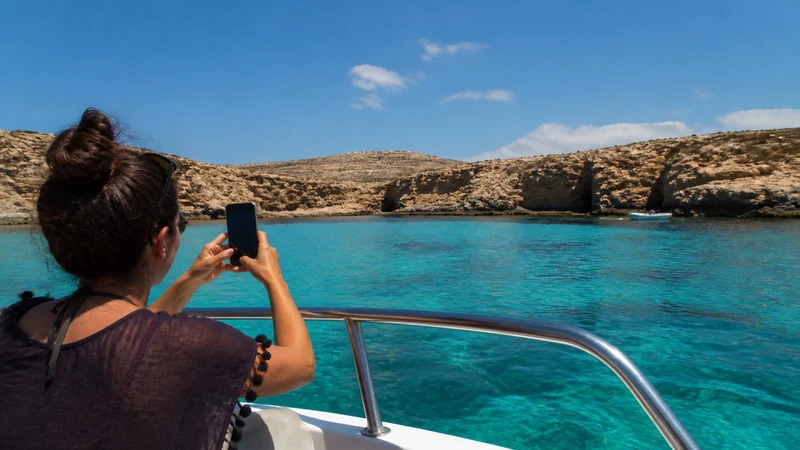

For a Comino day trip, mobile internet is helpful for messages and booking updates, but your return arrangements should also work offline. Save the boat meeting point and return instructions before leaving Malta or Gozo.
A connection that works at the departure point may not behave the same way on the boat or at your chosen spot on Comino. Agree where to meet travelling companions if messages are delayed, rather than relying on live location sharing throughout the outing.
NoveSIM’s Malta travel eSIM provides mobile data on a compatible, unlocked phone. It does not include a local number, ordinary voice minutes or carrier SMS. Check the selected package’s coverage and terms before buying; internet calling still requires a usable connection.
Quick answer: Prepare internet access for Comino before departure, then save your operator’s booking reference, exact pickup point, return time and contact details offline. Carry enough battery for the whole outing and do not assume that mobile data or public Wi-Fi will be available wherever you stop.
Top eSIMs

Check your Malta data plan before visiting Comino
Review the current Malta eSIM plans for destination coverage, validity and the selected package’s conditions. Coverage for Malta is not a guarantee of reception at every bay on Comino, nor of an uninterrupted connection while travelling there by boat.
Install before the excursion while you have a stable connection, and follow the plan’s activation instructions. With Wi-Fi off, load a new page to check that your intended data line works. A previously opened message or cached map is not a reliable test.
The Malta coverage guide explains why service can vary by location. Do not select a package solely because it advertises 5G: actual access depends on the plan, device and local coverage.
Save the boat and return details offline
Use your own operator’s instructions, not a return time copied from another boat service. Confirm whether you need to return to the same meeting point and how the operator communicates changes. A booking reference alone may not tell you where to board.
- Save the booking confirmation and any required ticket documents, keeping them in the format accepted by the operator.
- Record the departure location and the exact return meeting point, including a recognisable landmark or the operator’s written directions.
- Save the return time, any required check-in time and the operator’s contact details.
- Download the map area and open the saved documents with the phone offline to confirm they are accessible.
- Agree a meeting point and time with companions if messages or location sharing stop working.
- Charge the phone and pack a power bank and cable before leaving.
Recheck the arrangements before departure and follow any instructions from the operator or crew. Offline information is a fallback; it does not override a changed pickup location or cancelled service.
Keep enough data and battery for the return
Check your remaining allowance and validity before boarding. A balance of unused gigabytes is not useful if the plan expires during the outing. For choosing an allowance across the holiday, see how much data to plan for a Malta trip.
Delay cloud photo backups, app updates and video uploads until a suitable connection is available later. Taking photos does not itself require mobile data, but automatic uploading can use the allowance without an obvious action from you.
Keep the phone available for return instructions rather than using its last battery charge on streaming or continuous navigation. If companions depend on your hotspot, confirm that the selected plan permits it and keep the boat details on their devices too.
Do not make public Wi-Fi the backup plan
This guide does not confirm dependable public Wi-Fi at your Comino stop. If you find a service, check its identity and conditions with the provider before connecting. Do not plan ticket access or a pickup message around a hotspot you have not verified.
A saved map can help you recognise the meeting point, but it cannot provide live boat changes offline. Keep the written return instructions and allow time to reach the agreed location without needing a new online search.
If mobile data stops on Comino
First distinguish no reception from a settings problem. If the phone has no service at your current spot, changing the APN or reinstalling the profile will not establish that coverage is available there. Check again at a safe nearby location without leaving the agreed route or missing your return.
Where signal is present but data does not load, confirm that the travel eSIM is enabled and selected for mobile data, with Data Roaming on as required for that line. Keep home-line roaming and automatic data switching off.
Follow the Malta eSIM troubleshooting checks if the problem persists. Use data.esim only when manual APN entry is required. Do not delete the installed eSIM unless NoveSIM support tells you to do so.
If an app call or message cannot be sent, use the return plan already saved. A data-only eSIM is not a substitute for a conventional telephone service when the operator needs to be called.
Related Articles
FAQ
Can I use a Malta eSIM for internet on Comino?
Check that your selected package includes the destination and that your phone is compatible and unlocked. Even with eligible coverage, reception at a particular Comino location or during the boat journey is not guaranteed.
Is Wi-Fi a dependable alternative on Comino?
No dependable public Wi-Fi service is confirmed in this guide. Verify any service with its provider and keep return documents accessible without a connection.
What return information should I keep offline?
Keep the operator’s booking and ticket documents, exact meeting point, return and check-in times, and contact details. Agree a fallback meeting arrangement with companions before separating.
What if my eSIM has signal but no data on Comino?
Check the selected data line, roaming instruction, remaining allowance and validity. Follow the troubleshooting guide if needed, but retain the installed profile unless support instructs you otherwise.
Final Recommendation
For tourists using internet on Comino, the most important preparation is a return plan that does not depend on a fresh message or online map.
Test your travel-data connection before leaving Malta or Gozo, save the boat instructions on each traveller’s device and preserve enough battery for the return.
Use mobile data when available, while treating reception and Wi-Fi availability as conditions to check rather than guarantees.