


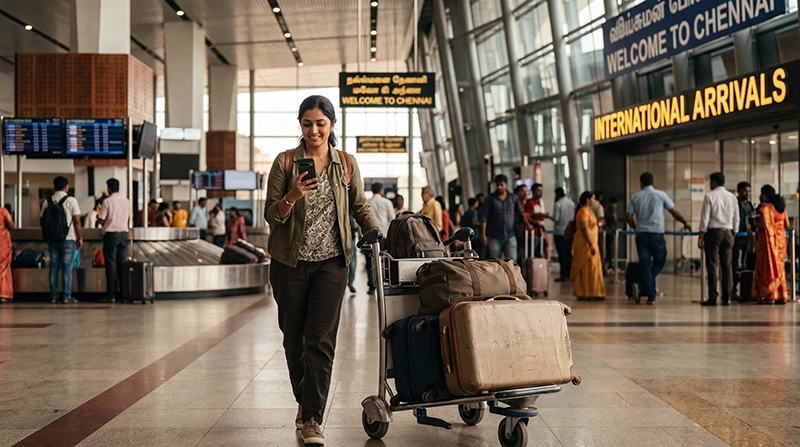

Internet at Chennai Airport is available through terminal Wi-Fi, mobile data from a prepared travel eSIM or an Indian SIM card. For an international visitor without an active Indian number, having mobile data ready before landing avoids depending on an OTP-based Wi-Fi login.
The Airports Authority of India currently describes free Wi-Fi in the domestic and international terminals, with mobile-number authentication and a limited complimentary period. Access conditions can change, so treat airport Wi-Fi as a useful arrival service rather than your only connection.
NoveSIM travel eSIMs are data-only. We do not provide an Indian number or conventional calls and SMS, but maps, messages and ride-booking apps work through data.
Quick answer: Install an India eSIM before departure, activate its data settings after landing and use airport Wi-Fi as backup. If the Wi-Fi login requires verification you cannot complete, ask airport staff for the current international-passenger procedure.
Top India eSIMs


What internet options are available at Chennai Airport?
| Option | Useful for | What to check |
|---|---|---|
| Airport Wi-Fi | Messages and essential arrival tasks | Login method, time allowance and terminal coverage |
| Travel eSIM | Data from arrival through the onward journey | Compatibility, unlock status and plan coverage |
| Indian SIM | Longer stays or a required local number | Registration documents and activation time |
| Home-carrier roaming | Short emergency use | Price and allowance before enabling it |
How do you use Chennai Airport Wi-Fi?
Select the official airport network shown in the terminal and follow the captive-portal instructions. The current AAI passenger information says users provide a mobile number for login. Do not assume a foreign number will receive the required verification; ask an information desk for the current alternative if the code does not arrive.
Verify the network name on airport signage and avoid sending sensitive information over an unverified open network. Disconnect when you no longer need it.
Prepare mobile data before landing
- Confirm that the exact phone supports eSIM and is carrier-unlocked.
- Choose a plan that explicitly covers India.
- Install it on reliable Wi-Fi before departure and label the line.
- After landing, select the eSIM for Mobile Data and enable Data Roaming on that line.
- Keep roaming disabled on the primary SIM unless intentionally required.
- Test a webpage with Wi-Fi turned off before leaving the terminal.
Use the India eSIM activation guide for the full settings and compare the current India eSIM plans.
Should you buy a SIM card after arrival?
A local SIM may suit a long stay or a traveller who needs an Indian number, but registration and activation may not be immediate. Review the specific Chennai Airport SIM-card guide and carry the required identification.
Prepare for the transfer into Chennai
Before leaving the terminal, save the accommodation address, driver contact and route offline. Take a screenshot of the meeting point if someone is collecting you. Mobile coverage can vary inside vehicles, buildings and crowded arrival areas.
If data shows signal but does not load, check the selected line and roaming setting. When manual APN entry is required for NoveSIM, use data.esim. Do not delete the installed profile; continue with the India troubleshooting guide.
Related Articles
- SIM Card at Chennai Airport
- Best Way to Get Internet in India
- How to Activate an India eSIM
- India eSIM APN Settings
FAQ
Is Wi-Fi available at Chennai Airport?
AAI currently lists free Wi-Fi in the domestic and international terminals. Check the current login instructions and complimentary allowance when you arrive.
Can an international visitor complete the Wi-Fi login?
The published process uses mobile-number verification. If a foreign number cannot receive the code, ask an airport information desk for the current alternative.
Should I install an eSIM before landing?
Yes. Installation is easier on stable Wi-Fi and gives you an independent connection if the terminal login is inconvenient.
Should I delete an eSIM if it does not connect?
No. Keep it installed, verify the data line, roaming and APN, then contact support if necessary.
Final Recommendation
For dependable internet at Chennai Airport, prepare an India eSIM before departure and retain terminal Wi-Fi as backup.
Confirm the Wi-Fi login procedure on arrival, especially if you do not have an active Indian mobile number.
Test mobile data before leaving the terminal and save the transfer address and contact details offline.