


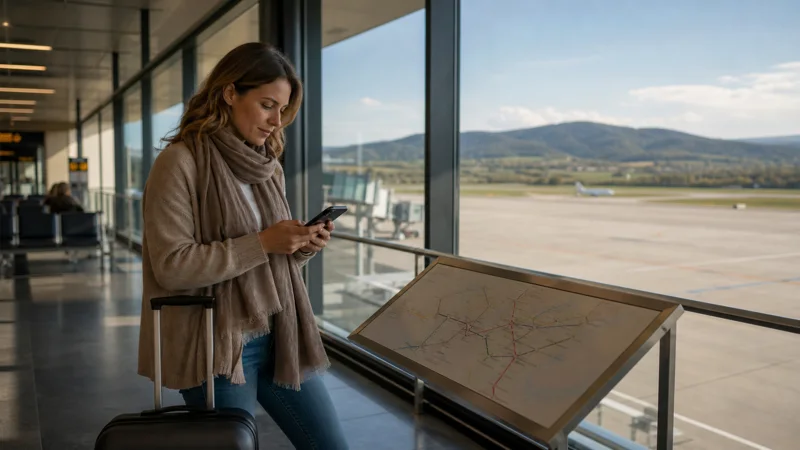

Internet at Brno Airport matters most after you leave the terminal. You may need to confirm a late check-in, follow the current route into Brno or retrieve a ticket while airport WiFi is no longer available. Because Brno is a smaller regional airport, it is sensible to arrive with one connection already prepared instead of assuming that a mobile shop will be open when your flight lands.
Quick answer: Install a Czech Republic eSIM before flying if your phone supports it, and save your accommodation address and first route offline. At Brno Airport, use the verified airport WiFi for light tasks, but test your mobile data with WiFi switched off before beginning the transfer. Buy a Czech prepaid SIM later only when you specifically need a local number or a longer-term domestic plan.
Top Czech Republic eSIMs

Czech Republic eSIM
Fixed
1 GB, 7 days2.00$2 GB, 15 days4.00$3 GB, 30 days5.00$Unlimited
Unlimited, 1 day2.50$Unlimited, 3 days5.50$Unlimited, 5 days9.00$
Europe Extra eSIM
Fixed
1 GB, 7 days2.50$2 GB, 15 days4.00$3 GB, 30 days5.00$Unlimited
Unlimited, 1 day3.00$Unlimited, 3 days6.00$Unlimited, 5 days10.00$Europe+ eSIM
Fixed
1 GB, 7 days3.00$2 GB, 15 days4.50$3 GB, 30 days6.00$Unlimited
Unlimited, 1 day3.00$Unlimited, 3 days7.00$Unlimited, 5 days11.50$Europe Lite eSIM
Fixed
1 GB, 7 days2.50$2 GB, 15 days4.00$3 GB, 30 days5.00$Unlimited
Unlimited, 1 day3.00$Unlimited, 3 days6.00$Unlimited, 5 days10.00$Which internet option works best on arrival?
The best choice depends less on the terminal itself than on what you need during the first hour after landing. A travel eSIM is convenient for immediate data, while a local prepaid SIM can suit a longer stay or a traveller who needs a Czech phone number. Home roaming is simple but should be checked against your operator’s Czech Republic pricing and fair-use rules before departure.
| Option | Best for | What to verify |
|---|---|---|
| Travel eSIM | Data immediately after landing | Phone compatibility, plan validity and included countries |
| Airport WiFi | Messages and quick checks inside the terminal | Official network name and portal |
| Czech prepaid SIM | Local number or longer domestic use | Seller, identification rules, activation and shop hours |
| Home roaming | Short use without installing another line | Charges, allowance and fair-use limits |
Do not plan around a particular airport retailer unless the airport or operator confirms that it will be available at your arrival time. Flight schedules and retail opening hours can change, and a small terminal may offer fewer choices than central Brno.
Using Brno Airport WiFi without depending on it
Check the current network name on official airport information or ask a member of staff before joining. A familiar-looking name is not enough to prove that an access point is legitimate. Avoid any portal that asks you to install an unexpected app, certificate or configuration profile.
Airport WiFi is appropriate for checking a timetable or sending an arrival message. For banking, password changes or displaying an eSIM QR code, use a trusted connection whenever possible. Forget the network after use and disable automatic joining so that the phone does not reconnect to another access point using the same name.
Most importantly, WiFi ends at the terminal. Keep the full accommodation address, booking reference and a screenshot of the first route on the phone. Those copies remain useful if the portal fails, the arrivals hall is busy or mobile registration takes a few minutes.
Prepare an eSIM before the flight
Install the profile on trusted WiFi before departure, but follow the plan instructions about when validity begins. Confirm that the exact phone model supports eSIM and is carrier-unlocked. The Czech Republic installation guide covers the normal setup sequence, while current packages are listed on the Czech Republic eSIM page.
After landing, disable Airplane Mode, enable the travel line and select it for cellular data. Turn on Data Roaming for that eSIM when the plan requires it, while keeping roaming and automatic data switching off on the home SIM. Leave network selection on Automatic and allow the phone time to register.
Switch WiFi off and load a webpage or map before leaving arrivals. Signal bars alone do not confirm that data works. If the connection fails, check the active data line, roaming and plan status before changing advanced settings. Do not delete the installed profile; use the Czech Republic eSIM troubleshooting guide instead.
NoveSIM travel eSIMs are data-only. We do not provide a Czech phone number or conventional calls and SMS with these plans, although internet-based calling and messaging apps can use the data connection.
When a local SIM card is the better choice
A Czech prepaid SIM can make sense when a local number is necessary, the trip is long, or a domestic operator feature is important. Compare the complete arrival effort rather than only the advertised gigabytes: shop availability, identification requirements, activation, top-up method and the time spent reaching an authorised seller all matter.
If you replace your physical home SIM, store it in a labelled holder. Removing it may interrupt verification messages or make it easier to lose. A dual-SIM phone with an eSIM avoids the physical swap and lets the home line remain available for incoming messages, but calls, SMS and voicemail on that line may still incur roaming charges.
Plan the transfer into Brno
Check the airport’s current transport information close to the journey rather than relying on an old timetable. Save the destination in full, including any late-arrival instructions, and keep enough battery for navigation and communication. If you are continuing beyond Brno toward the Moravian Karst or South Moravian wine areas, download the required map region before leaving reliable WiFi.
Once you reach the accommodation, confirm that the intended line handled the transfer. Pause cloud photo backup and large app updates on cellular data, then use trusted accommodation WiFi for downloads. The broader Czech Republic mobile-data guide explains how the same setup works for the rest of the trip.
FAQ
Can I use WiFi at Brno Airport?
Airport WiFi may be available, but verify the current official network name and access conditions with airport information or staff. Keep offline directions and an independent data option for the journey beyond the terminal.
Can I buy a SIM card at Brno Airport?
Retail availability, stock and opening hours can change, so do not rely on an airport SIM purchase without current confirmation. An authorised seller in Brno may offer more time to compare domestic plans.
Should I install my Czech Republic eSIM before landing?
Usually yes. Install it on trusted WiFi before departure, follow the plan’s validity instructions and activate the data settings after landing.
What should I do if the eSIM shows signal but no data?
Turn WiFi off, confirm the eSIM is selected for cellular data, check roaming and plan status, and allow automatic network registration. Do not delete the profile while troubleshooting.
Final Recommendation
Prepare the connection before flying to Brno: install the eSIM, save the transfer details offline and keep the home SIM from using roaming data. Use verified airport WiFi as a temporary supplement, then test mobile data before leaving the terminal. Choose a Czech prepaid SIM later only when its local number or long-stay features justify the additional setup.