


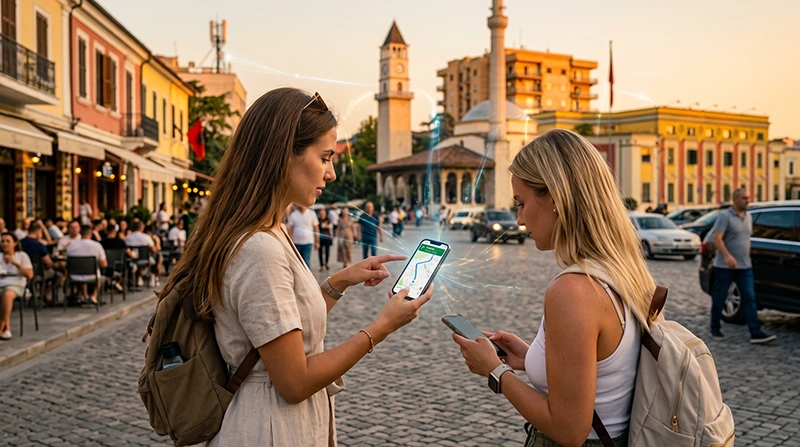

Tourists can get internet in Albania with a travel eSIM, a local prepaid SIM, home-carrier roaming or Wi-Fi. The right choice depends on whether you need data immediately on arrival, a local telephone number or coverage for a longer Balkan itinerary.
Mobile data is useful beyond Tirana: coastal roads, mountain routes and transfers between smaller towns often require live navigation, messages to accommodation hosts and access to booking details. Prepare an offline fallback before leaving a reliable connection.
Our Albania travel eSIMs are data-only. We do not provide an Albanian number, conventional calls or SMS, but WhatsApp, FaceTime and other internet-based services can use the data connection.
Quick answer: For the simplest arrival, install an Albania eSIM before departure, select it as the mobile-data line after landing and enable Data Roaming on that eSIM. Choose a local SIM instead if an Albanian number is essential, and treat public Wi-Fi as a backup rather than your only connection.
Top Albania eSIMs

Albania eSIM
Fixed
1 GB, 7 days€ 3.992 GB, 15 days€ 5.773 GB, 30 days€ 7.54Unlimited
Unlimited, 1 day€ 3.99Unlimited, 3 days€ 9.32Unlimited, 5 days€ 14.20
Balkans eSIM
Fixed
1 GB, 7 days€ 4.442 GB, 15 days€ 7.103 GB, 30 days€ 9.32Unlimited
Unlimited, 1 day€ 4.88Unlimited, 3 days€ 11.09Unlimited, 5 days€ 17.30Which Internet Option Fits Your Albania Trip?
| Option | Best suited to | What to check |
|---|---|---|
| Travel eSIM | Visitors who want data ready on arrival | Phone compatibility, carrier lock, coverage, validity and allowance |
| Local prepaid SIM | Longer stays or travellers who need a local number | Current registration requirements, shop hours and physical SIM slot |
| Home-carrier roaming | Short emergency use or a confirmed roaming bundle | Albania is not covered by standard EU roaming rules |
| Hotel, café or airport Wi-Fi | Large downloads and occasional backup access | Network authenticity, security, speed and availability away from the venue |
A travel eSIM is convenient when you want maps and messaging before reaching a shop. A local prepaid SIM may be more appropriate for a long stay or when a local number is required. The detailed Albania SIM card comparison explains those trade-offs without assuming that one option suits every visitor.
Prepare Your Phone Before Departure
Complete the checks below while you still have reliable internet and access to your purchase details:
- Confirm that the exact phone model supports eSIM, not only the model family.
- Check that the handset is unlocked from the original mobile carrier.
- Verify that the selected plan explicitly lists Albania and covers every country on your itinerary.
- Review when the plan validity begins: at installation, activation or first network connection, depending on the product instructions.
- Download the QR code, installation details, hotel address, tickets and the first route for offline access.
- Install the eSIM on a stable private Wi-Fi connection, but follow the plan-specific timing instructions before activating it.
Regional versions of the same phone can differ. Use the NoveSIM compatible-device list and check the SIM settings for an option such as Add eSIM or Add Mobile Plan.
How to Connect After Arriving in Albania
Once the aircraft has landed or you have crossed the land border, use this sequence:
- Open the phone’s SIM or mobile-network settings.
- Switch on the Albania travel eSIM.
- Select that eSIM for Mobile Data.
- Enable Data Roaming on the travel eSIM, because it connects through a partner network.
- Turn off Data Roaming on the primary SIM and disable automatic mobile-data switching.
- Leave Network Selection on automatic while the phone registers.
- Open a map or simple webpage to confirm that data is working before leaving the airport or border area.
If you arrive by air, the separate Tirana Airport SIM card guide compares buying on arrival with preparing an eSIM. Airport Wi-Fi can help with a final setup step, but save the installation details in advance in case the connection is slow or requires a portal login.
What Settings Should You Use?
| Phone setting | Recommended starting point |
|---|---|
| Mobile Data | Albania travel eSIM |
| Data Roaming on travel eSIM | On |
| Data Roaming on primary SIM | Off |
| Mobile Data Switching | Off |
| Network Selection | Automatic first |
| NoveSIM APN, if manual entry is required | data.esim |
Keeping the primary line enabled can be useful for incoming SMS or calls, but charges from the home carrier may still apply. Selecting the travel eSIM for data and disabling data switching helps prevent the primary line from quietly using roaming data.
Internet in Tirana, on Road Trips and at the Coast
Your connection needs change with the route. In Tirana, accommodation Wi-Fi and mobile service provide several fallbacks. On a country road trip, mobile data becomes more important for navigation, parking information and contacting hosts between stops.
Travellers heading towards the Albanian Riviera should save the next accommodation address and road segment before departure. Signal and speed can change with terrain, buildings, congestion and the serving partner network. A strong result in a town centre does not guarantee the same performance on a mountain or coastal road.
For a cross-border itinerary, check every included country rather than assuming an Albania-only plan will continue working. The technical mobile internet and network guide for Albania covers coverage environments in more detail.
How Much Data Should a Tourist Plan?
Trip length alone does not determine the required allowance. Maps, messages and booking apps use relatively little data, while video, cloud photo backup, software updates and laptop tethering can consume it quickly.
- Download offline maps, language packs and entertainment before travel.
- Pause automatic photo and video backup on mobile data.
- Use trusted accommodation Wi-Fi for large downloads.
- Check per-app usage during a longer trip.
- Keep enough data for the final transfer back to the airport or border.
Hotspot availability depends on the selected plan, device and partner network. If tethering is important, confirm it before purchase and allow for the additional data and battery use. See the Albania data-planning guide for usage-based estimates.
Why Wi-Fi Is a Backup, Not a Moving Connection
Hotels, apartments, cafés and airports commonly offer Wi-Fi, but it stops helping as soon as you leave the venue. It cannot replace mobile data while navigating to a rural guesthouse, arranging a pickup or moving between beaches.
Confirm the network name with staff before joining it. Avoid unexpected certificate warnings, disable device sharing and postpone sensitive work when the connection cannot be trusted. At Tirana Airport, consult the current airport Wi-Fi guide rather than assuming the login process or availability will remain unchanged.
What to Do If Mobile Data Does Not Work
- Confirm that the eSIM is switched on and selected for Mobile Data.
- Enable Data Roaming on the eSIM and turn off mobile-data switching.
- Toggle Airplane Mode on for about 30 seconds, then turn it off.
- Restart the phone and allow time for network registration.
- Check that the APN is data.esim if the plan requires manual entry; leave username and password blank.
- Use manual network selection only when the plan instructions identify approved partner networks.
Do not delete the installed eSIM unless NoveSIM support specifically instructs you to do so, because the same profile may not be reinstallable. Follow the full Albania eSIM troubleshooting guide if the basic checks do not restore service.
Related Articles
- Albania eSIM Plans
- Best SIM Card for Albania
- Mobile Internet in Albania
- Roaming Charges in Albania
- How Much Data Do You Need for Albania?
- SIM Card at Tirana Airport
- eSIM Not Working in Albania
FAQ
What is the easiest way for tourists to get internet in Albania?
A travel eSIM is usually the simplest option when you want mobile data ready on arrival. A local prepaid SIM can be better for a long stay or when you specifically need an Albanian telephone number.
Does EU roaming apply in Albania?
Albania is not part of the EU roaming area. Check the exact tariff or roaming bundle with your home carrier before using its SIM for data.
Can I keep my normal number while using an Albania eSIM?
Usually yes on a compatible dual-SIM phone. Select the travel eSIM for mobile data, keep Data Roaming off on the primary line and check the home carrier’s charges for calls and SMS.
Will one Albania eSIM also work in neighbouring countries?
Only when the selected plan explicitly includes those countries. Choose a regional plan for a multi-country route instead of assuming that an Albania-only plan continues across the border.
Final Recommendation
For most tourists, prepare mobile data before travelling to Albania: verify compatibility and lock status, choose the correct country or regional coverage, and save essential journey details offline.
After arrival, select the travel eSIM for mobile data, enable Data Roaming on that line and keep primary-line roaming and automatic data switching off. Use data.esim only when manual APN entry is required.
Use a local SIM when a local number or longer-term arrangement matters, and use trusted Wi-Fi for large downloads. This combination keeps navigation and communication available from Tirana to the coast without depending on a single venue connection.