


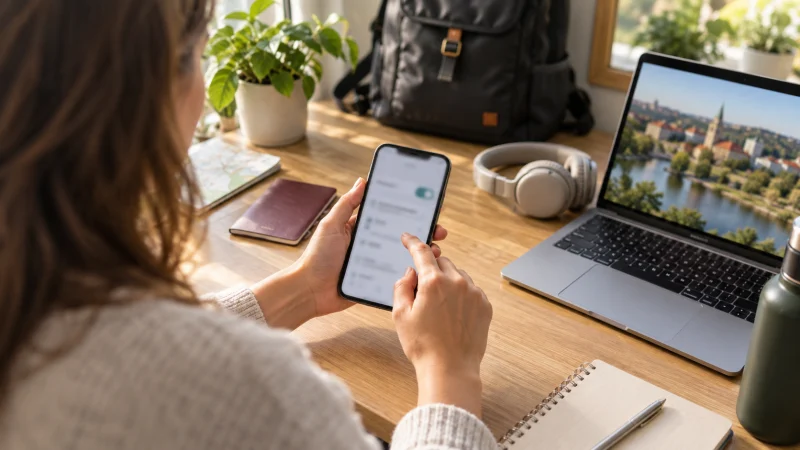

Installing a Lithuania eSIM is easiest before departure, while you have stable Wi-Fi and access to the purchase details. Installation adds the profile to the phone; activation and network connection may occur at a different time according to the plan rules.
Do not begin until you have confirmed that the phone supports eSIM and is unlocked from its original carrier.
NoveSIM travel eSIMs are data-only. We do not provide a Lithuanian number, conventional calls or SMS.
Quick answer: Install the eSIM on reliable Wi-Fi, label it clearly and keep it turned off for mobile data until the plan instructions say to activate it. In Lithuania, select it as the data line, enable data roaming if required and test service before leaving the airport.
Top Lithuania eSIMs

Lithuania eSIM
Fixed
1 GB, 7 days€ 2.632 GB, 15 days€ 4.383 GB, 30 days€ 5.26Unlimited
Unlimited, 1 day€ 2.19Unlimited, 3 days€ 5.26Unlimited, 5 days€ 7.89
Europe Extra eSIM
Fixed
1 GB, 7 days€ 2.192 GB, 15 days€ 3.513 GB, 30 days€ 4.38Unlimited
Unlimited, 1 day€ 2.63Unlimited, 3 days€ 5.26Unlimited, 5 days€ 8.77What should you check before installation?
- The device model and regional variant support eSIM.
- The phone is carrier-unlocked.
- The plan explicitly covers Lithuania and the full travel period.
- You have dependable Wi-Fi and enough battery.
- The QR code or manual installation details are available on a second screen.
- You understand when the plan validity starts.
Choose the allowance first on the Lithuania eSIM page and use the provider instructions supplied with that purchase.
How do you install the eSIM on an iPhone?
- Open Settings and choose Cellular or Mobile Service.
- Select Add eSIM, then use the QR code or the available manual method.
- Follow the prompts and label the new line “Lithuania”.
- Keep your normal line available for calls and SMS if needed.
- Do not select the travel line for data earlier than the plan instructions permit.
Menu names vary by iOS version and region. If Add eSIM does not appear, verify the exact device variant and carrier lock status rather than repeatedly scanning the code.
How do you install it on Android?
- Open Settings and locate Network & Internet, Connections or SIM Manager.
- Choose Add eSIM or Add mobile plan.
- Scan the QR code or enter the manual details provided.
- Label the profile “Lithuania” and leave the home SIM as the voice line if required.
- Keep data switching off unless you want the phone to fall back to the home SIM.
Samsung, Google Pixel and other Android manufacturers use different menu wording. Search the settings for “eSIM” if the expected path is absent.
What should you do after landing in Lithuania?
- Connect to trusted airport Wi-Fi if available.
- Enable the Lithuania eSIM.
- Select it as the mobile-data line.
- Enable data roaming on that line if the instructions require it.
- Leave network selection on automatic.
- Open a normal webpage and a map to verify data.
The Vilnius Airport guide covers the arrival connection and onward preparation.
Should you remove your normal SIM?
No. A compatible dual-SIM phone can keep the normal line active for calls and verification messages while using the travel eSIM for data. The crucial step is choosing the intended mobile-data line and disabling data roaming on the home SIM if its Lithuania price is unknown.
Read the Lithuania roaming guide before allowing any home-line data use.
What if installation or activation fails?
First check whether the profile is already present. A QR code may be designed for one installation and repeated scanning can produce an error even though the eSIM was added successfully. Restart the phone, check the selected data line and follow the provider’s APN instructions.
Do not delete the eSIM unless NoveSIM support instructs you to do so. If the plan requires a manual APN, use data.esim exactly; otherwise leave the APN unchanged. Use the Lithuania troubleshooting guide for an ordered diagnosis.
Related Articles
FAQ
Should I install my Lithuania eSIM before travelling?
Usually yes, because stable home Wi-Fi makes installation easier. Follow the plan’s instructions about when to enable it and when validity begins.
Do I need Wi-Fi to install an eSIM?
You need an internet connection to download the profile. Wi-Fi is normally the safest option during setup.
Should data roaming be enabled?
Many travel eSIMs require data roaming on the travel line because they connect through a partner network. Follow the instructions for the specific plan.
Can I scan the same QR code again?
Many QR codes are intended for one installation. Check whether the eSIM is already listed before attempting another scan.
Final Recommendation
Install the Lithuania eSIM before departure on reliable Wi-Fi, label it clearly and preserve the purchase details. After arrival, select it for data and test the connection while Wi-Fi remains available.
Keep the home SIM for essential messages if needed, but prevent unintended roaming. Never delete the eSIM during troubleshooting unless support explicitly directs you to do so.