


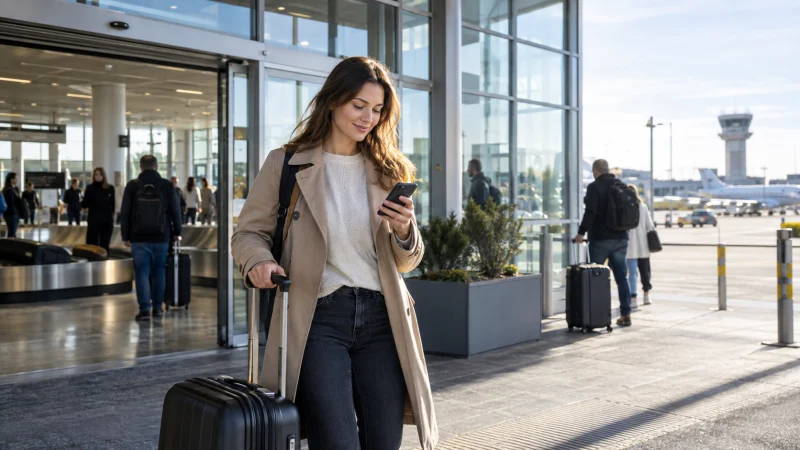

Internet at Vilnius Airport can help with transport, accommodation check-in and messages immediately after landing. The airport provides free Wi-Fi, while an eSIM, local SIM or eligible home roaming is needed once you leave the terminal.
Use the terminal connection as an arrival tool, not as the only internet plan for the trip.
NoveSIM travel eSIMs are data-only. We do not provide a Lithuanian number, conventional calls or SMS.
Quick answer: Connect only to the official airport Wi-Fi shown by current terminal information. Use it to retrieve bookings, install or check the eSIM and download the first route. Test mobile data before leaving the terminal so any setup problem can be handled while Wi-Fi remains available.
Top Lithuania eSIMs

Lithuania eSIM
Fixed
1 GB, 7 days€ 2.612 GB, 15 days€ 4.353 GB, 30 days€ 5.22Unlimited
Unlimited, 1 day€ 2.18Unlimited, 3 days€ 5.22Unlimited, 5 days€ 7.83
Europe Extra eSIM
Fixed
1 GB, 7 days€ 2.182 GB, 15 days€ 3.483 GB, 30 days€ 4.35Unlimited
Unlimited, 1 day€ 2.61Unlimited, 3 days€ 5.22Unlimited, 5 days€ 8.70Does Vilnius Airport have free Wi-Fi?
Vilnius Airport publishes that free wireless internet is available. Network names and portal behaviour can change, so verify the current official network on airport signage rather than trusting a similar-looking hotspot name.
Complete the sign-in page, avoid entering sensitive payment information on an unknown network and disconnect from networks you do not recognise. A VPN can add privacy, but it cannot make a fake hotspot legitimate.
What should you do while connected?
- Download the route into Vilnius and the accommodation address.
- Save train, bus or transfer tickets locally.
- Check late-arrival instructions and door codes.
- Confirm the mobile-data line and plan status.
- Message the accommodation or driver before leaving.
- Download an offline map if the onward route is unfamiliar.
Can you buy a SIM card at the airport?
Retail availability and opening hours can change. If you want a physical SIM, check current airport information and compare the full package terms with official operator shops in the city. Do not assume the first airport offer is the only available option.
The Lithuania SIM card guide explains when a local number is worth the purchase process.
How do you use an eSIM after landing?
- Keep the phone connected to official airport Wi-Fi.
- Enable the Lithuania eSIM in cellular settings.
- Select it as the mobile-data line.
- Enable data roaming on the travel line if required.
- Keep network selection automatic.
- Load a webpage and the first map route.
Ideally, install the profile before travel. Use the Lithuania installation guide for the complete preparation sequence and review current plans on the Lithuania eSIM page.
Should you use home-network roaming?
An eligible EU or EEA plan may include Lithuania, subject to fair-use conditions. Other home operators may apply a daily pass or metered rate as soon as data is used. Check the tariff before allowing the home line to connect for data.
The Lithuania roaming guide lists the billing details to verify.
How should you prepare the journey into Vilnius?
Open the current airport transport information and confirm the route that matches your arrival time. Save the destination in its original spelling, take a screenshot of the accommodation entrance and retain enough battery for the transfer. Do not rely on continuous Wi-Fi after walking out of the terminal.
If the trip continues beyond Vilnius, download the next map area and review Lithuania mobile coverage before a rural or coastal journey.
What if mobile data does not start?
Stay on airport Wi-Fi while checking the selected data line, travel-line roaming and automatic network selection. Toggle airplane mode, restart the phone and verify the APN from the plan instructions.
Do not delete the eSIM. Follow the Lithuania troubleshooting guide or contact support with screenshots.
Related Articles
FAQ
Is Wi-Fi free at Vilnius Airport?
The airport states that free wireless internet is available. Verify the current official network name on terminal signage.
Should I install my eSIM at the airport?
Installation is better completed before departure, but official airport Wi-Fi can be used to check or finish setup if necessary.
Do I need a Lithuanian number for the airport transfer?
Usually not. Maps and internet messaging work with data, although a local number may help with conventional domestic calls.
What should I download before leaving the terminal?
Save the city route, accommodation address, tickets and any late-arrival instructions. Test mobile data before disconnecting from airport Wi-Fi.
Final Recommendation
Use Vilnius Airport’s verified Wi-Fi for immediate arrival tasks and for checking the mobile connection. Do not depend on it after leaving the terminal.
Prepare an eSIM, eligible roaming allowance or local-SIM plan for the rest of the journey. Test it before departure from the airport and keep the first route offline.