


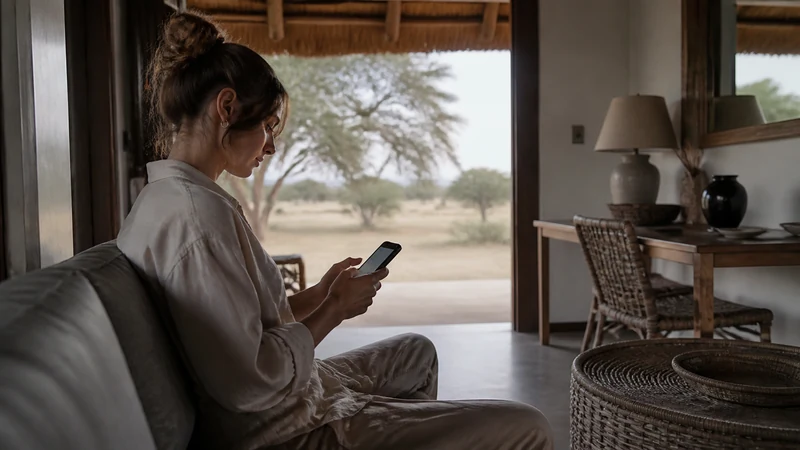

Installing a Botswana eSIM is a five-minute task that’s much easier done at home on reliable WiFi than at an airport with a QR code and a spotty connection. Given how limited the kiosk hours at Botswana’s airports can be, doing this properly before you fly is worth the small amount of time it takes.
Top Botswana eSIMs

Botswana eSIM
Fixed
1 GB, 7 days€ 11.552 GB, 15 days€ 25.333 GB, 30 days€ 31.10Unlimited
Unlimited, 1 day€ 16.44Unlimited, 3 days€ 46.65Unlimited, 5 days€ 77.31
Before you start: check compatibility
Not every phone supports eSIM, and even within the same product line, some regional variants don’t. Confirm your exact device model on the Botswana phone compatibility guide before going any further — installing on an unsupported device simply won’t work, and it’s better to know that at home than at the gate.
Installing the profile
- Connect to trusted WiFi — home or office, not a public network, since you’ll be handling an activation code.
- Open your phone’s cellular or mobile data settings and look for the option to add a new eSIM or cellular plan.
- Scan the QR code provided with your Botswana eSIM plan, or enter the activation details manually if scanning isn’t available.
- Follow the on-screen prompts to complete installation — this typically takes under a minute once started.
- Label the new line clearly (something like “Botswana”) so it’s not confused with your home SIM later.
Installation isn’t always the same as activation
This trips people up more than any other step: installing the eSIM profile and starting its validity period aren’t necessarily the same event. Some plans activate the moment you install; others start counting only once the profile registers with a network in Botswana. Check your specific plan’s terms rather than assuming — the Botswana eSIM activation guide covers what to do once you land.
Don’t test repeatedly before departure
It’s tempting to toggle the new eSIM on and try it before you fly, just to confirm it’s working — but if your plan’s validity starts at installation rather than first network registration, repeated testing at home can quietly eat into days you meant to use in Botswana. If you want to confirm the install went smoothly, check that the profile shows as installed in your settings rather than actively switching to it for a test.
Keep your details private
Store the order reference and QR code privately, and don’t share a screenshot of it publicly — the same QR code that installs your eSIM could, in principle, let someone else install it too, depending on how the specific plan is structured. Treat it the way you’d treat any other account credential.
What to do once you land
Installation gets the profile onto your phone; you’ll still need to enable it, select it for cellular data, and turn on data roaming after arrival — none of which should be rushed at the gate. The activation guide walks through this in order, and if anything doesn’t connect as expected, the troubleshooting guide covers the most common fixes.
FAQ
How long does installing a Botswana eSIM take?
A few minutes at most, assuming your phone supports eSIM and you’re on reliable WiFi.
Should I install my eSIM the day I fly or earlier?
Earlier is better — it gives you time to sort out any issues without departure-day pressure, and confirms your phone genuinely supports it before you’re relying on it.
Does installing the eSIM start my plan’s validity period?
Depends on the plan — some start at installation, others at first network registration in Botswana. Check your specific plan’s terms rather than assuming.
Can I install a Botswana eSIM without WiFi?
Technically sometimes using mobile data, but WiFi is far more reliable for this step — avoid trying it on a weak connection if you can help it.
Final Recommendation
Install your Botswana eSIM at home on trusted WiFi, well before departure, and confirm your phone’s compatibility first. Avoid testing it repeatedly before you fly in case validity starts at installation, and save the activation steps for after you land, where the activation guide picks up.