Botswana flag
Botswana eSIM

Botswana Travel eSIM

Plan your Botswana mobile data around the places where you will use it, not simply the length of a safari. Compare the allowances below for messages, booking details and other online tasks, and prepare offline information for transfers and remote stays.

We provide mobile data, not a Botswana phone number, standard voice calls or carrier SMS. Use internet apps through the connection on an unlocked, eSIM-compatible phone. A purchased allowance does not establish reception at every camp, reserve or road on your itinerary.

View Supported Networks for Botswana eSIM
Orange Botswana (Pty) Ltd4G
Mascom Wireless (Pty) Limited4G
★ 4.4/5 • Customer rating on Trustpilot
✔ Botswana travel data✔ Digital installation✔ Compatible unlocked phones✔ Check camp and route suitability
Botswana data plans

Choose Your Botswana eSIM Plan

Choose a validity period covering your intended use, then estimate the allowance from your phone habits. Include heavier tasks such as photo uploads and any permitted hotspot use rather than treating every travel day as identical.

Important! 1GB of full high-speed data where available per 24 hours. Thereafter your data speed will be reduced and will reset on the next 24h period.

Our Unlimited options provide 1 GB of high-speed data where available per 24-hour period, followed by reduced speeds until the next reset. Unlimited does not mean unlimited high-speed data. Compare a fixed allowance if you expect to make larger transfers on particular days.

Confirm tethering permission before buying for a laptop or another phone. Neither more gigabytes nor an Unlimited label improves reception where a usable mobile connection is absent.

Estimate data for your Botswana itinerary →
regional package check

Africa Does Not Currently List Botswana

Our Africa regional package does not include Botswana in its current public destination list. Its lower prices are not a substitute for service here. Check every country separately if your itinerary continues beyond Botswana.

your novesim purchase

Arrange a Data Line Without Collecting a Card

Digital purchase details

We send your QR code, quick activation link and installation instructions by email after purchase. Setup details are also available in your NoveSIM account.

Install with internet available

Add the supplied profile on a stable connection rather than relying on finding a physical-card seller during a transfer.

Your existing messaging

Keep WhatsApp registered to your current number. App communication uses data rather than an included local voice or SMS allowance.

Separate home-line costs

On a supported dual-SIM phone, retain your home line if needed. Its calls, voicemail and messages remain subject to home-carrier roaming terms.

supported networks

Orange Botswana and Mascom Wireless Are Listed with 4G

Check the live panel

The current network information shows Orange Botswana (Pty) Ltd and Mascom Wireless (Pty) Limited, both labelled 4G.

No automatic rural winner

The presence of both names does not establish which will work best at your next camp or along a particular drive. Ask about essential locations before buying.

Performance is local

Reception, congestion, buildings, terrain and your phone affect service. A 4G label is not a guaranteed speed or continuous connection across the country.

Check the handset

Review your exact model and regional variant on our compatible-device list. Confirm carrier-unlocked status separately.

eSIM installation process showing QR code scan and activation on smartphone
setup preparation

Read the Plan Rules Before Installing

01

Confirm the option

Check Botswana inclusion, allowance and duration. Confirm any essential feature before completing your purchase.

02

Check when validity starts

Read the supplied instructions before installing or enabling the eSIM. Installation and the beginning of validity are not necessarily the same event.

03

Install on stable internet

Use the supplied QR code or supported quick activation link while a reliable connection is available.

04

Name the data line

Give it a recognisable label, especially if you have other travel profiles for a journey through neighbouring countries.

connection settings

Select and Test Your Botswana Data Line

01

Enable the installed profile

Turn on the travel eSIM when ready to use it according to your purchased plan’s instructions.

02

Choose it for mobile data

Check that the Botswana line is selected rather than your home SIM or another destination’s profile.

03

Separate roaming by line

Enable roaming for the travel eSIM as instructed. Keep home-line data roaming and automatic data switching off to prevent unintended home-carrier data use.

04

Test without Wi-Fi

Allow registration on a supported network, briefly turn Wi-Fi off and open a fresh web page before relying on data for onward arrangements.

05

Keep the profile for support

If data does not work, review the supplied settings and contact support. Do not delete the installed eSIM unless support instructs you to do so.

which service fits?

Data, a Local Number or a Lodge Connection?

OptionReason to consider itCheck first
NoveSIM Botswana eSIMMobile data arranged online without physical-card collectionPhone, locations, allowance and validity
Local operator SIMA local number or domestic calling bundleCurrent registration, purchase and package terms
Accommodation internetA connection at the propertyActual availability, guest access and any limits

Our Botswana local SIM versus eSIM guide covers the wider buying decision. Confirm current operator requirements directly; a travel eSIM is not a claim that every local purchase is inconvenient or that our price is always lower.

before a safari transfer

Ask About Your Actual Camp and Arrangements

  • Ask the camp or operator which communication arrangements are available for guests.
  • Check the specific property rather than assuming its location or price guarantees Wi-Fi.
  • Save transfer times and meeting points before departure.
  • Keep booking references and contact details available offline.
  • Do not treat a connection in Maun or Kasane as a test of the next camp.
  • Arrange essential contact methods with your operator rather than relying only on mobile data.
  • Confirm any time-sensitive task while a connection you can use is available.

The Botswana safari connectivity guide discusses planning questions. Specific reception at a camp or park still needs checking; general regional descriptions are not product coverage guarantees.

roads and remote stays

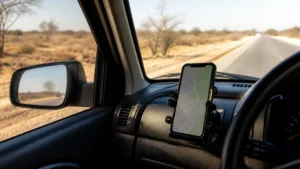
Keep Navigation Independent of Continuous Data

  • Download route information before leaving a connected location.
  • Save the next address and agreed transfer contact.
  • Keep enough battery and an appropriate charging option for the journey.
  • Do not rely on online-only tickets or documents during a transfer.
  • Check remaining data and expiry before larger uploads.
  • Confirm coverage for the next country separately if your journey crosses a border.
  • Use suitable arrangements for essential communication, not an assumption of continuous phone signal.

For further route preparation, see our Botswana coverage guide. Ask about your own locations rather than treating broad coverage statements as proof.

allowance priorities

Choose for the Tasks You Expect to Complete

Messages and bookings

Start with everyday communication and browsing. Save important documents offline so checking a booking does not always need a live connection.

Photos and larger files

Estimate uploads separately and compare fixed data with the daily high-speed limit. Pause cloud backup if it would consume your allowance unintentionally.

Work and shared data

Confirm hotspot permission and test at the intended location. Keep an alternative for important meetings rather than depending on uninterrupted mobile service.

travel internet guides

Related Botswana Travel Internet Guides

faq

Botswana eSIM FAQs

Does the Africa regional package include Botswana?
Not in its current public destination list. Do not buy it for service here based only on the regional name or lower price. Check explicit inclusion before choosing a package.
Which networks are listed for this product?
Orange Botswana and Mascom Wireless are currently shown with 4G. The listing does not guarantee either network at every camp, road or reserve, or establish which is best for a particular location.
Will the plan work throughout a safari?
Do not assume continuous service. Check specific camps and locations, save transfer details offline and arrange essential communication with your operator. A working connection at one stop does not establish the next.
Does this include a Botswana phone number?
No. We provide mobile data, not a Botswana phone number, standard voice calls or carrier SMS. Internet apps can use the data connection.
Is Unlimited unlimited high-speed data?
No. The options provide 1 GB of high-speed data where available per 24-hour period, then reduced speeds until the next reset.
When does validity start, and can I share data?
Read the start rule and confirm tethering permission for your selected option before buying. A network label and the displayed duration do not establish those conditions.
ready to compare?

Choose Data for Your Botswana Itinerary

Check your phone, intended locations and travel dates, then select an allowance with suitable conditions. Keep camp and transfer details offline, and arrange essential communication separately where needed.

Buy Botswana eSIM
Traveler using smartphone with global eSIM connection while traveling abroad
Scroll to Top