
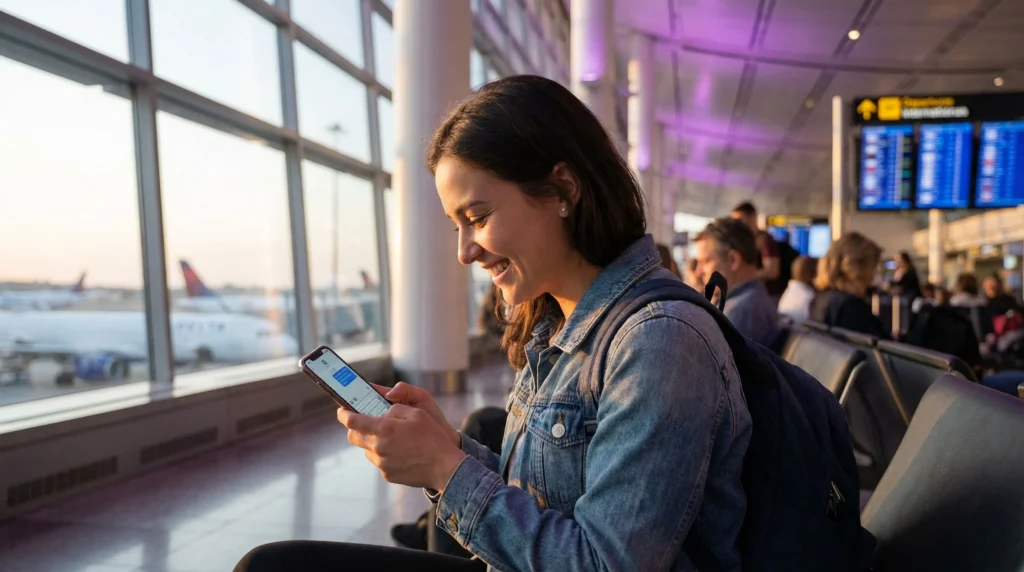

iPhone user sending iMessage using eSIM mobile data abroad

Does iMessage Work with eSIM? iPhone Travel Guide

Yes, iMessage works with eSIM as long as your iPhone has an internet connection.

You can use iMessage with mobile data from a travel eSIM, WiFi, or your primary SIM. If your travel eSIM is data-only, iMessage can still work using your Apple ID email and, in many cases, your existing phone number if your main SIM remains active.

This guide explains how iMessage works with eSIM, how to keep your normal number active, and what settings to check before traveling.

Quick Answer

  • iMessage works with eSIM: yes, if your iPhone has internet
  • Data-only eSIM: can still support iMessage over mobile data
  • Your phone number: can stay active if your primary SIM remains enabled
  • Best setup: use your primary SIM for calls/SMS and your travel eSIM for mobile data
  • Before travel: install your eSIM while connected to WiFi

Does iMessage Work with eSIM?

Yes, iMessage works with eSIM because iMessage uses internet data, not traditional SMS.

After your travel eSIM is active, your iPhone can use the eSIM’s mobile data to send and receive iMessages.

This means you can keep using iMessage while traveling without buying a local physical SIM card.

Does iMessage Work with a Data-Only eSIM?

Yes, iMessage can work with a data-only eSIM.

Most travel eSIMs provide mobile data only and do not include a local phone number. That is usually enough for iMessage because iMessage works through Apple’s internet-based messaging system.

You can usually send iMessages using:

  • your Apple ID email address
  • your existing phone number, if your primary SIM remains active
  • mobile data from your travel eSIM
  • WiFi when available

Will My Normal Phone Number Still Work with iMessage?

Your normal phone number may continue to work with iMessage if your primary SIM stays active on your iPhone.

A common travel setup is:

  • keep your primary SIM active for calls and SMS
  • use the travel eSIM for mobile data
  • keep iMessage linked to your Apple ID and phone number

This lets you use mobile data from the eSIM while keeping your usual number available for iMessage and SMS verification codes.

Best iPhone Settings for iMessage with eSIM

Before traveling, check these settings on your iPhone:

  • Go to Settings → Messages
  • Make sure iMessage is turned on
  • Tap Send & Receive
  • Check your Apple ID email and phone number
  • Go to Settings → Mobile Service or Cellular
  • Select your travel eSIM for Mobile Data
  • Keep your primary SIM active if you need your phone number

Can I Use iMessage Abroad with eSIM?

Yes, you can use iMessage abroad with an eSIM.

Once your eSIM provides mobile data, iMessage works like it does at home. You can send text, photos, videos, voice notes, links, and group messages to other Apple users.

You can also use other apps such as WhatsApp, Messenger, Telegram, Viber, FaceTime, and email with the same eSIM data connection.

Best eSIM for iPhone Travel

Use iMessage, maps, WhatsApp, FaceTime, and travel apps while abroad with a travel eSIM.

With NoveSIM, you get:

  • eSIM plans for 190+ destinations
  • Instant delivery by email
  • Easy setup with QR code or activation details
  • No physical SIM card needed
  • Keep your main SIM active while using eSIM data
  • Works on eSIM-compatible unlocked iPhones
Browse eSIM Plans

iMessage vs SMS with eSIM

Feature iMessage SMS
Uses internet Yes No
Works with data-only eSIM Yes No, not as a phone number service
Works with Apple ID email Yes No
May use your normal number Yes, if primary SIM remains active Yes, through your primary SIM
Best for travel Apple-to-Apple messaging Verification codes and non-Apple messages

Will iMessage Use My eSIM Data?

Yes. If your travel eSIM is selected for mobile data, iMessage will use that data connection when WiFi is not available.

iMessage usually uses very little data for text messages. Photos, videos, voice messages, and file sharing use more data.

How Much Data Does iMessage Use?

iMessage text messages use very little data. The data usage increases when you send or receive photos, videos, voice notes, or large attachments.

  • Text messages: very low data usage
  • Photos: low to medium data usage
  • Videos: higher data usage
  • Voice notes: low to medium data usage
  • Group chats with media: can use more data

For normal messaging, even a small travel eSIM plan can be enough. For heavy photo and video sharing, choose a larger data plan.

Read also: How much data do you need for 7 days of travel?

Should I Turn Off My Primary SIM?

If you want to keep your normal phone number active for iMessage, calls, SMS, or verification codes, do not turn off your primary SIM.

Instead, use this setup:

  • primary SIM: keep active for calls and SMS
  • travel eSIM: use for mobile data
  • data roaming: off for primary SIM if roaming is expensive
  • data roaming: on for travel eSIM if required

This setup helps you avoid roaming charges while still keeping your normal number available.

Will iMessage Switch to My eSIM Number?

Most travel eSIMs are data-only and do not include a phone number, so iMessage will usually stay connected to your Apple ID and your existing phone number if your primary SIM remains active.

If your iMessage settings change after installing an eSIM, check:

  • Settings → Messages → Send & Receive
  • which addresses are selected for iMessage
  • which line is selected for mobile data
  • whether your primary SIM is still turned on

What If iMessage Stops Working After Installing eSIM?

If iMessage stops working after installing your eSIM, try these steps:

  • make sure iMessage is turned on
  • check that your iPhone has internet access
  • select the travel eSIM for mobile data
  • keep your primary SIM active if you use your phone number
  • restart your iPhone
  • check Settings → Messages → Send & Receive
  • try using your Apple ID email for iMessage

Can I Use FaceTime with eSIM?

Yes. FaceTime works with mobile data from your travel eSIM, just like iMessage.

Video calls can use a lot of data, so use WiFi for long FaceTime calls when possible.

Can I Use WhatsApp with eSIM?

Yes. WhatsApp works normally with mobile data from your eSIM.

Your WhatsApp account usually stays connected to your existing phone number, even if you use a data-only travel eSIM for internet.

When Should You Install Your eSIM for iMessage?

It is best to install your eSIM before travel while you still have stable WiFi.

After arriving at your destination:

  • turn on the eSIM line
  • enable data roaming for the eSIM if required
  • select the eSIM for mobile data
  • check that iMessage is turned on

Read also: When should I install my eSIM before travel?

Useful Guides

FAQ

Does iMessage work with eSIM?

Yes. iMessage works with eSIM as long as your iPhone has internet access through mobile data or WiFi.

Does iMessage work with a data-only eSIM?

Yes. iMessage can work with a data-only eSIM because it uses internet data. You can use your Apple ID email and often your normal number if your primary SIM remains active.

Can I keep my normal phone number for iMessage with eSIM?

Yes, if your primary SIM remains active and your number is still selected in iMessage settings.

Will iMessage use my travel eSIM data?

Yes. If your travel eSIM is selected for mobile data, iMessage will use that data connection when WiFi is not available.

Why did iMessage stop working after installing eSIM?

iMessage may stop working if there is no internet connection, your primary SIM is turned off, your number is no longer selected, or iMessage needs to be re-enabled in settings.

Can I use FaceTime with eSIM?

Yes. FaceTime works with mobile data from your eSIM, but video calls can use a lot of data.

Can I use WhatsApp with eSIM?

Yes. WhatsApp works with eSIM mobile data and usually stays connected to your existing WhatsApp number.

Should I turn off my primary SIM when using eSIM?

Not if you want to keep your normal number active for iMessage, SMS, or verification codes. Use your eSIM for mobile data and keep your primary SIM active if needed.

Conclusion

iMessage works with eSIM because it uses internet data. A data-only travel eSIM can support iMessage, FaceTime, WhatsApp, maps, and travel apps while abroad.

For the best setup, keep your primary SIM active for your normal number and use your travel eSIM for mobile data.

View eSIM Destinations

Scroll to Top