


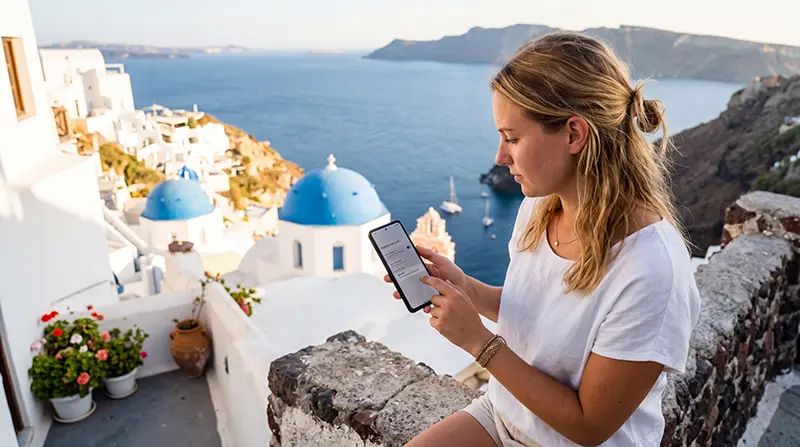

To install Greece eSIM service safely, complete the profile download before departure while dependable Wi-Fi and another screen for the QR code are available.
Installation adds the profile to the phone; it is not always the event that starts plan validity. Follow the activation rule shown for the purchased product.
NoveSIM travel eSIMs are data-only and provide no Greek number, carrier calls or SMS.
Quick answer: confirm compatibility and unlock status, add the eSIM on Wi-Fi, label it clearly, then select it for mobile data in Greece and enable roaming on that line when required.
Top Greece eSIMs

Greece eSIM
Fixed
1 GB, 7 days€ 1.762 GB, 15 days€ 3.523 GB, 30 days€ 4.40Unlimited
Unlimited, 1 day€ 2.20Unlimited, 3 days€ 4.84Unlimited, 5 days€ 7.93
Balkans eSIM
Fixed
1 GB, 7 days€ 4.402 GB, 15 days€ 7.053 GB, 30 days€ 9.25Unlimited
Unlimited, 1 day€ 4.84Unlimited, 3 days€ 11.01Unlimited, 5 days€ 17.17Europe Extra eSIM
Fixed
1 GB, 7 days€ 2.202 GB, 15 days€ 3.523 GB, 30 days€ 4.40Unlimited
Unlimited, 1 day€ 2.64Unlimited, 3 days€ 5.28Unlimited, 5 days€ 8.81Europe+ eSIM
Fixed
1 GB, 7 days€ 2.642 GB, 15 days€ 3.963 GB, 30 days€ 5.28Unlimited
Unlimited, 1 day€ 2.64Unlimited, 3 days€ 6.16Unlimited, 5 days€ 10.13Europe Lite eSIM
Fixed
1 GB, 7 days€ 2.202 GB, 15 days€ 3.523 GB, 30 days€ 4.40Unlimited
Unlimited, 1 day€ 2.64Unlimited, 3 days€ 5.28Unlimited, 5 days€ 8.81What should you check before you install a Greece eSIM?
- Verify the exact phone variant supports eSIM.
- Confirm the device is network-unlocked.
- Read the plan’s coverage, validity and activation timing.
- Display the QR code on another device or keep manual details accessible.
- Connect the phone to stable Wi-Fi.
Use the Greece compatibility checks before purchase if any model detail is uncertain.
How do you install Greece eSIM service on your phone?
- Open the phone’s cellular or SIM settings.
- Choose the option to add an eSIM or mobile plan.
- Scan the supplied QR code or enter the manual details.
- Allow the profile to download without closing settings.
- Label the new line “Greece data”.
- Keep the home line clearly identified.
Menu names differ between iPhone and Android versions, so follow the labels shown on the exact device rather than forcing instructions for another model.
Should the eSIM be activated immediately?
Only when the plan instructions say so. Some plans begin validity on installation, while others begin after first connection in the destination. Review the Greece activation guide before switching the line on.
Which settings are needed after arrival?
- Turn on the travel eSIM.
- Select it as the mobile-data line.
- Disable automatic data switching.
- Enable Data Roaming for the eSIM if required.
- Leave network selection automatic and test a webpage.
If manual APN entry is required for NoveSIM, use data.esim. Keep data roaming disabled on the home SIM to reduce unintended charges.
What if installation fails?
Confirm Wi-Fi, compatibility, unlock status and whether the QR code has already been used. Do not repeatedly scan it and do not delete an installed eSIM unless NoveSIM support instructs you to do so. Continue with Greece eSIM troubleshooting.
Related Articles
FAQ
Can I install the eSIM before flying?
Yes, and stable home Wi-Fi is usually the safest environment, but follow the plan’s activation timing.
Do I need to remove my physical SIM?
No on a compatible dual-SIM phone. Select the Greece line for data after arrival.
Can I scan the QR code from the same phone?
Manual installation details or a supported in-app method may be needed; displaying the code on another screen is simplest.
Should I delete a failed installation?
No. Contact NoveSIM support before removing an installed profile.
Final Recommendation
Install Greece eSIM service on stable Wi-Fi only after checking the exact device and plan timing.
Keep installation separate from activation, label both SIMs and select the travel line deliberately after arrival.
Preserve the installed profile during troubleshooting and change one setting at a time.