


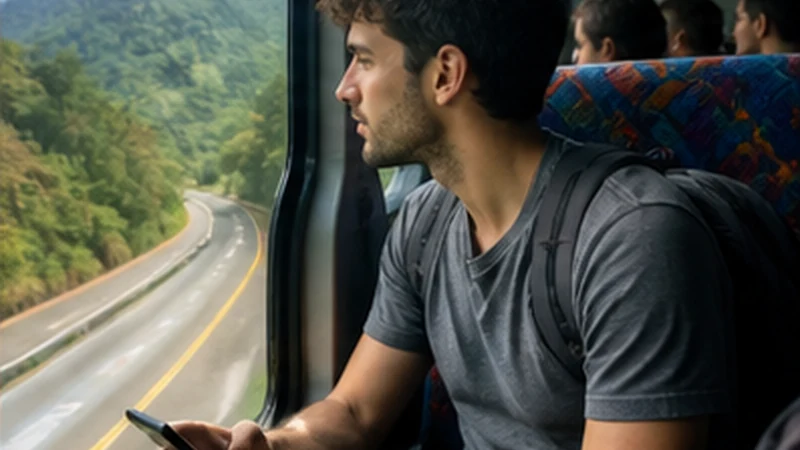

Mobile internet for backpacking Guatemala needs to survive frequent changes: a new hostel, an early shuttle, a mountain route, a remote attraction or an onward border. The useful setup keeps each transition workable without wasting the travel budget.
Hostel Wi-Fi can handle large downloads when it is usable, while an eSIM provides independent data for maps and messages between stops. Offline copies connect the two when neither service is available.
NoveSIM Guatemala plans are data-only. They provide internet access without a local number, ordinary calls or SMS. Drivers, hostels and tour operators must accept internet messaging for the travel data to cover communication.
Quick answer: Install the eSIM before departure, download the next route before every checkout and reserve mobile data for transport, maps and accommodation contact. Save each hostel address, pickup and ticket outside the booking app, and verify every country separately before crossing a border.
Top Guatemala eSIMs

Guatemala eSIM
Fixed
1 GB, 7 days€ 5.772 GB, 15 days€ 9.323 GB, 30 days€ 11.98Unlimited
Unlimited, 1 day€ 5.32Unlimited, 3 days€ 17.75Unlimited, 5 days€ 24.85
Central America eSIM
Fixed
1 GB, 7 days€ 7.102 GB, 15 days€ 11.543 GB, 30 days€ 15.53Unlimited
Unlimited, 1 day€ 6.66Unlimited, 3 days€ 16.42Unlimited, 5 days€ 26.18Plan Mobile Internet for Backpacking Guatemala by Stage
Create a short connection card for every stop: arrival point, hostel, next departure and offline fallback. This prevents a flexible itinerary from becoming a collection of bookings that can only be opened online.
- full property name and written address;
- map pin and entrance or reception note;
- transport company and booking reference;
- pickup location, time and vehicle detail;
- next destination and missed-pickup procedure;
- one appropriate contact method stored offline.
Update the card each evening. Do not wait until checkout, when the phone may be low on power and the shared Wi-Fi busy or unavailable.
Choose an Allowance for the Route, Not the Country Name
Estimate the data needed for maps, messages, booking changes and any essential calls. Then add only a realistic margin. A larger package can be poor value if its validity ends before the route or if most usage happens over hostel Wi-Fi.
Video, cloud photo backup and laptop tethering can use far more than navigation. Pause them on mobile data and download entertainment while connected to verified Wi-Fi.
The Guatemala data-planning guide helps turn the number of travel days and activities into a more useful allowance estimate.
Use Hostel Wi-Fi as a Download Window
Ask staff for the official network name and current access process. Do not select a similarly named open network merely because it has a strong signal.
Use the connection to download the next map region, tickets, language resources and any larger media. Test the essential files in Airplane Mode after the download.
Shared-network performance can change by room and time. Complete critical transport preparation before the busiest departure moment rather than assuming the same connection will be available in the morning.
Protect Accounts on Shared Networks and Devices
Avoid installing unknown certificates, device-management profiles or applications requested by an unverified login page. Use the traveller’s normal security tools and choose mobile data for sensitive work when that is the safer option.
Keep the phone locked and do not leave it charging unattended in a shared area. Use a power bank or supervised outlet when possible, and avoid exposing the eSIM QR code in a screenshot or photo album.
Forget temporary networks after checkout if automatic reconnection would create confusion or risk later.
Configure the eSIM Once and Keep the Roles Clear
- Switch the Guatemala eSIM on.
- Select it under Mobile Data or Cellular Data.
- Enable Data Roaming on the travel line.
- Disable Data Roaming on the home SIM.
- Turn automatic mobile-data switching off.
- Keep network selection on Automatic.
Turn Wi-Fi off and load a lightweight webpage before beginning the route. If signal appears without data, check the allowance and use data.esim only when manual APN entry is required.
Label the home and travel lines clearly. The Guatemala dual-SIM guide explains how to keep the normal number without allowing the home line to use unintended roaming data.
Prepare for Different Backpacking Environments
Guatemala City and Antigua usually create an urban accommodation and transport problem: exact pickup, building-level signal and verified Wi-Fi. Lake Atitlán adds the need to identify the correct town, dock or landing. Highland roads require broader offline maps.
Tikal, Semuc Champey and other remote stages need stronger offline preparation, more battery reserve and a return plan that does not rely on a live message.
Do not copy one city’s result to the whole route. Use the Guatemala eSIM coverage guide to understand why population, terrain and building position matter.
Keep Transport Bookings Usable Without an App
Download tickets and booking references in their accepted format. If an operator requires an original document or a specific display, follow that requirement rather than assuming a screenshot will be enough.
Save pickup descriptions and vehicle details in a separate note. A booking app may sign out, fail to refresh or need an SMS code associated with a home number.
For a shared shuttle or bus, agree on what happens when the traveller is delayed and cannot send a message. A physical waiting point is more dependable than live location.
Make the Backpack’s Power Setup Practical
Carry one tested cable and adapter combination for the phone, plus a charged power bank. Keep the power bank in the appropriate hand luggage during air travel and follow the carrier’s current battery rules.
In shared accommodation, charge devices where they can be monitored. Use Airplane Mode during known no-signal stages to reduce network searching while keeping offline maps available.
Reserve power for the arrival and next departure. Photographs and entertainment should not consume the battery needed to find the hostel after dark or identify the pickup.
Stretch Mobile Data Without Losing Useful Functions
Disable video autoplay, cloud backup, automatic app updates and high-resolution media downloads over mobile data. Review per-app usage after the first few days rather than waiting until the plan is nearly empty.
Offline maps reduce map downloads but may not include live traffic or current closures. Use mobile data to check those details when connected, then retain the route independently.
Keep a defined allowance margin for the final airport, border or accommodation transfer.
Handle Borders as New Country Connections
A Guatemala country plan does not automatically continue in Mexico, Belize or another destination. Check the included-country list attached to the actual product.
For a regional plan, verify every country by name and confirm validity through the full itinerary. For separate country eSIMs, install and label them before the crossing and switch the mobile-data line deliberately.
The Central America eSIM guide from Guatemala covers regional versus country-profile handovers.
If Service Disappears Between Stops
Continue with the saved route and let Automatic network selection reconnect. A road, mountain or forest gap is not evidence that the profile has failed.
At the next suitable stationary location, use Airplane Mode for approximately 30 seconds and restart once if necessary. Recheck the selected data line, travel-line roaming and allowance.
Do not delete the installed eSIM. If it remains offline after returning to expected coverage, contact NoveSIM Support with the order, phone model, exact location and symptom.
Related Articles
FAQ
Is an eSIM useful for backpacking Guatemala?
Yes for a compatible unlocked phone, particularly when the itinerary changes often. It provides mobile data without finding a seller at each arrival, but offline route preparation remains necessary.
Can I rely on hostel Wi-Fi?
No single hostel connection should be assumed. Verify the network, use it as a download window and keep eSIM data plus offline bookings as alternatives.
Will the Guatemala eSIM work after a border crossing?
Only if the selected product explicitly includes the next country. Otherwise prepare a regional or separate country plan before crossing.
How can backpackers reduce mobile-data use?
Download maps and media on verified Wi-Fi, stop cloud backup and autoplay, monitor per-app usage and reserve allowance for transport days.
Final Recommendation
Build mobile internet for backpacking Guatemala around a modest right-sized plan, verified hostel download windows and an offline card for every stop.
Protect the phone, QR code, accounts, battery and home SIM while moving frequently, and keep transport bookings outside a single online app.
Expect route-level gaps, verify each border country and retain the installed eSIM. Flexibility comes from prepared transitions, not constant signal.