


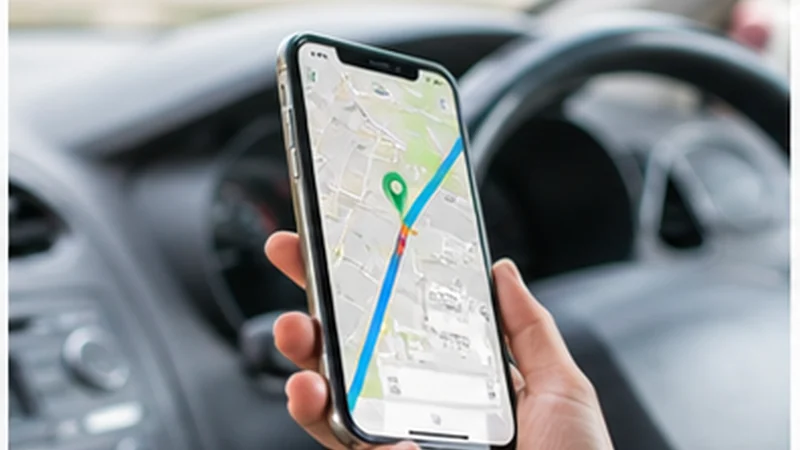

Google Maps works in South Africa for driving, place searches and live navigation when the phone has mobile data. Downloaded offline areas provide a useful fallback, especially on long road sections where reception may weaken.
Offline maps are not a complete substitute for connectivity. Without an internet connection, live traffic and alternative driving routes are unavailable, and offline public-transport, cycling and walking directions may not work.
NoveSIM South Africa travel eSIMs are data-only. They can provide the connection used by Google Maps, but they do not include a South African number, conventional calls or carrier SMS.
Quick answer: Download every important South Africa map area over Wi-Fi before departure, save the first route and accommodation address, and use the travel eSIM for live traffic and route changes. Make sure the whole planned driving route fits inside the downloaded area.
Top South Africa eSIMs

South Africa eSIM
Fixed
1 GB, 7 days€ 4.882 GB, 15 days€ 8.433 GB, 30 days€ 11.09Unlimited
Unlimited, 1 day€ 5.32Unlimited, 3 days€ 13.75Unlimited, 5 days€ 21.74
How to use Google Maps in South Africa offline
Google Maps lets you select an area to store on a phone or tablet. A single download may not cover a multi-city itinerary, so inspect the boundaries rather than assuming that one city map includes the complete transfer route.
- Connect the phone to reliable Wi-Fi and open Google Maps.
- Tap the profile picture or initial and choose Offline maps.
- Select Select your own map.
- Move and zoom the frame to cover the required city, road or region.
- Tap Download and wait for it to finish.
- Repeat for any destination or road section outside the first area.
Google advises that downloaded maps need updating before they expire. Open the Offline maps screen shortly before the trip and update every area while Wi-Fi is available.
What works when Google Maps is offline?
Downloaded maps can provide driving navigation when the entire route lies within the saved area. They do not provide the same live service as an online map: traffic conditions, incident-driven alternatives and some place information require connectivity.
Google states that public-transport, cycling and walking directions are unavailable offline. Therefore, save transit details and screenshots separately when a city journey depends on a particular service.
An offline map also cannot confirm a last-minute closure or changed entrance. Check the live route before leaving accommodation, particularly for time-sensitive airport transfers or attraction bookings.
Prepare city navigation differently from a road trip
In Cape Town, Johannesburg, Durban and Pretoria, mobile data is useful for traffic-aware directions, place searches and ride coordination. Save the accommodation address and the correct entrance or pickup point, not only the venue name.
A South Africa road trip needs broader offline coverage. Download the complete corridor between overnight stops, plus the towns where fuel, food or accommodation are planned. The South Africa road-trip internet guide covers connectivity planning beyond navigation.
For wildlife areas, confirm the entrance gate and arrival deadline in advance. Reception inside or near a reserve may differ from the nearest town. See the Kruger connectivity guide when that park is part of the itinerary.
Reduce Google Maps mobile-data use
- Download map areas and update them over Wi-Fi.
- Save hotels, gates, parking areas and meeting points before travel.
- Avoid repeatedly opening photo-heavy place listings on mobile data.
- Pause cloud photo backup while navigating.
- Use a downloaded map as the baseline and mobile data for live changes.
- Carry a charged power bank for long driving days.
Navigation is rarely the largest data user on a trip. Streaming, automatic media uploads and hotspot devices can consume much more. Use the South Africa data calculator to size the complete allowance.
Set the South Africa eSIM as the data line
Install the eSIM while dependable Wi-Fi is available. After arrival, select it for Mobile Data, enable Data Roaming on the travel line if required and disable automatic data switching.
Keep Data Roaming off on the home SIM unless its South Africa tariff is understood. Leaving the home number enabled for calls or messages can still create roaming charges even when Google Maps uses the eSIM.
Review current allowances, validity and supported networks on the South Africa eSIM product page. Local coverage, the selected plan and the phone determine the connection available to Maps.
Check the route before leaving a connected area
Compare the destination pin with the written address supplied by the accommodation, park or tour operator. Similar business names and remote entrances can place a pin on the wrong road.
Read current road, weather and access information from the relevant authority or operator when conditions matter. A mapping app can guide along a route, but it is not the final authority for road safety, park access or transport schedules.
Send the expected route and arrival time to a trusted contact when travelling through an unfamiliar remote area. Keep a written fallback for the next stop.
If Google Maps will not load on mobile data
- Open a normal website to check whether the problem affects the whole connection.
- Confirm that the South Africa eSIM is selected for Mobile Data.
- Enable Data Roaming on the travel eSIM and keep it off on the home SIM.
- Check that Google Maps is allowed to use mobile data.
- Turn Airplane Mode on briefly, turn it off and retry.
- If no app has data, follow the South Africa eSIM troubleshooting guide.
Do not delete the installed eSIM during troubleshooting unless NoveSIM Support instructs you to do so.
Related Articles
- Mobile Data in South Africa
- South Africa eSIM Coverage
- Mobile Internet on the Garden Route
- Useful Apps for South Africa Travel
FAQ
Does Google Maps work in South Africa?
Yes. Google Maps works with mobile data for live navigation, traffic and searches. Downloaded offline areas can support driving navigation when the route remains inside the saved area.
Can I use Google Maps offline in South Africa?
Yes, after downloading the required area to the mobile app. Offline public-transport, cycling and walking directions are unavailable, and driving navigation does not include live traffic or alternative routes.
How much data does Google Maps use in South Africa?
Usage varies with searches, live navigation and place listings. Downloading areas over Wi-Fi and limiting photo-heavy searches reduces mobile-data use.
Should I rely only on Google Maps for a South Africa road trip?
No. Keep accommodation details, entrance instructions and essential contacts offline, and check authoritative road or park information when access conditions matter.
Final Recommendation
Prepare Google Maps in South Africa by downloading all required areas before travel and verifying that the complete driving routes fall inside them.
Use the travel eSIM for live traffic, searches and route changes, while keeping automatic data switching off to protect the home SIM from roaming.
Before every remote or time-sensitive journey, confirm the destination address and retain an offline route, contact number and written fallback.