


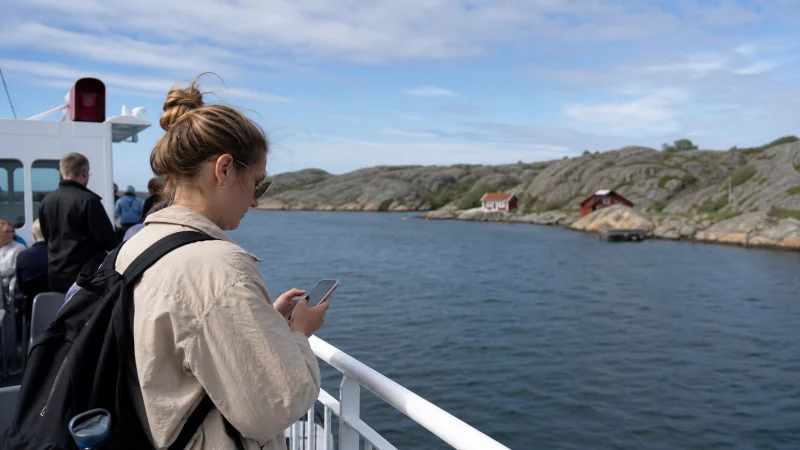

Mobile internet is available across much of Finland’s populated southwest coast, but an archipelago journey is not the same as staying in Turku. Islands, open-water crossings, shoreline terrain and indoor ferry spaces can all change reception over a short distance.
Quick answer: A travel eSIM can keep maps, messages and bookings online across much of an archipelago trip, but continuous service should not be assumed on every island or ferry leg. Download routes and timetables, save accommodation contacts and carry enough power for the full travel day.
Top eSIMs

Why island coverage can change quickly
Coverage maps describe expected outdoor service, not a guarantee at one cottage, harbour or forested shore. Distance from the serving site, rock, trees, the side of an island and building materials all influence the connection. A phone may move between Finnish partner networks only according to the access included with the selected plan.
Keep automatic network selection enabled unless troubleshooting instructions say otherwise. Forcing one network can leave the phone attached to a weak signal when another permitted option would work better.
Prepare ferry routes offline
Download the relevant maps and save each terminal before starting the route. Ferry schedules, seasonal services and vehicle queues can determine whether the day’s itinerary is possible. Use the current operator timetable rather than relying only on a route shown by a mapping app.
Store booking references and the next accommodation address outside email. If a connection fades during a crossing, the information needed on arrival should still be accessible. Our Google Maps guide for Finland explains the limits of offline navigation.
What to expect on ferries and at harbours
Reception may remain usable near populated shores and weaken farther from land. Metal structures and interior vehicle decks can reduce signal even when service is available outside. Wait until you are on an open deck or back near shore before changing network settings.
Public ferry Wi-Fi, where offered, should be treated as a convenience. It may be shared, slow or unavailable, and sensitive account activity is safer on the phone’s own data connection.
Choosing data for an archipelago trip
Navigation, weather checks and ordinary messages use relatively little data. Video, cloud photo backup and hotspot use are the larger variables. Photographers should pause automatic uploads until a stable connection is available at the accommodation.
Compare the number of travel days and expected usage with our Finland data guide. Unlimited-labelled plans may still have fair-use or speed conditions, so the live product terms matter more than the label alone.
Using an eSIM without losing the home number
A compatible dual-SIM phone can keep the usual line installed while the Finland eSIM handles mobile data. Disable roaming and mobile-data switching on the home line to reduce the risk of unintended charges. NoveSIM travel eSIMs are data-only; we do not provide a Finnish number, carrier SMS or conventional calls.
Install the eSIM over secure Wi-Fi and label both lines clearly. In Finland, select the travel eSIM for data and enable Data Roaming for that eSIM. If the phone does not connect, check these settings and allow automatic network registration before manually changing the APN.
An offline-first island checklist
- Save ferry timetables and terminal locations.
- Download every island and coastal section of the route.
- Store lodging access instructions and host contacts offline.
- Carry a power bank and charging cable.
- Tell someone the route when visiting quieter islands.
Related Articles
- Internet in Turku for Tourists
- Mobile Internet for a Finland Road Trip
- Finland eSIM Coverage
- Using a Hotspot with a Finland eSIM
FAQ
Is there mobile coverage in Finland’s archipelago?
There is service across many populated islands and coastal routes, but strength varies by exact island, shoreline, terrain and building. Continuous coverage on every crossing cannot be guaranteed.
Will a Finland eSIM work on ferries?
It can work while the phone is within reach of an included terrestrial network. Signal may weaken offshore or inside metal areas of the vessel.
Should I manually select a network on an island?
Start with automatic selection. Manual selection is a troubleshooting step only when the phone cannot register correctly and the chosen network is included with the plan.
Do I need offline maps for the Archipelago Trail?
Yes. Save maps, ferry terminals and current schedules before departure so a temporary loss of reception does not interrupt the route.
Final Recommendation
Use mobile data for current weather, messages and route changes, but plan the archipelago as an offline-capable journey. Download the full route, preserve ferry information and carry power. That combination is more dependable than expecting identical reception across every island and crossing.