


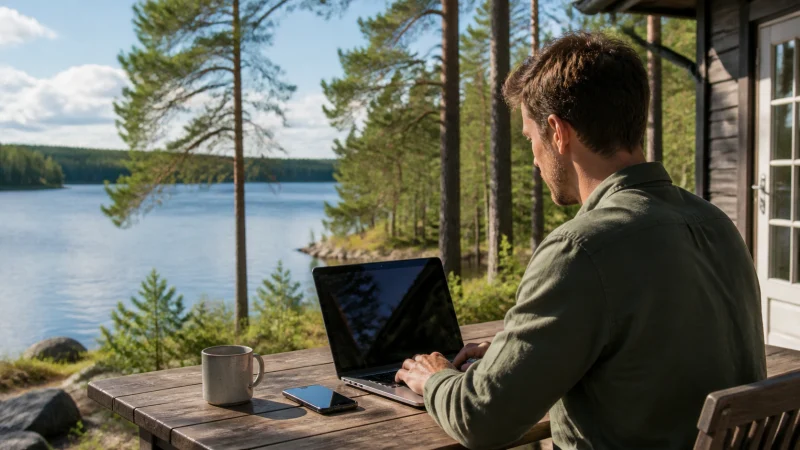

A Finland eSIM can provide a hotspot when tethering is supported by the selected plan and device. The main risk is rarely the connection itself: a laptop can consume a travel allowance quickly through updates, cloud sync and media downloads.
Hotspot availability, speed and the number of connected devices depend on the plan, handset, partner network and local coverage. Check the live plan terms before relying on tethering for work.
NoveSIM Finland travel eSIMs are data-only. A hotspot shares that data connection; it does not add a Finnish telephone number, conventional calls or carrier SMS.
Quick answer: Confirm that the plan allows hotspot use, select the Finland eSIM for mobile data, secure the hotspot with a strong password and pause background traffic on every connected device.
Top eSIMs

Check support before connecting a laptop
Read the selected plan’s hotspot and fair-use terms on the Finland eSIM page. Do not assume that every unlimited-labelled plan permits unrestricted tethering or maintains the same speed after heavy use.
The phone must be unlocked, eSIM-compatible and already able to use mobile data. If cellular data does not work on the phone itself, solve that first with the Finland troubleshooting guide.
How to prepare a secure hotspot
- Select the Finland eSIM as the phone’s mobile-data line.
- Disable automatic data switching to the home SIM.
- Open Personal Hotspot or Mobile Hotspot settings.
- Set a strong password and a recognisable network name.
- Connect one device and test a normal webpage.
- Check the eSIM allowance after the test.
Turn off the hotspot when it is not needed. An open tethering session drains the phone battery and can allow forgotten devices to reconnect.
Stop a laptop from consuming the allowance
- Mark the hotspot as a metered connection where the operating system supports it.
- Pause operating-system and application updates.
- Pause photo, drive and desktop cloud synchronisation.
- Lower video quality and disable autoplay.
- Disconnect tablets or watches that are not being used.
- Close work applications that continuously sync large files.
Estimate the trip requirement with the Finland data guide. A few hours of maps and messages use far less than a video meeting, system update or cloud backup.
Hotspot performance around Finland
The hotspot cannot improve the mobile signal received by the phone. Helsinki accommodation may provide strong capacity, while a cottage, forest road or northern route may have lower speed or a less stable connection.
Place the phone where reception is strongest without exposing it to moisture, direct heat or severe cold. During rural travel, use offline-first coverage preparation rather than treating tethering as the only connection.
When tethering does not work
- Confirm that mobile data works directly on the phone.
- Check that the Finland eSIM remains the selected data line.
- Restart the hotspot, then reconnect the second device.
- Try the compatibility-band option if the phone offers one.
- Restart the phone once.
- Verify data.esim only if manual APN configuration is required.
Do not delete the installed eSIM unless NoveSIM support specifically asks you to do so. If phone data works but hotspot remains unavailable, provide support with the plan name, handset model and operating system.
Related Articles
- Unlimited Mobile Data in Finland
- How Much Data for a Finland Trip?
- Finland eSIM Coverage
- Internet for Digital Nomads in Finland
FAQ
Can I use a hotspot with a Finland eSIM?
Yes when the selected plan and device support tethering. Check the live plan terms before purchase.
Does hotspot use more data?
The same traffic uses the same allowance, but laptops and additional devices often run larger updates and background sync, so total consumption rises quickly.
Why does hotspot work slowly?
Local mobile coverage, congestion, phone placement, the connected device and plan conditions can all limit performance.
Should I delete the eSIM if tethering fails?
No. Confirm phone data, the selected line and hotspot settings, then contact NoveSIM support before removing the profile.
Final Recommendation
Use a Finland eSIM hotspot for deliberate tasks, not as an unattended replacement for home broadband.
Secure the connection, limit connected devices and pause every background process that could consume data unexpectedly.
For important remote work, keep an alternative connection and offline copies of essential files because tethering remains dependent on local mobile coverage.