


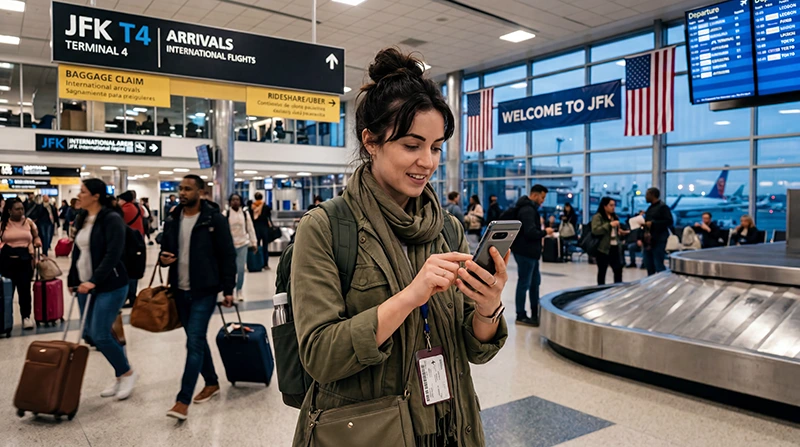

An eSIM at JFK Airport gives you mobile data for transport coordination, maps and messages as soon as the phone registers on a supported US network.
Install the profile before departure when possible. JFK provides free airport Wi-Fi, but waiting until arrivals to complete the entire installation adds avoidable dependence on the terminal connection.
NoveSIM USA travel eSIMs are data-only. They do not supply a US telephone number or conventional calls and SMS, while app-based communication works through data.
Quick answer: Arrive with the USA eSIM installed, switch it on at JFK, choose it for Mobile Data and enable Data Roaming. For a temporary connection, JFK identifies its official network as _Free JFK WiFi.
Top United States eSIMs

United States eSIM
Fixed
1 GB, 7 days€ 2.662 GB, 15 days€ 4.443 GB, 30 days€ 5.77Unlimited
Unlimited, 1 day€ 3.55Unlimited, 3 days€ 8.87Unlimited, 5 days€ 13.75
Before the Flight to JFK
Check the exact phone variant, eSIM compatibility and carrier-lock status. US network support can vary by device model and frequency support, so compatibility with eSIM does not by itself guarantee access to every partner network.
Install on stable Wi-Fi, label the line and save the activation details offline. The USA eSIM guide explains the broader plan and coverage considerations.
Turn on Mobile Data after Landing
- Leave Airplane Mode when permitted.
- Enable the USA eSIM line.
- Select it for Mobile Data.
- Turn on Data Roaming for that line.
- Disable automatic data switching to the home SIM.
- Keep Network Selection on Automatic during initial registration.
Wait several minutes before deciding that registration failed. Test with a webpage or map rather than a normal call, because the NoveSIM plan is data-only.
Use JFK Wi-Fi as a Backup
JFK’s official passenger guidance names the free network _Free JFK WiFi. Check airport signage before connecting and use the current portal instructions.
The JFK Wi-Fi guide covers terminal access and portal troubleshooting. Avoid sensitive account changes on an untrusted public connection and keep booking details offline.
Data for Leaving JFK
A working mobile connection helps when pickup points change or a journey involves several transport stages. Download the first route in advance, then use live data for service updates and final walking directions.
Travellers who need a US number or prefer a staffed purchase can compare the JFK Airport SIM card option. The broader JFK internet guide compares Wi-Fi, SIM, eSIM and roaming.
If the eSIM Has Signal but No Data
Recheck the selected data line and roaming setting. If the plan requires manual APN entry, use the NoveSIM APN data.esim. Refresh registration with Airplane Mode before considering manual network selection.
Coverage, speed and 5G availability depend on the plan, phone, partner network and terminal or city location. Do not delete the installed profile unless NoveSIM Support instructs you to do so.
Related Articles
- Internet at JFK Airport
- Wi-Fi at JFK Airport
- SIM Card at JFK Airport
- Best eSIM for the USA
- United States eSIM Plans
FAQ
Can I use an eSIM immediately after landing at JFK?
Yes, when it is installed, enabled and covered by a valid USA plan. Network registration can take several minutes.
Does JFK Airport have free Wi-Fi?
Yes. JFK currently identifies the official passenger network as _Free JFK WiFi.
Should Data Roaming be on?
Usually yes for a travel eSIM. Enable it on the travel line and keep the home SIM from carrying mobile data.
Does a USA eSIM guarantee 5G at JFK?
No. Network generation depends on the plan, compatible device, partner network and local conditions.
Final Recommendation
Install the JFK eSIM before departure and keep your first route and booking details offline.
After landing, select the travel line for data, enable roaming and allow automatic network registration.
Use the official JFK Wi-Fi as a temporary backup while preserving the installed eSIM if troubleshooting is needed.