


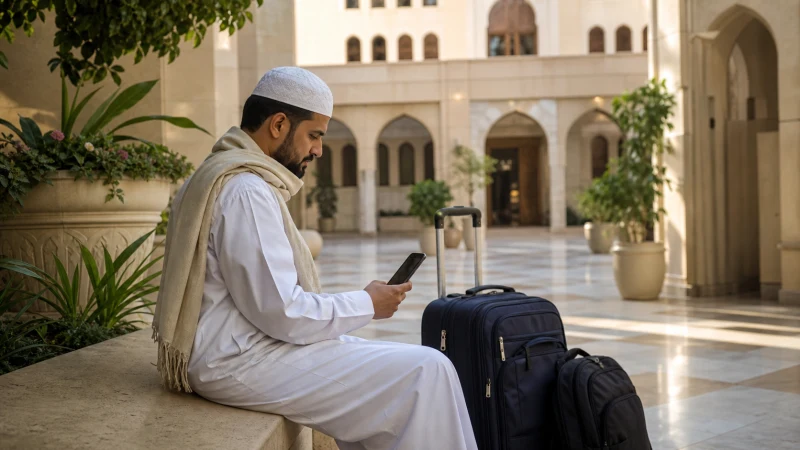

A Saudi Arabia eSIM can help you message companions, retrieve accommodation details and check transport information during Hajj or Umrah. It should support your group plan, not become the only way to find one another.
Preparing the phone before departure removes a setup task from a busy arrival. Preparing meeting points and offline contacts is equally important when a message is delayed, a battery runs low or a connection fails.
Our travel eSIMs are data-only. We do not provide a Saudi number, conventional calls or SMS; group messaging apps need a working data connection and available service.
Quick answer: Install on reliable internet according to your plan’s instructions, save your group leader’s contact and accommodation address offline, and agree physical meeting points. After arrival, select the travel data line and test your chosen messaging channel. Do not assume continuous service at every pilgrimage location.
Top Saudi Arabia eSIMs


Prepare the information you need without a connection
Before leaving home, ask your organiser which contact channel the group will use and what to do if someone is separated. Keep an accessible copy of the itinerary, accommodation address, group contact and agreed meeting arrangements. Do not rely on a document that must be downloaded again whenever you open it.
Check whether an essential service expects your existing number, a Saudi number or an app login. A data plan does not supply every form of account verification. Complete available account setup in advance, without assuming that connectivity grants access to a pilgrimage service or replaces its requirements.
For the local setting, the Makkah connectivity guide and Madinah guide help you plan reception and offline preparation separately from the rituals themselves.
Which eSIM plan should you choose for Umrah?
Count every day you need mobile data, from arrival and transfers through any stay in Madinah to the return journey. Choose a plan whose validity covers that whole period, and check what starts the validity before installing it.
A Fixed allowance can suit maps, booking checks and group messages when you can estimate your use. Frequent video calls, uploads or sharing a connection can use much more data. Use your phone’s recent usage figures and the Saudi Arabia data guide to choose an allowance rather than buying by trip length alone.
For an Unlimited option, check the high-speed allowance, reset period and reduced-speed conditions. Unlimited does not necessarily mean unlimited high-speed data. Confirm hotspot eligibility on the exact package before planning to share; companions must stay near the host phone and depend on its connection and battery.
Compare the current Fixed and Unlimited options on the Saudi Arabia eSIM page. For a longer Hajj itinerary, repeat the same check against the full travel dates rather than relying on a package chosen for a shorter Umrah visit.
Mobile data is not a Saudi phone number
A NoveSIM travel eSIM supplies mobile data, not a Saudi number or carrier SMS. An internet connection can support an app’s online functions where available, but it cannot replace a telephone number, verification code or eligibility check required by that service.
Before departure, check the current Nusuk registration and login requirements for your circumstances. Keep access to the number or email used for your account and complete any available setup in advance. If a step requires an SMS code, make sure you can receive it through the relevant line; your home operator’s roaming terms still apply.
Nusuk also lists its own Connectivity Packages service for buying visitor mobile packages. That is a separate purchase route, not a service included with a NoveSIM eSIM. Buying NoveSIM data does not register a Nusuk account, issue a permit or guarantee access to Nusuk services.
Test the phone before the group starts moving
- Check the exact phone’s eSIM support and unlocked status before purchase.
- Install using a dependable connection and the order instructions.
- Label the travel line clearly so it is distinguishable from the home SIM.
- On arrival, select it for mobile data and enable its Data Roaming setting.
- Send and receive a message through the group’s chosen channel before leaving your arrival meeting point.
If Jeddah is your arrival airport, use the Jeddah setup guide for that connection task. A saved screenshot of the accommodation and pickup arrangement lets you continue coordinating in person if setup takes longer than expected.
Allow for an interrupted connection
A connection can vary with location, indoor conditions and network demand. This is not a reason to predict that every Hajj session will be slow, or to promise equivalent performance from all operators. You cannot infer service at Mina or Arafat from a successful test at your hotel.
Agree in advance where to wait and who to contact if messaging fails, following your organiser’s instructions. Keep the phone charged, protect it from unnecessary battery drain and carry suitable charging equipment. Do not leave an agreed location solely because a location-sharing app has not refreshed.
If mobile data stops working, confirm the travel line, allowance and settings before making changes. For NoveSIM, data.esim is the APN if manual entry is required. Keep the installed profile; seek support rather than deleting it in the middle of a travel day.
Related Articles
FAQ
Can an eSIM help with Hajj or Umrah group coordination?
Yes, where the plan connects and the messaging service is available. Keep offline contacts and agreed meeting arrangements as well.
Does buying a Saudi Arabia data plan give me a local number?
Not with a NoveSIM travel eSIM. Confirm separately how your organiser or essential services will contact and verify you.
Can I assume coverage throughout Mina and Arafat?
No. Check current information for the plan and itinerary, and retain an offline group procedure. Reception at another location is not proof of service at those sites.
Should everyone share a single hotspot?
Only if the plan permits it and the arrangement suits the group. Users must stay within hotspot range, and all depend on the host phone’s connection and battery.
Final Recommendation
Prepare both the eSIM and the group communication plan before departure. Store the information you would need if the phone could not connect.
Choose validity for the full itinerary and test the agreed messaging channel after arrival. Keep data-heavy uploads separate from essential coordination.
During Hajj or Umrah, use mobile internet as an aid to the organiser’s arrangements, not as a replacement for meeting points, offline contacts or a charged phone.
Compare Saudi Arabia eSIM plans for your Umrah trip. Check the allowance, validity and selected package conditions before buying.