



Choosing or configuring mobile service for your destination is easier when the decision starts with the actual travel need, not a generic plan label.
This guide is aligned with the search question whether data roaming should be on for an eSIM and explains the practical differences that affect setup, cost, data use and reliability.
NoveSIM travel eSIMs are data-only. They provide mobile internet for maps, bookings, messages and supported internet-calling apps, but do not include a local telephone number, ordinary voice minutes or SMS.
Quick answer: Confirm the profile is present and the plan covers the destination, select the travel eSIM for Mobile Data, enable Data Roaming and leave Network Selection on Automatic. Use APN data.esim only when manual entry is required.
Top eSIMs

Review the live your destination eSIM options, confirm the exact handset on the compatible-device list and read how NoveSIM works. The product page is the final authority for allowance, validity, activation, partner networks, 5G, hotspot use and fair-use terms.
Identify the Exact Symptom
No profile, No Service, signal without internet and one failing app are different problems. Record the exact status and check travel-line roaming, primary-line protection, automatic data switching and plan instructions.
Check Reversible Settings
Switch on the travel line, select it for Mobile Data, keep primary-line roaming off and disable automatic data switching. Test more than one normal website or app.
Refresh Safely
Wait several minutes, toggle Airplane Mode and restart if necessary. Keep the installed eSIM and contact NoveSIM Support if reversible checks fail.
Compare the Complete Plan, Not One Label
Check the current product page for allowance, validity, activation, supported networks, hotspot use, 4G or 5G access and fair-use terms. These details can vary by plan and can change, so they should not be inferred from the article title.
Match the product to the full itinerary and final travel day. A cheap plan is poor value if it expires early, excludes a destination or limits the activity that matters most.
Prepare the Phone before Travel
Confirm the exact phone model supports eSIM and is carrier-unlocked. Install the profile on stable private Wi-Fi unless the order instructions state otherwise, label the lines clearly and keep the QR code and activation credentials private.
Installation, activation and network registration are separate stages. Do not repeatedly scan the QR code after the profile appears, and do not test the plan early when validity may begin on activation.
Recommended Dual-SIM Settings
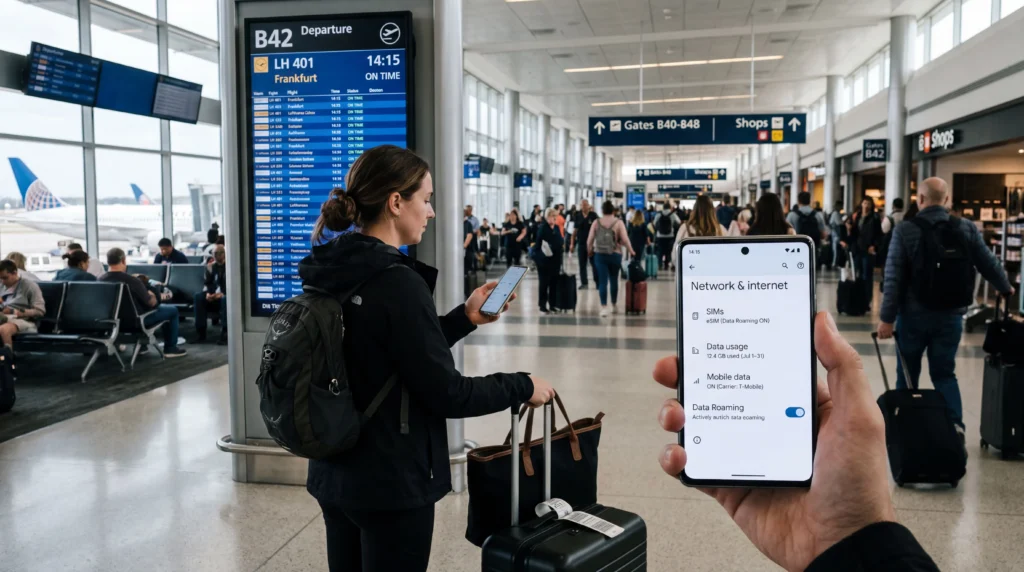
After arrival, switch on the travel eSIM, select it for Mobile Data and enable Data Roaming on that line. Keep Data Roaming off on the primary line and disable automatic data switching to reduce accidental home-carrier use.
The primary line can remain available for its number when required, but calls, SMS, voicemail and Wi-Fi Calling remain subject to the home carrier’s rules and charges.
Coverage, 4G, 5G and Hotspot
Service in your destination depends on the selected plan, partner network, exact device, radio bands, location, buildings, terrain, congestion and temporary conditions. A national coverage statement cannot guarantee a signal at one address.
5G and hotspot support depend on the plan, device, region, network and coverage. Start with Automatic Network Selection; a manually visible carrier may reject registration when it is not authorised for the plan.
Control Data Use
Maps, messages and simple browsing are usually lighter than video, cloud backup, app updates and laptop tethering. Pause background activity, download entertainment on trusted Wi-Fi and monitor usage by app and by SIM.
An unlimited label may still involve a daily high-speed allowance, reduced speeds or a fair-use policy. Read the live terms and judge whether any post-threshold speed is useful for the intended tasks.
Safe Troubleshooting Sequence
Confirm that the eSIM is present and enabled, the plan is valid for the country, the travel line is selected for Mobile Data and Data Roaming is on for that line. Disable automatic switching, wait several minutes and refresh registration with Airplane Mode.
If manual APN entry is required for NoveSIM, use data.esim and leave username and password blank. Do not delete the installed eSIM unless NoveSIM Support specifically instructs you to do so.
Offline and Security Preparation
Save maps, tickets, accommodation addresses, insurance details and essential contacts offline. Verify public Wi-Fi names with official signage or staff and avoid lookalike hotspots or unexpected certificate warnings.
Never publish an eSIM QR code, activation code or account credential. If Support is needed, send the order number, exact model, location, line status and safe screenshots through the verified channel.
Arrival-Day Connection Plan
Decide what must work during the first hour after arrival: an airport transfer, rail ticket, accommodation message, map or payment confirmation. Install and label the travel profile before departure, save the address and booking reference offline, and keep a second way to contact the accommodation when possible.
After landing, leave Airplane Mode, switch on the travel line and wait for registration before changing advanced settings. Test a normal website and a map rather than an ordinary telephone call, because a data-only eSIM is working correctly when internet traffic works even though carrier voice and SMS are unavailable.
Choose an Allowance with a Margin
Use the phone’s recent mobile-data statistics as evidence. Separate maps, chat, browsing and email from heavier video, photo backup, operating-system downloads and laptop tethering. Multiply realistic daily use by the number of travel days, then add a margin for delays, navigation changes and days without trusted Wi-Fi.
Validity and data are separate limits. The allowance must be large enough, but the product must also remain valid through the final travel day. Check whether unused data expires, whether top-ups are available and whether any unlimited offer reduces speed after a stated threshold.
Understand Data-Only Service
A data-only eSIM does not replace the telephone identity of the primary SIM. WhatsApp and other internet apps can use the travel connection while retaining an existing account number, but banks, airlines and services that send ordinary SMS still use the number-owning line. Plan access to important verification before departure.
Keeping the primary line enabled can preserve inbound calls or messages on supported phones, but it can also expose the account to carrier roaming charges. Review the home tariff for calls, voicemail and SMS, turn off its Data Roaming and avoid answering chargeable calls unless the cost is understood.
Record Useful Diagnostics
If the connection fails, note the country and city, exact phone model, operating-system version, plan status, signal wording and whether every app is affected. Capture safe screenshots of the selected data line, Data Roaming, Automatic Network Selection and APN without exposing the QR code or activation credentials.
These details help Support distinguish a compatibility problem, inactive plan, wrong line selection, unsupported network, exhausted allowance or local coverage gap. Broad factory resets and profile deletion remove evidence and can make recovery harder, so stay with reversible checks unless the verified support team gives a specific next step.
Settings Checklist
| Setting | Recommended starting point |
|---|---|
| Mobile Data | Travel eSIM |
| Travel eSIM Data Roaming | On |
| Primary SIM Data Roaming | Off |
| Automatic Data Switching | Off |
| Network Selection | Automatic |
| Manual NoveSIM APN | data.esim only if required |
Related Articles
- your destination eSIM plans
- How NoveSIM works
- eSIM-compatible devices
- Check whether a phone supports eSIM
- Install an eSIM on iPhone
- Install an eSIM on Android
- Data Roaming with a travel eSIM
- NoveSIM APN settings
- Keep a primary number with a data eSIM
- Fix an activated eSIM showing No Service
- Fix an eSIM connected without internet
- Troubleshoot eSIM hotspot sharing
- Using an eSIM without Wi-Fi
- Roaming settings for travel eSIMs
- NoveSIM frequently asked questions
- Contact NoveSIM Support
FAQ
Whether data roaming should be on for an esim?
Confirm the profile is present and the plan covers the destination, select the travel eSIM for Mobile Data, enable Data Roaming and leave Network Selection on Automatic. Use APN data.esim only when manual entry is required.
Can I keep my primary number while using a travel eSIM?
Usually yes on a compatible dual-SIM phone. Keep the primary line available if needed, select the travel eSIM for data and keep Data Roaming off on the primary line.
Does a NoveSIM eSIM include calls or SMS?
No. NoveSIM travel eSIMs are data-only. Supported internet-calling and messaging apps can use the data connection, while ordinary calls and SMS remain with another line.
Should I delete the eSIM if it does not connect?
No. Check the active line, Mobile Data selection, Data Roaming, network registration and APN first. Delete it only when NoveSIM Support specifically instructs you to do so.
Final Recommendation
Answer whether data roaming should be on for an eSIM by matching the option to the real itinerary, required services and complete cost. Use the current product details instead of assuming that every eSIM, local SIM or roaming pass includes the same features.
Prepare the phone on dependable Wi-Fi, keep the QR code private, select the travel eSIM for mobile data and turn off automatic switching when preventing primary-line roaming.
Keep essential information offline, preserve the installed profile during troubleshooting and contact NoveSIM Support with precise, non-sensitive diagnostic details when the reversible checks do not restore service.