


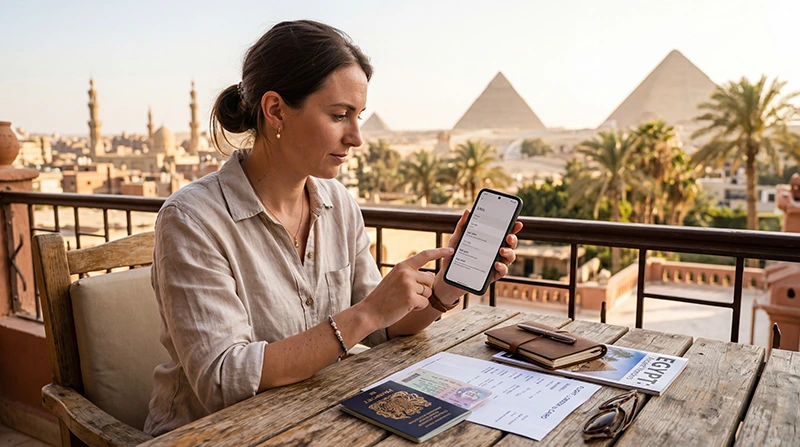

Egypt phone registration rules depend on how you use the device and which visitor category applies to you. A foreign SIM used for roaming and an Egyptian tourist SIM are treated differently in the official Telephony guidance; having an eSIM does not, by itself, tell you which category applies.
Before buying connectivity for a holiday, separate two questions: does the SIM subscription need registration, and does your imported phone need an IMEI check? Completing one process does not necessarily resolve the other.
Our Egypt travel eSIM plans provide mobile data without an Egyptian telephone number, conventional calls or carrier SMS. Internet messaging can use the data connection, but the package is not a device-registration service.
Quick answer: Check the current Telephony tourist FAQ before departure. It states that foreign tourists can use a foreign SIM without device fees and may receive a 90-day exemption per visit when using an Egyptian SIM designated for tourists. Confirm the classification of the exact service you will buy rather than treating “eSIM” as an exemption.
Top Egypt eSIMs

Egypt eSIM
Fixed
1 GB, 7 days€ 4.522 GB, 15 days€ 7.243 GB, 30 days€ 9.95Unlimited
Unlimited, 1 day€ 4.98Unlimited, 3 days€ 11.76Unlimited, 5 days€ 19.00
Africa eSIM
Fixed
1 GB, 7 days€ 10.412 GB, 15 days€ 19.453 GB, 30 days€ 27.14Unlimited
Unlimited, 1 day€ 14.02Unlimited, 3 days€ 40.26Unlimited, 5 days€ 66.50SIM Registration and Phone Registration Are Different Checks
A mobile subscription identifies the service you purchase. An IMEI identifies the cellular hardware in the phone. A passport check for a local subscription is therefore a different task from checking the device in Telephony.
Likewise, the name of an Egyptian network on your screen does not establish where your SIM subscription was issued. A roaming connection still uses a network in the country you are visiting.
| Situation | What to establish before paying |
|---|---|
| Keeping your home SIM for roaming | Whether Egypt is included, what the service costs and whether the foreign-SIM tourist guidance applies to your circumstances. |
| Buying an Egyptian tourist SIM | That it is registered for you under the appropriate visitor process, and how the tourist device exemption is handled. |
| Buying a travel eSIM | Whether the supplied subscription operates as foreign-issued roaming or as a local Egyptian service, plus its device and package requirements. |
| Staying longer or changing residency status | Which current procedure applies to the device and your circumstances; do not rely on a short-holiday assumption. |
What Does the Official Tourist Guidance Say?
Telephony’s foreign-tourist FAQ distinguishes foreign SIM use from an Egyptian tourist SIM. For the latter, it describes a 90-day exemption on each visit. That is not the same as saying every imported phone is permanently registered.
The current FAQ also says personal-phone registration and fee payment are no longer carried out at airport customs counters. Where registration or payment is required, it directs users to the official digital channels. Check that guidance before planning an airport visit solely to settle a phone-registration issue.
These points concern the device-registration system. They do not extend the validity of a mobile package, create a local number or determine the cost of roaming.
What Should You Confirm About a Travel eSIM?
Ask the seller whether the exact subscription is foreign-issued roaming or an Egyptian local service. A product labelled “Egypt eSIM” tells you the destination; it does not explain every registration condition.
For NoveSIM, check the current Egypt data plans and package details. If your purchase depends on a device-registration exemption, ask NoveSIM Support to confirm the supplied subscription’s classification before paying. This guide does not certify an individual phone’s Telephony status.
A data-only plan can suit maps, messages and bookings. If you need an Egyptian number or ordinary local calls, use the Egypt local SIM and travel eSIM comparison before choosing.
Checks to Complete Before Departure
- Identify the actual SIM or eSIM service you intend to use, including any Egyptian line you plan to keep active.
- Check your exact handset model for eSIM support and carrier-unlocked status using the Egypt phone compatibility checklist.
- Read the current Telephony visitor guidance. Seek confirmation for an existing registration warning, a previous visit or a stay beyond the tourist period.
- Check the selected package’s allowance, expiry and activation instructions. Install it on a suitable connection when its instructions permit, and keep those instructions available offline.
- Keep the seller’s support contact and an offline copy of accommodation and transfer details.
If You Receive a Registration Warning
Record the message, which line was active and when the warning appeared. Start at the official Telephony website to check the device procedure and contact details. Do not pay a device fee merely because a seller or unsolicited message says it is necessary.
If there is no registration warning but mobile data does not work, check the selected data line, allowance, validity and instructed roaming setting. Follow the Egypt eSIM troubleshooting guide; buying another package is not the first diagnostic step.
Do not publish your IMEI, passport or installation QR code in a public support post. Keep the installed eSIM unless NoveSIM Support instructs you to remove it.
Related Articles
FAQ
Does every tourist have to pay a phone tax in Egypt?
No. The official guidance distinguishes visitor circumstances and the SIM service being used. Check the foreign-tourist FAQ and your device’s status rather than assuming an imported handset automatically requires payment.
Does using an eSIM automatically remove the registration requirement?
No. An eSIM is a subscription format. Confirm whether the particular service is foreign-issued roaming or a local Egyptian subscription, then check the applicable visitor procedure.
Is a SIM passport check the same as registering the phone’s IMEI?
No. The first concerns the mobile subscription; the second concerns the device. Ask which process is being completed and keep its confirmation.
Can NoveSIM register my phone in Telephony?
Our Egypt product supplies travel mobile data, not an Egyptian device-registration service. Use the official Telephony channels for a device-status question and NoveSIM Support for the purchased package.
Final Recommendation
Resolve the phone-registration question by identifying your subscription and checking the official visitor guidance. Do not choose solely because a product is described as an eSIM.
If mobile data meets your needs, compare the NoveSIM Egypt eSIM plans and confirm any subscription-classification question before purchase.
Arrive with the installation details and essential travel information available offline, so an account or registration query does not leave your first transfer dependent on a new connection.