


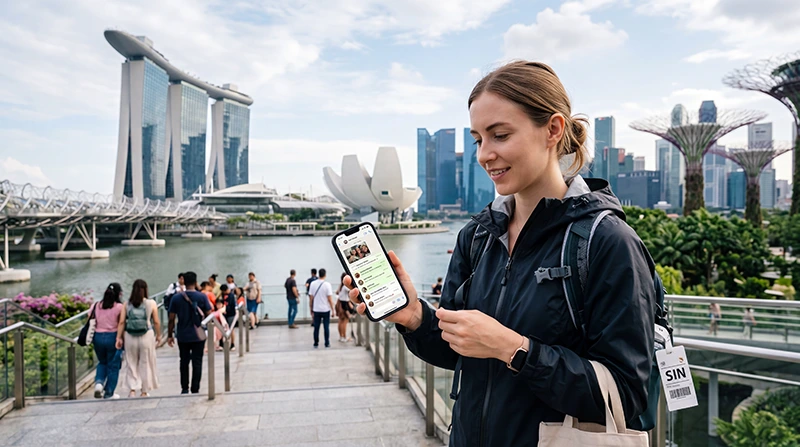

If you are asking “does WhatsApp work in Singapore?”, the answer is yes over mobile data and Wi-Fi, including text messages, photos, voice notes, voice calls and video calls. You can continue using the account registered to your usual phone number.
The important distinction is between the number that identifies your WhatsApp account and the internet connection carrying the traffic. A travel eSIM can provide the data while your original SIM remains installed.
NoveSIM plans are data-only, so they do not issue a Singapore telephone number or receive conventional SMS. That does not stop an already activated WhatsApp account from working.
Quick answer: Yes. WhatsApp messages and calls work in Singapore over mobile data or Wi-Fi. Keep the existing WhatsApp number, select the travel eSIM for Mobile Data and do not choose “Change Number” merely because a new eSIM is installed. Keep the original line available if account verification may require SMS or a call.
Top Singapore eSIMs

Singapore eSIM
Fixed
1 GB, 7 days€ 3.112 GB, 15 days€ 4.443 GB, 30 days€ 5.32Unlimited
Unlimited, 1 day€ 3.55Unlimited, 3 days€ 6.21Unlimited, 5 days€ 8.87
Does WhatsApp work in Singapore on both Wi-Fi and eSIM?
Will WhatsApp keep your existing number?
Yes. WhatsApp does not automatically replace the registered number merely because a second SIM or eSIM provides data. Your contacts can continue messaging the same account, and existing conversations remain attached to it.
If the app asks whether you want to change numbers after a SIM change, decline unless you are permanently migrating the account. A data-only Singapore eSIM is an internet connection, not a replacement WhatsApp identity.
How to use WhatsApp with a travel eSIM
- Confirm that WhatsApp is active on your usual number before departure.
- Install the travel eSIM while you still have reliable Wi-Fi.
- Leave the original SIM enabled if you need to receive verification SMS, but disable data roaming on that line.
- Select the Singapore eSIM as the phone’s mobile-data line.
- Enable data roaming for the travel eSIM if its installation instructions require it.
- Send a message and make a short WhatsApp call after arrival to confirm data is working.
If the eSIM itself has no connection, follow the checks in Singapore eSIM troubleshooting before changing anything inside WhatsApp.
Can the home SIM create roaming charges?
WhatsApp traffic follows the line selected for mobile data, but the home operator can still charge for ordinary calls, SMS or data if its line remains active with roaming enabled. Turning off data roaming for the home SIM reduces that risk without necessarily disabling incoming verification messages.
Charges for receiving SMS vary by operator, and answering an ordinary cellular call is not the same as answering a WhatsApp call. Review the home operator’s tariff and the Singapore roaming guide before travel.
What if WhatsApp asks for verification?
An established account normally continues without repeated verification. A new phone, reinstall, account reset or number change can trigger a code request. A data-only eSIM cannot receive that code because it has no conventional phone number.
- Keep access to the original number until the trip is over.
- Complete a phone migration before departure rather than at the airport.
- Never share a six-digit registration code or two-step-verification PIN.
- Make sure account recovery information is current.
How much data do WhatsApp calls use?
Text messaging is negligible for most travel plans. Photos and voice notes use more, while video calls are the largest WhatsApp expense. Call quality, movement and network conditions change the exact total, so there is no single guaranteed per-minute figure.
For ordinary messaging and occasional voice calls, WhatsApp is unlikely to dominate a plan. Daily video conversations can. Estimate the rest of the trip using the Singapore data calculator guide and turn off automatic media downloads if the allowance is limited.
Why messages work but calls fail
If text arrives but calls are unreliable, first test another data-heavy service. Congested Wi-Fi, weak indoor reception, a restricted background-data setting, battery saving or missing microphone permission can affect calls without fully stopping messages.
- Switch between Wi-Fi and mobile data.
- Confirm WhatsApp has microphone, camera and mobile-data permission.
- Disable low-data or aggressive battery-saving mode temporarily.
- Move to an open area and retry the call.
- Restart the phone if the data line has recently changed.
Related Articles
- How Much Data Do You Need for Singapore?
- Singapore Roaming Charges Explained
- How to Install a Singapore eSIM
- Singapore eSIM Not Working: Fixes
FAQ
Are WhatsApp calls allowed in Singapore?
Yes. Travellers can use WhatsApp voice and video calls over a working mobile-data or Wi-Fi connection in Singapore.
Will my contacts see a Singapore number?
No. They continue to see the number registered to your WhatsApp account unless you deliberately use the app’s Change Number feature.
Can a data-only eSIM receive a WhatsApp verification SMS?
No. The code must reach a line capable of receiving ordinary SMS or a supported verification call. Keep access to the original registered number.
Does WhatsApp work on Changi Airport Wi-Fi?
It should work once the phone is connected to the airport network and the browser login step is complete. For private conversations, use normal public-network precautions.
Final Recommendation
Keep WhatsApp registered to the number your contacts already know and use the Singapore eSIM only as its data connection.
Set the travel eSIM as the mobile-data line, disable data roaming on the home line and retain access to that line for possible verification.
Test a message and call after arrival; if all internet apps fail, troubleshoot the eSIM connection rather than reinstalling WhatsApp.
The answer to “does WhatsApp work in Singapore?” is yes when either Wi-Fi or the selected data line is connected; if mobile data fails, verify the NoveSIM APN is data.esim and keep the installed eSIM profile.