


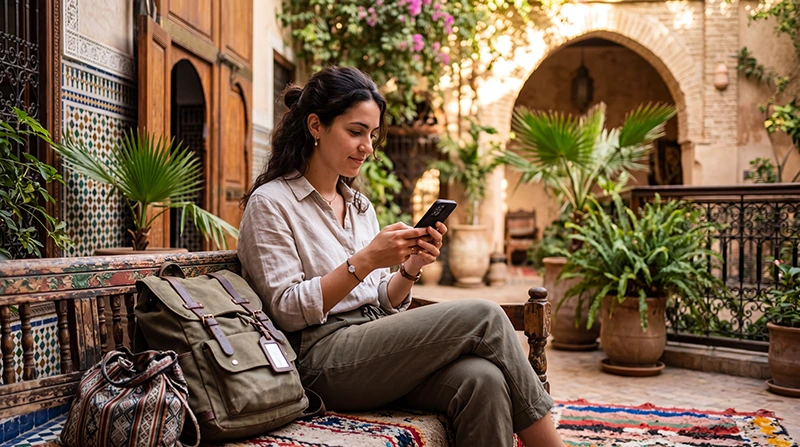

If you are traveling to Morocco, WhatsApp is one of the easiest ways to stay in touch with family, friends, hotels, riads, tour guides, airport transfer drivers and restaurants.
WhatsApp works in Morocco when your phone has internet access through WiFi or mobile data. A Morocco travel eSIM can provide mobile data where local coverage is available, so you can use WhatsApp for messages, voice calls, photo sharing and location sharing while traveling.
Quick answer: yes, WhatsApp works in Morocco with WiFi or mobile data. You can keep using WhatsApp with your existing phone number, even if your Morocco eSIM is data-only.
Top Morocco eSIMs

Morocco eSIM
Fixed
1 GB, 7 days4.00$2 GB, 15 days6.50$3 GB, 30 days9.00$Unlimited
Unlimited, 1 day5.00$Unlimited, 3 days13.00$Unlimited, 5 days21.00$
Africa eSIM
Fixed
1 GB, 7 days11.50$2 GB, 15 days21.50$3 GB, 30 days30.00$Unlimited
Unlimited, 1 day15.50$Unlimited, 3 days44.50$Unlimited, 5 days73.50$Can You Use WhatsApp in Morocco?
Yes. WhatsApp can be used in Morocco as long as your phone is connected to the internet. You can use it with hotel WiFi, riad WiFi, café WiFi, airport WiFi or mobile data from a Morocco eSIM.
For most tourists, using a Morocco eSIM is useful because WhatsApp can work outside hotels and cafés, including during airport transfers, city walks, road trips and day tours where mobile coverage is available.
Does WhatsApp Work with a Morocco eSIM?
Yes. WhatsApp works with mobile data from a Morocco eSIM. Your eSIM does not need to include a phone number for WhatsApp to work.
WhatsApp stays linked to the phone number you already use. If WhatsApp asks whether you want to change your number, do not change it unless you intentionally want to move your WhatsApp account to another number.
WhatsApp with Morocco eSIM: What Works?
| WhatsApp Feature | Works with Morocco eSIM? |
|---|---|
| Text messages | Yes |
| Voice messages | Yes |
| Photo sharing | Yes |
| Video sharing | Yes, but uses more data |
| Voice calls | Yes, where internet is stable |
| Video calls | Yes, but needs stronger internet |
| Location sharing | Yes |
| Group chats | Yes |
| Verification SMS | Use your primary SIM if needed |
Do You Need a Moroccan Phone Number for WhatsApp?
No. You do not need a Moroccan phone number to use WhatsApp in Morocco. Your WhatsApp account can remain linked to your existing number from your home country.
This is one of the biggest benefits of using a data-only travel eSIM. You can use mobile data from the eSIM while keeping your usual WhatsApp number active.
Can You Keep Your Main SIM Active?
Yes. Most Dual SIM phones allow you to keep your main SIM active for calls and SMS while using a Morocco eSIM for mobile data.
- Use the Morocco eSIM for internet.
- Keep your primary SIM for calls and SMS.
- Use WhatsApp with your existing number.
- Receive verification codes if supported by your home carrier.
- Turn off roaming data on your primary SIM.
Recommended Settings for WhatsApp with Morocco eSIM
| Setting | Recommended Value |
|---|---|
| Mobile Data | Morocco eSIM |
| Calls | Primary SIM |
| SMS | Primary SIM |
| Data Roaming on Morocco eSIM | ON |
| Data Roaming on Primary SIM | OFF |
| Automatic Data Switching | OFF |
| Network Selection | Automatic |
| WhatsApp Number | Keep existing number |
APN Settings for Morocco eSIM and WhatsApp
Most phones configure APN settings automatically. If WhatsApp works on WiFi but not on mobile data, check that the Morocco eSIM is selected for Mobile Data and Data Roaming is enabled.
If manual APN setup is required, use the following settings.
| Field | Value |
|---|---|
| APN | data.esim |
| Username | Leave blank |
| Password | Leave blank |
| Authentication | None |
Does WhatsApp Voice Calling Work in Morocco?
Yes. WhatsApp voice calls can work in Morocco when your internet connection is stable. Voice calls usually use much less data than video calls and are better when mobile signal is weaker.
If your voice call is breaking up, move to a stronger signal area, switch to WiFi or try again later when the network is less busy.
Does WhatsApp Video Calling Work in Morocco?
Yes. WhatsApp video calls can work in Morocco with strong WiFi or stable mobile data. However, video calls use more data and need a stronger connection than messages or voice calls.
Use hotel or riad WiFi for longer video calls whenever possible, especially if you want to save mobile data.
How Much Data Does WhatsApp Use in Morocco?
| WhatsApp Activity | Approximate Data Usage |
|---|---|
| Text messages | Very Low |
| Voice messages | Low |
| Photo sharing | Depends on photo size |
| Voice calls | 30–50 MB per hour |
| Video calls | 250–500 MB per hour |
| Sending videos | Depends on video size |
| Location sharing | Low |
How to Save Data While Using WhatsApp
- Use WiFi for long video calls.
- Use voice calls instead of video calls when possible.
- Disable automatic media downloads on mobile data.
- Send compressed photos instead of large videos.
- Use WiFi for uploading travel videos.
- Turn off cloud backup on mobile data.
- Download maps and travel details offline.
How to Turn Off WhatsApp Auto-Download
- Open WhatsApp.
- Go to Settings.
- Tap Storage and Data.
- Under media auto-download, adjust settings for mobile data.
- Disable automatic downloads for photos, audio, videos and documents if you want to save data.
Why WhatsApp May Not Work in Morocco
- Your phone has no internet connection.
- The Morocco eSIM is not selected for Mobile Data.
- Data Roaming is off on the eSIM.
- APN settings are missing.
- WiFi requires login or is unstable.
- Mobile signal is weak indoors or in remote areas.
- Automatic Data Switching is using the wrong SIM.
- You changed your WhatsApp number by mistake.
What to Do If WhatsApp Does Not Work on Morocco eSIM
- Check whether WhatsApp works on WiFi.
- Select the Morocco eSIM for Mobile Data.
- Enable Data Roaming on the Morocco eSIM.
- Turn off Data Roaming on your primary SIM.
- Turn off Automatic Data Switching.
- Restart your phone.
- Turn Airplane Mode ON for 30 seconds, then OFF.
- Keep Network Selection on Automatic.
- Set APN to data.esim if required.
- Do not change your WhatsApp number unless you intend to.
WhatsApp in Moroccan Cities and Tourist Areas
WhatsApp is usually easy to use in major Moroccan cities and tourist areas such as Marrakech, Casablanca, Rabat, Agadir, Fes, Tangier, Essaouira and Chefchaouen, where WiFi and mobile coverage are commonly available.
In medinas, old riads, thick-walled buildings and crowded tourist areas, signal quality may vary. If WhatsApp calls are unstable, move closer to a window or use WiFi.
WhatsApp in the Atlas Mountains and Sahara Desert
WhatsApp can work in the Atlas Mountains and Sahara Desert only where internet access is available. Mobile signal can be variable or unavailable in remote mountain valleys, desert camps, dunes and off-road routes.
Before remote trips, send important messages, save driver and camp contacts offline and download offline maps.
Related Morocco Internet and eSIM Guides
- Morocco eSIM
- How to Use eSIM in Morocco
- eSIM Not Working in Morocco
- No Internet on Morocco eSIM
- Morocco eSIM APN Settings
- Mobile Internet in Morocco
- Internet in Morocco for Tourists
- Best eSIM for Morocco
FAQ
Does WhatsApp work in Morocco?
Yes. WhatsApp works in Morocco with WiFi or mobile data where internet access is available.
Does WhatsApp work with Morocco eSIM?
Yes. WhatsApp works with a Morocco eSIM because it only needs internet access. Your eSIM does not need to include a phone number.
Can I keep my existing WhatsApp number in Morocco?
Yes. You can keep using WhatsApp with your existing number while using a Morocco eSIM for mobile data.
Do WhatsApp calls work in Morocco?
Yes. WhatsApp voice and video calls can work in Morocco when your WiFi or mobile data connection is stable.
How much data does WhatsApp use in Morocco?
Text messages use very little data. WhatsApp voice calls usually use around 30–50 MB per hour, while video calls may use around 250–500 MB per hour.
What APN should I use for WhatsApp with Morocco eSIM?
If manual APN setup is required for a NoveSIM Morocco eSIM, use data.esim.
Final Recommendation
WhatsApp works well in Morocco when your phone has WiFi or mobile data. For tourists, the easiest setup is to use a Morocco travel eSIM for mobile data while keeping WhatsApp linked to your existing phone number.
After arrival, select the Morocco eSIM for Mobile Data, enable Data Roaming on the eSIM, turn off roaming on your primary SIM, keep Network Selection on Automatic and use data.esim as the APN if manual setup is required.