


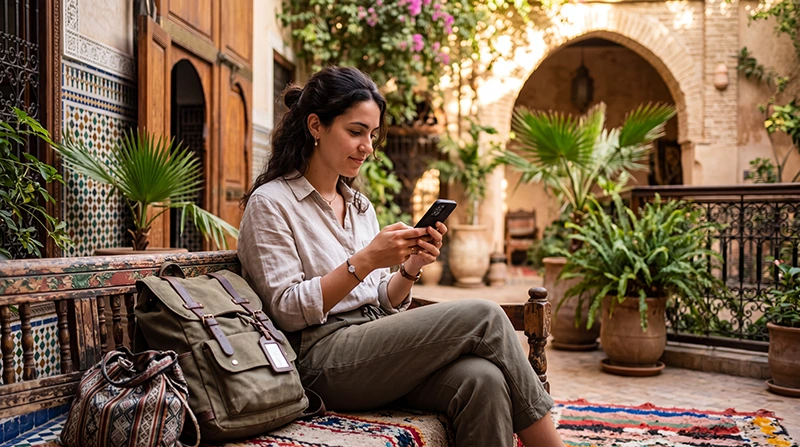

You can use an already registered WhatsApp account in Morocco over a working Wi-Fi or mobile-data connection, including data from a travel eSIM. Changing the SIM used for internet does not require changing your WhatsApp number.
For travel arrangements, confirm that your riad, guide or transfer driver uses WhatsApp and save their contact before departure. Keep booking and pickup details offline in case you cannot connect when you arrive.
We provide data-only NoveSIM travel eSIMs, without a Moroccan number, conventional calls or SMS. They provide an internet connection where supported coverage is available, not a telephone number for registering or recovering a WhatsApp account.
Quick answer: keep your existing WhatsApp number and use Wi-Fi or your Morocco-inclusive eSIM for internet. If WhatsApp asks you to verify the number again, mobile data alone is not enough: you need an available verification method for that account. Test messages and calls separately rather than assuming both work because the phone shows signal.
Top Morocco eSIMs

Morocco eSIM
Fixed
1 GB, 7 days€ 3.642 GB, 15 days€ 5.913 GB, 30 days€ 8.19Unlimited
Unlimited, 1 day€ 4.55Unlimited, 3 days€ 11.83Unlimited, 5 days€ 19.11
Africa eSIM
Fixed
1 GB, 7 days€ 10.462 GB, 15 days€ 19.563 GB, 30 days€ 27.30Unlimited
Unlimited, 1 day€ 14.10Unlimited, 3 days€ 40.49Unlimited, 5 days€ 66.88Using WhatsApp in Morocco with your existing number
Your WhatsApp account and the SIM carrying mobile data have different roles. The account identifies you by your registered number; the data line supplies internet. You do not need to use Change Number just because you have installed a travel eSIM.
The WhatsApp roaming guidance confirms that travellers can continue using their home number with a local SIM. The same distinction matters when choosing a data-only package from the Morocco eSIM product page.
Registration is different from everyday messaging
If you reinstall WhatsApp, change phones or are asked to register again, you may need to prove ownership of the account number. Keep access to that number and check recovery options before travelling; do not assume the travel eSIM can receive its SMS or calls.
WhatsApp’s travel verification instructions explain that roaming or connectivity problems can prevent delivery of a code. Eligible re-registration may offer email verification if the email was previously added to the account. Do not rely on that option being available for a new registration or every account.
Check your home carrier’s ability to receive the required SMS or call abroad and any charges. Disabling home-SIM data roaming does not disable every possible charge for calls or SMS. See the Morocco roaming guide for that separate decision.
Messages and internet calls need separate checks
Messages, photographs and voice notes use internet data. A successful message does not establish that a live voice or video call will remain connected. Call performance can differ between mobile networks and Wi-Fi connections, and this guide does not guarantee calling on every Moroccan connection.
WhatsApp explains that voice calls use the internet connection rather than ordinary mobile-plan minutes. The data used may still count against your allowance or incur home-carrier roaming charges if that line supplies it.
Before depending on WhatsApp for a pickup, send a message and make a brief test call. If messaging works but calling fails, arrange a text-based fallback with the other person. Do not treat a single failed call as proof of a country-wide ban.
Check the mobile-data line before changing app settings
- Turn Wi-Fi off briefly to test mobile data independently.
- Select the Morocco-inclusive travel eSIM as the mobile-data line.
- Follow that package’s data-roaming instructions and check its validity and allowance.
- Open a new webpage. If that also fails, troubleshoot the connection before WhatsApp.
- Send a WhatsApp message once internet access is confirmed, then test a call if needed.
Keep automatic data switching off if you do not want fallback to the home line. If manual APN configuration is required for NoveSIM, use data.esim; the Morocco APN guide gives the settings. This APN is not a universal setting for other providers.
If Wi-Fi alone is failing, complete any login or ask the accommodation about the service. Do not delete an installed eSIM unless support instructs you to. Continue with the Morocco no-internet checks if webpages still do not load.
Control usage without relying on fixed call estimates
There is no single reliable hourly allowance for every WhatsApp call. Duration, media quality and the files you send affect consumption. Review WhatsApp’s network-usage statistics and your phone’s mobile-data counter to see what your own use requires.
In WhatsApp’s Storage and data settings, review media auto-download for mobile data and roaming. Restrict large downloads or backups to Wi-Fi when appropriate. Check backup settings separately rather than assuming the auto-download setting controls them too.
If another device connects through your phone’s hotspot, its activity also consumes data. Hotspot availability depends on the package and device; it does not create additional allowance or improve reception.
Keep remote-trip contact details outside the app
Before leaving for an Atlas or Sahara outing, save the driver or camp contact and the meeting instructions offline. Send any essential message while you still have a connection. A WhatsApp chat is useful preparation, but not a guarantee that you can contact someone later along the route.
Related Articles
FAQ
Does WhatsApp work with a data-only Morocco eSIM?
An already registered account can use the eSIM’s working internet connection. The plan does not supply a number or SMS service for registration.
Do I need to change my WhatsApp number in Morocco?
No, not simply because you change the SIM used for data. Keep your existing account number unless you intentionally want to migrate the account.
Can NoveSIM receive my WhatsApp verification code?
Our data-only travel plans cannot receive conventional SMS or calls. Retain access to your account number and check WhatsApp’s available verification methods before travelling.
Why can I send messages but not complete a call?
Live calls and messaging can behave differently on the same connection. Test another available connection and agree a messaging fallback; a failed call alone does not establish a general restriction.
Final Recommendation
Use WhatsApp in Morocco with your existing account and a working data connection, while keeping registration and number access separate from the travel eSIM purchase.
Test the communication method your host or driver expects, not only the phone’s signal indicator.
Save meeting details offline so a missed message or interrupted call does not leave you without the arrangements you need.