


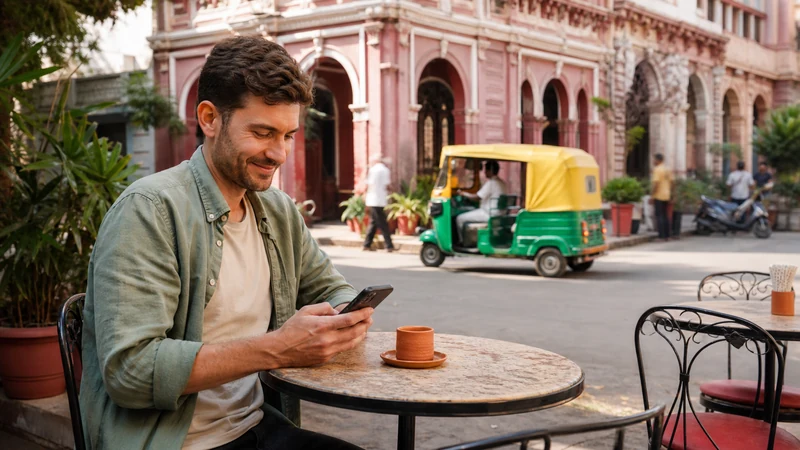

Does WhatsApp work in India? Yes. It is widely used for personal messages, business conversations, hotel contact and coordination with drivers. The app needs Wi-Fi or mobile data; it does not require an Indian SIM when your account is already active.
Your existing WhatsApp number can remain unchanged while an India travel eSIM provides the internet connection. This is useful for keeping the same chats and identity that family, colleagues and accommodation providers already recognise.
NoveSIM travel eSIM plans are data-only. We do not provide an Indian telephone number or conventional calls and SMS, so services that require a local number or an Indian SMS verification code may still need another solution.
Quick answer: Yes, WhatsApp works in India for messages, voice calls, video calls and location sharing. Keep the app registered to your usual number, select the travel eSIM for mobile data and retain access to your home number in case WhatsApp requests verification. An eSIM data connection does not create an Indian number for local OTPs.
Top India eSIMs


Does WhatsApp Work in India without an Indian Number?
Yes. An active WhatsApp account continues to use its registered number. Changing the phone’s data SIM does not change the account automatically, and you should not accept a prompt to change the WhatsApp number unless that is your deliberate intention.
An Indian number can be necessary for other tasks, including registration or OTP verification for some domestic apps and services. That limitation is separate from WhatsApp itself. A data-only India eSIM can connect WhatsApp to the internet but cannot receive standard SMS sent to an Indian number.
How to Use WhatsApp with an India eSIM
- Install the eSIM before departure while you have stable Wi-Fi.
- Keep your existing SIM enabled if you need to receive verification texts on its number.
- After landing, select the India eSIM as the mobile-data line.
- Enable data roaming for the travel eSIM if the plan instructions require it.
- Prevent the home SIM from using roaming data.
- Open WhatsApp and send a test message before starting the onward journey.
The WhatsApp account and the SIM used for data are separate. Our guide to WhatsApp with a travel eSIM explains this dual-SIM arrangement in more detail.
What Travellers Commonly Use WhatsApp for in India
WhatsApp is often the easiest channel for confirming a hotel arrival, receiving a driver’s location, sharing a train delay or contacting a tour operator. Save the complete address and booking reference outside the chat as well; a message thread should not be the only copy of essential travel information.
On long rail journeys, reception can change repeatedly as the train moves between cities and rural sections. Pending messages normally send after the phone reconnects, but time-sensitive instructions should be exchanged before departure. See our guide to internet access on Indian trains for route-specific preparation.
Do WhatsApp Voice and Video Calls Work?
Yes. WhatsApp calls use internet data in India. A video call requires a steadier connection and consumes substantially more data than text messages or voice notes. When the signal is weak, turn off video or send an audio message instead.
Call quality can vary inside stations, on overnight trains, in mountain areas and in buildings with thick walls. This does not necessarily mean WhatsApp is blocked; test a webpage and check whether the phone still has a functioning data connection.
Can WhatsApp Receive Indian OTP Codes?
Usually not. Banks, ticketing platforms and local apps commonly deliver OTP codes by standard SMS to the number entered during registration. Those messages do not arrive inside WhatsApp unless the service explicitly offers WhatsApp as a verification channel.
A NoveSIM eSIM does not supply an Indian number. If a journey depends on an Indian-number verification flow, investigate the requirement before arrival and compare it with the local-SIM considerations in our India SIM card guide.
How Much Data Does WhatsApp Use?
Text messages use very little data. Photos, video, voice calls and automatic media backups use more. The largest unexpected consumption usually comes from automatic video downloads, cloud backup and long video calls rather than ordinary chat.
- Set media auto-download to Wi-Fi only if the allowance is limited.
- Pause chat backup over mobile data.
- Send compressed photos when full resolution is unnecessary.
- Use voice notes when the connection cannot sustain a live call.
Why WhatsApp May Stop Working
Test the mobile connection before changing the app. Turn off Wi-Fi and open a normal webpage. If the page fails, confirm that the India eSIM is enabled, selected for data and allowed to use data roaming when required.
If other apps work, check WhatsApp’s mobile-data permission, background-data restriction and battery-saving settings. Restarting the phone can restore network registration. Do not delete the installed eSIM unless Support instructs you to do so.
Account Security while Travelling
Never give a WhatsApp verification code or two-step PIN to a driver, hotel, seller or person claiming to be support. Review linked devices before the trip and enable two-step verification. If the home SIM remains active, protect it with a device passcode and avoid displaying verification messages on the lock screen.
Related Articles
- India eSIM plans
- Use WhatsApp with a travel eSIM
- Internet access on Indian trains
- SIM card options for India
FAQ
Does WhatsApp work in India?
Yes. Messages and calls work when the phone has mobile data or Wi-Fi.
Can I keep my foreign WhatsApp number in India?
Yes. Keep the account registered to the existing number and select the travel eSIM only as the data source.
Will an India eSIM give me a number for OTPs?
No. NoveSIM plans are data-only and do not provide an Indian telephone number for standard SMS verification.
Why are my WhatsApp messages pending on a train?
The phone has probably moved through a weak-coverage section. Messages normally send when mobile data reconnects.
Final Recommendation
Does WhatsApp work in India? Yes: it is a practical communication tool throughout the country, but internet access is not the same as possessing an Indian phone number.
Keep the existing account number, use the travel eSIM for data and preserve access to the home line if verification may be required.
Before a long rail or road journey, exchange urgent details and save tickets, addresses and contact numbers offline.