


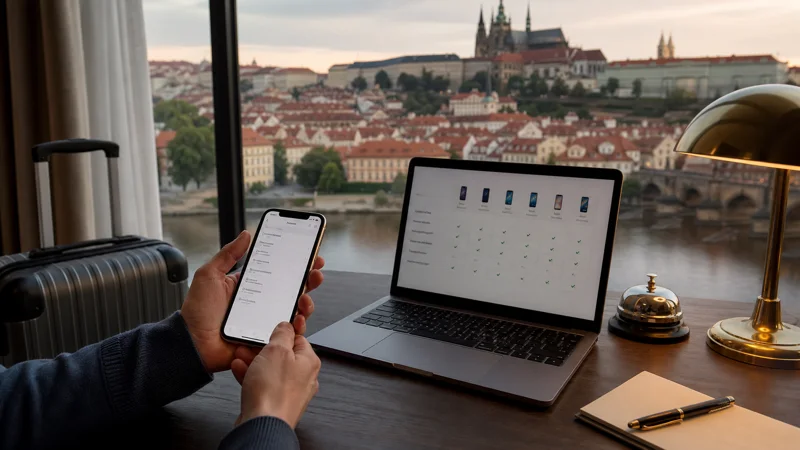

A phone supports a Czech Republic eSIM only when the exact model and regional variant include eSIM hardware and software, the device is carrier unlocked and its eSIM function has not been restricted by the seller or operator.
Quick answer: Find the exact model number, check it in the manufacturer’s specifications and the NoveSIM compatible-device list, then confirm the phone is unlocked. An EID or “Add eSIM” menu is useful evidence, but the model-specific documentation remains authoritative.
Top Czech Republic eSIMs

Czech Republic eSIM
Fixed
1 GB, 7 days€ 1.772 GB, 15 days€ 3.553 GB, 30 days€ 4.44Unlimited
Unlimited, 1 day€ 2.22Unlimited, 3 days€ 4.88Unlimited, 5 days€ 7.99
Europe Extra eSIM
Fixed
1 GB, 7 days€ 2.222 GB, 15 days€ 3.553 GB, 30 days€ 4.44Unlimited
Unlimited, 1 day€ 2.66Unlimited, 3 days€ 5.32Unlimited, 5 days€ 8.87Europe+ eSIM
Fixed
1 GB, 7 days€ 2.662 GB, 15 days€ 3.993 GB, 30 days€ 5.32Unlimited
Unlimited, 1 day€ 2.66Unlimited, 3 days€ 6.21Unlimited, 5 days€ 10.20Check the exact model, not only the product name
Two phones sold under the same family name can differ by country, year or carrier. A supported iPhone, Samsung Galaxy or Pixel family does not prove that every regional version supports eSIM.
Open the device information screen and record the model number. Compare that identifier with the manufacturer’s official specifications and current compatibility guidance.
Look for an EID or Add eSIM menu
An EID is an identifier associated with eSIM hardware. It may appear under About, Status or regulatory information. The cellular settings may also show Add eSIM, Add Mobile Plan or Download a SIM.
These signs are helpful, but corporate management, carrier firmware or regional restrictions can hide or disable the function. If the menu is absent, verify the exact model before concluding that the phone is incompatible.
Confirm carrier unlock separately
eSIM capability and carrier unlock are different. A phone can support eSIM but reject a travel profile because it remains locked to the original operator. Check the device settings or ask that operator to confirm unlock status.
Do not buy a travel eSIM on the assumption that an active physical SIM proves the phone is unlocked.
Dual-SIM and active-line limits
Some phones store several eSIM profiles but allow only one or two lines to remain active. Check whether the home SIM and Czech Republic eSIM can operate together in the intended configuration.
When dual SIM is supported, keep the home line for its number if needed, select the travel eSIM for cellular data and disable automatic data switching and home-line roaming.
Network compatibility still matters
Supporting eSIM does not guarantee identical 4G or 5G performance everywhere. Device bands, partner networks, terrain and plan conditions affect service. Stable 4G is sufficient for routine tourist use.
Compare current data-only options on the Czech Republic eSIM page. After confirming compatibility, follow the Czech Republic installation guide.
If the phone is not compatible
Use a local physical SIM if the phone is unlocked and supports the relevant networks, keep suitable home roaming, or use a pocket WiFi device. Do not attempt unofficial modifications to add eSIM capability.
Frequently asked questions
Does an EID mean my phone supports eSIM?
It is strong evidence of eSIM hardware, but confirm the exact model, software and carrier restrictions.
Is an unlocked phone automatically eSIM compatible?
No. Unlock status permits other networks; eSIM support is a separate hardware and software feature.
Can I keep my normal SIM active?
Usually on a compatible dual-SIM model, subject to its active-line limits. Select the eSIM for data and control roaming carefully.
What if Add eSIM is missing?
Check the exact regional model and contact the manufacturer or carrier. The feature may be unsupported or restricted.
Final Recommendation
Confirm Czech Republic eSIM support using the exact model number, regional specifications, EID or Add eSIM menu and carrier-unlock status. Complete these checks before purchase rather than trying to solve compatibility after receiving the activation code.