


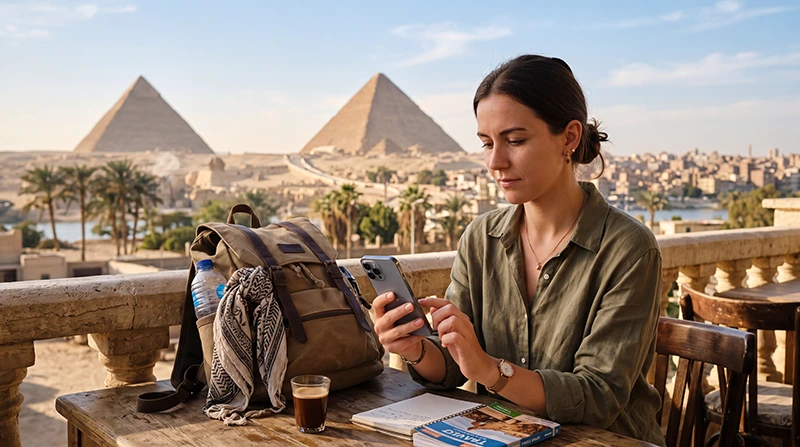

Your eSIM can work in Egypt if the specific package includes Egypt, the phone can use that profile and the service is active where you are. Having an eSIM installed does not mean it provides data in every country.
If you already bought a regional plan or used the same profile on a previous trip, check the package attached to it before buying another. The important question is whether that allowance covers this Egypt visit, not whether the phone displays an eSIM label.
Our NoveSIM travel eSIMs supply data. We do not provide an Egyptian phone number, ordinary voice minutes or SMS. A working data connection can serve internet apps, but it does not add voice service to a data-only plan.
Quick answer: Open the purchase or plan account and confirm that Egypt is on the country list, validity has not ended and data remains. Then check the exact phone’s eSIM support and carrier lock. A country-only profile may show no service before arrival; after landing, select it for data and follow that provider’s roaming and APN instructions.
Top Egypt eSIMs

Egypt eSIM
Fixed
1 GB, 7 days5.00$2 GB, 15 days8.00$3 GB, 30 days11.00$Unlimited
Unlimited, 1 day5.50$Unlimited, 3 days13.00$Unlimited, 5 days21.00$
Africa eSIM
Fixed
1 GB, 7 days11.50$2 GB, 15 days21.50$3 GB, 30 days30.00$Unlimited
Unlimited, 1 day15.50$Unlimited, 3 days44.50$Unlimited, 5 days73.50$Does your purchased package include Egypt?
Look for the country list belonging to your actual purchase. A provider may sell several packages on one profile, and a package called Africa, Middle East or Global does not necessarily include every country suggested by the name.
- Country: Egypt must be included in the purchased allowance.
- Validity: check the start rule and expiry date, including any deadline for first activation.
- Allowance: confirm that data remains and whether a speed policy has taken effect.
- Profile: establish which installed eSIM belongs to that package if several are stored.
If an earlier allowance has ended, ask the provider whether a new package can use the existing profile. Do not assume that every eSIM accepts a top-up or that an old QR code can be scanned again.
If Egypt is not included, changing roaming or the APN will not add it. Compare an eligible package with the current NoveSIM Egypt plans before paying for a second service.
Can this phone use the profile?
Verify the exact model and regional variant against the manufacturer’s information. An Add eSIM menu or EID is a useful clue, but the complete answer also depends on the supported active-line arrangement and whether another provider’s service is allowed.
On iPhone, check Settings > General > About > Network Provider Lock, also labelled Carrier Lock on some devices. Apple explains that No SIM restrictions indicates an unlocked iPhone and that only the network provider can unlock a locked device. See Apple’s unlocking instructions for the applicable check.
For Android, use the manufacturer’s model-specific guidance and ask the original carrier about a lock. The Egypt phone compatibility checks address the handset question; country coverage is a separate plan check.
Why no service at home can be normal
An Egypt-only travel package may not have a supported connection in your departure country. Installation over Wi-Fi and registration on an Egyptian partner network are different events. No service before travel is therefore not, by itself, proof that the purchase failed.
Check that the profile appears in SIM settings and that you retained the order information. Follow its timing instructions rather than repeatedly trying to activate it abroad. Do not delete a stored profile to “start again”; installation codes may not be reusable.
What to check once you are in Egypt
- Enable the installed travel line and choose it for mobile data.
- Apply the roaming setting stated by its provider. NoveSIM travel profiles require the instructed roaming setting to connect through their partner service.
- Keep home-SIM data roaming off if you do not intend to use that subscription abroad.
- Begin with Automatic network selection and allow registration to complete.
- Turn Wi-Fi off briefly and test a normal webpage before testing an individual app.
The Egypt activation guide covers the NoveSIM arrival sequence. For an eSIM bought elsewhere, use that provider’s installation and configuration details.
Distinguish reception from a data-service problem
| What you see | What to check next |
|---|---|
| No service | Egypt coverage, enabled line, network registration and local reception |
| Signal but webpages do not load | Selected data line, active allowance, roaming and provider APN |
| Webpages work but one app fails | The app, account and service availability rather than reinstalling the eSIM |
| Phone data works but hotspot fails | Plan tethering permission and the connected device |
For NoveSIM, the manual APN is data.esim when entry is required. That is not a universal Egypt APN: do not apply it to another provider’s profile. Use the NoveSIM Egypt APN guide if you need the field locations.
Coverage and 4G or 5G access depend on the plan’s network, device and location. A profile cannot provide reception where that network has none. Preserve the eSIM and follow Egypt eSIM troubleshooting if the package should work but data remains unavailable.
Related Articles
FAQ
Will an eSIM I used in another country work in Egypt?
Only if the active package includes Egypt and remains valid. Reusing a stored profile does not automatically extend the country list or renew an expired allowance.
Does an installed eSIM prove my phone is ready?
It shows that a profile is stored, but you must still check the active-line settings, carrier restrictions and the package’s Egypt coverage.
Should an Egypt-only eSIM connect before departure?
Not necessarily. It may need a supported network in Egypt. Check the installation status and activation rule rather than treating no service at home as a fault.
Is data.esim the APN for every Egypt eSIM?
No. It is the NoveSIM APN when manual configuration is required. A different provider may use another value or automatic configuration.
Final Recommendation
To establish whether your eSIM will work in Egypt, verify the purchased package first, the handset second and the arrival settings third. These checks prevent buying unnecessary duplicate data or trying to repair a plan that does not cover the destination.
Retain the installed profile and order details. If the eligible package still fails after arrival, ask its provider to check the service with your model, selected line and connection symptoms.