


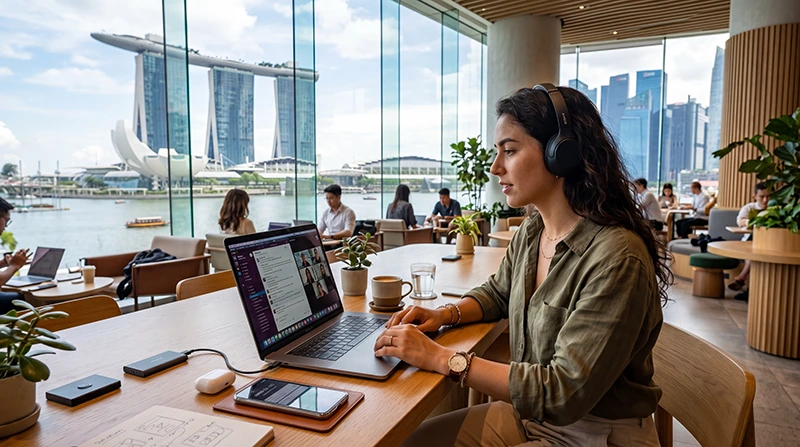

Digital nomad internet Singapore planning is less about finding any connection and more about building redundancy for calls, uploads and long work sessions. Hotel, coworking and mobile networks can all be strong, but none should be the sole dependency for deadline-critical work.
A travel eSIM provides continuity between accommodation, meetings and workspaces. It can also act as a backup when Wi-Fi requires a portal, becomes congested or blocks a company service.
NoveSIM eSIMs are data-only. Work calls and collaboration apps run over data, but the plan does not include a Singapore number, standard voice minutes or SMS.
Quick answer: Use trusted accommodation or coworking Wi-Fi as the primary connection and keep an activated eSIM as an independent backup. Choose enough data for scheduled video calls and emergency hotspot use, verify tethering and fair-use rules, test the company VPN, and download essential files before a high-stakes work session.
Top Singapore eSIMs

Singapore eSIM
Fixed
1 GB, 7 days€ 3.122 GB, 15 days€ 4.453 GB, 30 days€ 5.35Unlimited
Unlimited, 1 day€ 3.56Unlimited, 3 days€ 6.24Unlimited, 5 days€ 8.91
Asia eSIM
Fixed
1 GB, 7 days€ 4.452 GB, 15 days€ 8.023 GB, 30 days€ 10.69Unlimited
Unlimited, 1 day€ 5.79Unlimited, 3 days€ 15.59Unlimited, 5 days€ 25.39Digital nomad internet Singapore work checklist
Build a two-connection work setup
| Layer | Purpose |
|---|---|
| Primary Wi-Fi | Long calls, large downloads and routine cloud work |
| Travel eSIM | Mobility, failover and secure personal data access |
| Offline copies | Documents, tickets, contacts and work during an outage |
| Power backup | Phone hotspot and authentication during a long day |
Test both connections before the first deadline. A speed test alone is insufficient: open the VPN, join the actual meeting platform and upload a representative file.
How much mobile data should remote work reserve?
Messaging and email are light. Video meetings, cloud backup, design assets, code repositories and laptop system updates can be heavy. The eSIM allowance should reflect how many hours it may need to replace Wi-Fi, not the total hours spent working.
Calculate the schedule with the Singapore data guide. If choosing unlimited data, confirm the high-speed threshold and hotspot rules in the unlimited-plan guide.
Hotspot without wasting the allowance
- Confirm tethering is allowed by the exact plan.
- Mark the phone hotspot as a metered connection on the laptop.
- Pause cloud photo backup and operating-system updates.
- Close sync tools that are not needed for the current task.
- Use standard video quality when the mobile link is a backup.
- Connect only the devices that need immediate access.
Hotspot use also drains the phone battery. Carry a cable and power bank, and avoid placing the phone where heat builds during a long call.
Choosing accommodation or a workspace
Ask for recent evidence of in-room Wi-Fi rather than relying only on a property-wide speed claim. The router may be fast in a lobby but weak behind a closed room door. Coworking spaces should be evaluated for call areas, opening hours, guest policy and backup power as well as bandwidth.
- Test upload speed and latency from the actual desk.
- Check whether video calls are allowed in shared areas.
- Confirm late-night or weekend access.
- Identify a nearby alternative workspace.
- Save its route and contact details offline.
Security for remote work
Use the employer-approved VPN, multifactor authentication, disk encryption and a locked screen. Treat public Wi-Fi as an untrusted transport even when it requires a password. A personal eSIM reduces shared-network exposure but does not replace endpoint security.
Keep access to the original phone number if authentication still depends on SMS. Configure the dual-SIM data line using the Singapore roaming checklist so the home line does not carry costly background data.
Working while travelling around the region
A Singapore-only plan is not a regional work plan. If the itinerary continues to Malaysia, Indonesia or Thailand, verify every country and the handover behaviour. Allow time after crossing a border for automatic network registration.
See Singapore–Malaysia eSIM planning or Singapore–Indonesia eSIM planning for those routes.
When to use the business-travel guide instead
This page is for longer or repeat work sessions where workspace quality, hotspot use and redundancy are central. A short meeting or conference trip has different priorities—arrival readiness, agenda access and client communication—covered in the Singapore business eSIM guide.
Related Articles
- Best eSIM for Singapore Business Travel
- Unlimited Data eSIM for Singapore
- How Much Data for Singapore?
- Best Mobile Data in Singapore
FAQ
Is Singapore internet suitable for remote work?
It can be, but verify the connection at the actual accommodation or workspace and retain an independent backup for critical calls.
How much eSIM data does a digital nomad need?
It depends on how often mobile data must replace Wi-Fi. Video calls and hotspot work require far more than email, messaging and maps.
Can I tether a laptop to a Singapore eSIM?
Yes when the phone and exact plan allow hotspot use. Check the terms and disable laptop background updates.
Is an unlimited plan enough as my only work connection?
It may still have fair-use, congestion or coverage limits. Keep a second connection and offline access to essential files.
Final Recommendation
Use a tested fixed-location connection for routine work and a travel eSIM for mobility and failover.
Size the mobile allowance around video and hotspot contingencies, then protect it from background laptop traffic.
Verify VPN, authentication, power and an alternative workspace before Singapore work becomes time-critical.
A resilient digital nomad internet Singapore setup keeps the installed eSIM profile and uses data.esim if its APN requires verification.