


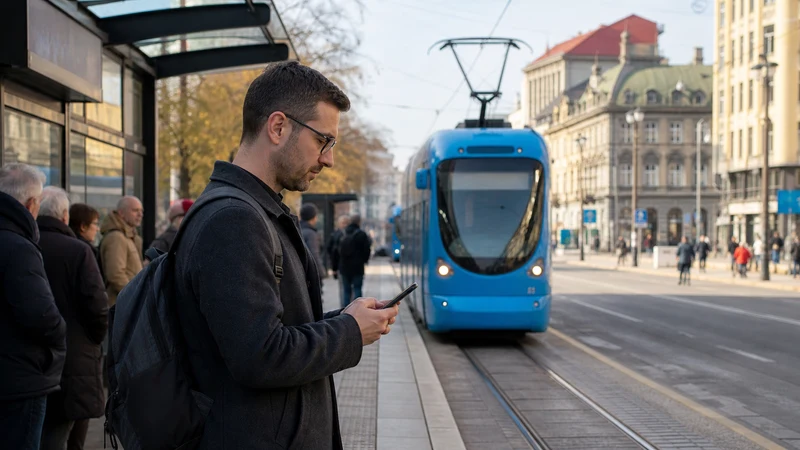

Public transport apps in Croatia can help with Zagreb tram and bus tickets, national train planning and live journey changes, but there is no single app that covers every operator and every destination. Travellers should identify the operator for each part of the itinerary before relying on a ticket or timetable shown on a phone.
The most useful setup combines the official operator app or website with an independent map, downloaded journey details and a working mobile-data connection. This matters when a route involves a city bus, an intercity coach, a train and a ferry rather than one continuous service.
NoveSIM Croatia travel eSIMs provide mobile data without a Croatian phone number, conventional calls or carrier SMS. They can support route searches, ticket access and operator notifications, while messaging and internet-calling apps continue to work over data.
Quick answer: Use Moj ZET for eligible Zagreb public-transport tickets and the official HŽPP app for Croatian train timetables, ticket purchases and journey updates. Save tickets and the next connection offline, because an app, payment screen or mobile signal may be unavailable exactly when it is needed.
Top Croatia eSIMs

Croatia eSIM
Fixed
1 GB, 7 days€ 2.232 GB, 15 days€ 3.563 GB, 30 days€ 4.45Unlimited
Unlimited, 1 day€ 2.23Unlimited, 3 days€ 5.35Unlimited, 5 days€ 8.02
Balkans eSIM
Fixed
1 GB, 7 days€ 4.452 GB, 15 days€ 7.133 GB, 30 days€ 9.35Unlimited
Unlimited, 1 day€ 4.90Unlimited, 3 days€ 11.14Unlimited, 5 days€ 17.37Europe Extra eSIM
Fixed
1 GB, 7 days€ 2.232 GB, 15 days€ 3.563 GB, 30 days€ 4.45Unlimited
Unlimited, 1 day€ 2.67Unlimited, 3 days€ 5.35Unlimited, 5 days€ 8.91Europe+ eSIM
Fixed
1 GB, 7 days€ 2.672 GB, 15 days€ 4.013 GB, 30 days€ 5.35Unlimited
Unlimited, 1 day€ 2.67Unlimited, 3 days€ 6.24Unlimited, 5 days€ 10.24Europe Lite eSIM
Fixed
1 GB, 7 days€ 2.232 GB, 15 days€ 3.563 GB, 30 days€ 4.45Unlimited
Unlimited, 1 day€ 2.67Unlimited, 3 days€ 5.35Unlimited, 5 days€ 8.91Which Croatia Transport Apps Are Useful?
| Journey | Useful official service | What to confirm |
|---|---|---|
| Zagreb trams, buses and funicular | Moj ZET | Ticket type, activation or validation method and remaining validity |
| Domestic rail travel | HŽPP app or HŽPP website | Departure, platform information, ticket conditions and service notices |
| Local transport outside Zagreb | The relevant city or regional operator | Whether mobile tickets are accepted on that specific service |
| Intercity coaches | The operating company or booking provider named on the ticket | Correct stop, luggage rules and whether a screen ticket is sufficient |
| Ferries and catamarans | The named ferry operator | Port, sailing time, boarding deadline and ticket format |
App availability and ticket rules can change. Treat the operator named on the service or booking as the authority, especially when a general journey planner and an operator timetable disagree.
Using Moj ZET in Zagreb
Moj ZET is the official mobile app for Zagreb public transport. ZET states that the app can be used to buy individual tickets and to register an active ticket when changing vehicles. A purchased ticket remains visible in the app with its validity information.
Do not wait until a tram or bus is moving to learn the validation process. Install the app on secure Wi-Fi, create any required account and understand whether the ticket needs a QR-code scan, NFC action or another confirmation before travel. Keep an alternative payment method for a phone, account or payment failure.
- Check that the phone has enough battery for both the ticket and the return journey.
- Open the ticket screen before entering a crowded vehicle.
- Keep mobile data available until activation or validation is complete.
- Do not assume a Zagreb ticket is valid on a separate regional or intercity operator.
Planning Croatian Train Journeys with HŽPP
HŽ Passenger Transport says its current HŽPP app supports timetable searches, single-ticket purchases, journey tracking and delay or traffic notifications for selected routes. Domestic e-tickets can also be purchased through the HŽPP website.
Save the ticket after purchase and note the train number, departure station and scheduled time. Mobile data is useful for last-minute notices, but the conductor must still be able to see the ticket when reception is weak. A screenshot is useful as a reference, although the operator’s ticket conditions determine what must be presented for inspection.
For longer rail days, the broader Croatia mobile-data guide explains how to keep the travel line available without exposing the home SIM to unintended roaming data.
Why One Journey Planner Is Not Enough
Croatia’s transport network combines municipal systems, national rail, private coach operators and maritime services. A map app may find a route but omit a seasonal service, show an outdated stop or send the traveller to the wrong side of a large terminal.
- Use a map or journey planner to understand the route.
- Identify the operator for each segment.
- Confirm the time and ticket on the operator’s official service.
- Save the address and first walking section offline.
- Recheck the journey on the travel day for disruption or seasonal changes.
How Much Mobile Data Do Transport Apps Use?
Timetable searches, barcode tickets and short journey updates normally use little data. Interactive maps, repeated route recalculation, app updates and video-based travel content use more. Downloading the city area in a map app before departure reduces both data use and dependence on reception.
If the itinerary includes ferries, the Croatia ferry connectivity guide explains why port coverage and onboard Wi-Fi should not be treated as the same thing.
Set Up Mobile Data Without Disrupting Tickets
Install the Croatia eSIM before departure while reliable Wi-Fi is available. After arrival, enable the travel line, select it for mobile data and turn on Data Roaming for that eSIM. Keep data roaming off for the home SIM unless its charges are understood.
Automatic network selection is the correct starting point. If the eSIM registers but data does not load, check the selected data line and the plan instructions before changing settings. The NoveSIM APN is data.esim when manual entry is required. Do not delete the installed eSIM unless NoveSIM support asks you to do so.
The step-by-step setup is covered in How to Install a Croatia eSIM, while Slow Mobile Data in Croatia separates congestion and weak reception from configuration faults.
Build an Offline Transport Backup
- Save each ticket or booking reference where it can be opened without data.
- Download the immediate station or stop area in an offline map.
- Write down the operator name and service number.
- Keep the accommodation address in plain text.
- Carry a charging cable or power bank on multi-stage journeys.
- Leave enough time to find a different platform, stop or terminal entrance.
Related Articles
- Mobile Data in Croatia for Tourists
- Croatia Ferry Wi-Fi and Mobile Data
- How to Install a Croatia eSIM
- Croatia eSIM Coverage Guide
- Slow Mobile Data in Croatia
FAQ
What is the official public transport app for Zagreb?
Moj ZET is the official ZET app. It supports eligible ticket purchases and ticket handling for Zagreb public transport. Check the current ZET instructions before the first journey.
Can I buy Croatian train tickets on my phone?
HŽPP states that domestic e-tickets can be purchased through its website and mobile app. Confirm the ticket conditions and save the ticket before boarding.
Will one app cover buses, trains and ferries across Croatia?
No. Different city, rail, coach and ferry operators use their own timetables and ticket systems. Use a journey planner for orientation, then verify each segment with its operator.
Do transport tickets work without mobile data?
Some saved tickets can be displayed offline, but purchase, activation, validation or live updates may require a connection. Save the ticket and route in advance and keep an alternative payment method.
Final Recommendation
Use the official public transport apps in Croatia for the task they actually cover: Moj ZET for applicable Zagreb journeys and HŽPP for national rail. Verify other routes with the operator named on the service, because one app or ticket does not cover the whole itinerary.
Prepare the travel eSIM before arrival, save tickets and the next connection offline, and keep the home SIM from using unintended roaming data.
This combination gives transport apps the connection they need while preserving a usable route when a signal, battery, payment screen or operator system fails.