


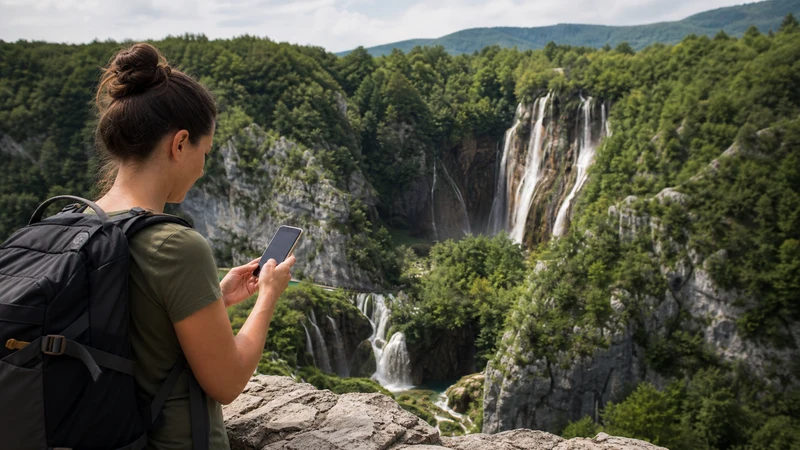

Mobile internet in Croatia’s national parks is most dependable near towns, entrances, visitor facilities and accessible roads. Forest, limestone gorges, mountain slopes and offshore park areas can interrupt reception within a short distance, so a signal at the car park does not describe the complete route.
An eSIM can provide maps, messages and current information wherever the supported mobile network is available. It cannot replace an offline route, official park instructions, weather awareness or appropriate equipment. Prepare the journey so that losing data does not also mean losing directions, tickets or the return plan.
NoveSIM travel eSIMs are data-only and do not include a Croatian number, conventional calls or SMS. Network access, speed, 4G or 5G and hotspot availability depend on the purchased plan, compatible device, terrain and local coverage.
Quick answer: Before visiting Plitvice Lakes, Krka, Paklenica, Northern Velebit or another Croatian park, download the official visitor information, offline map, ticket and return route. Keep network selection automatic and test the travel eSIM with WiFi off near the start. Treat mobile signal as a useful extra, not as the only navigation or safety system.
Top Croatia eSIMs

Croatia eSIM
Fixed
1 GB, 7 days2.50$2 GB, 15 days4.00$3 GB, 30 days5.00$Unlimited
Unlimited, 1 day2.50$Unlimited, 3 days6.00$Unlimited, 5 days9.00$
Balkans eSIM
Fixed
1 GB, 7 days5.00$2 GB, 15 days8.00$3 GB, 30 days10.50$Unlimited
Unlimited, 1 day5.50$Unlimited, 3 days12.50$Unlimited, 5 days19.50$Europe Extra eSIM
Fixed
1 GB, 7 days2.50$2 GB, 15 days4.00$3 GB, 30 days5.00$Unlimited
Unlimited, 1 day3.00$Unlimited, 3 days6.00$Unlimited, 5 days10.00$Europe+ eSIM
Fixed
1 GB, 7 days3.00$2 GB, 15 days4.50$3 GB, 30 days6.00$Unlimited
Unlimited, 1 day3.00$Unlimited, 3 days7.00$Unlimited, 5 days11.50$Europe Lite eSIM
Fixed
1 GB, 7 days2.50$2 GB, 15 days4.00$3 GB, 30 days5.00$Unlimited
Unlimited, 1 day3.00$Unlimited, 3 days6.00$Unlimited, 5 days10.00$Why Coverage Changes Inside a Park
Mobile coverage is shaped by both network infrastructure and the landscape between the phone and a base station. A wooded valley, deep gorge or mountain ridge can weaken or block a signal even when a nearby settlement has good service. Crowds may also reduce usable speed at popular entrances during busy periods.
Coverage maps show expected outdoor service over broad areas; they do not guarantee a connection beside every waterfall, trail bend or viewpoint. Use the Croatia eSIM coverage guide to understand the wider pattern, then plan each park visit around information that remains available offline.
Different Parks Create Different Connectivity Problems
- Plitvice Lakes: forest, water, slopes and busy visitor routes can produce changing conditions between entrances and walking sections.
- Krka: reception may be better near populated access areas, but it should not be assumed throughout river and trail sections.
- Paklenica and Northern Velebit: mountain terrain makes offline navigation and weather preparation especially important.
- Kornati and Mljet: boats, open water, islands and remote coves can move the phone beyond dependable land-based coverage.
Check the current official park information for routes, opening conditions and access rules. Do not use a travel-connectivity article as a substitute for an official closure, weather or safety notice.
Prepare the Phone Before Leaving Accommodation
- Download an offline map that covers the approach, park and return journey.
- Save the ticket, entrance, parking position and final transport time locally.
- Store the accommodation address and an emergency contact outside an online-only app.
- Charge the phone and power bank, then check the cable before departure.
- Pause automatic photo backup and large application updates.
- Check that the travel eSIM is enabled and selected for mobile data.
- Open the saved files in airplane mode to confirm that they are genuinely offline.
If the park is part of a driving itinerary, the Croatia road-trip internet guide covers navigation, passengers and border preparation beyond the park itself.
Set Up the eSIM Without Depending on Trail Reception
Install the eSIM over reliable WiFi before the outdoor day when the plan permits it. At the correct activation time, enable the profile, select it for data, enable roaming on that line and disable mobile-data switching to the home SIM. Test ordinary browsing with WiFi switched off.
Keep automatic network selection as the baseline. The supported partner network is determined by the purchased plan; a phone cannot use every visible Croatian operator simply because it appears during a manual scan. The Croatia mobile-networks guide explains this distinction.
Use Offline Maps as the Primary Route
A cached screen is not the same as a complete offline map. Zoom across the planned area while offline, check that route detail remains visible and carry any park-specific map required for the activity. Mark the entrance, parked vehicle, transport stop and accommodation.
Do not reroute onto an unofficial trail because an online map suggests a shortcut. Follow current park signs and official guidance. Stop in a stable, safe place before using the screen rather than walking across exposed ground while troubleshooting.
Protect Battery for Navigation and Communication
Weak signal makes a phone search more aggressively for service and can increase battery use. Long navigation sessions, a bright display, photography and heat or cold add to the drain. Use a power-saving mode, reduce unnecessary screen time and place the phone in airplane mode through a known long gap if no connection is needed.
Record photos locally and upload them later on trusted WiFi. Automatic cloud backup can consume both battery and the high-speed data needed for the return journey.
What to Do When Signal Disappears
If reception vanishes after entering a gorge, forest or mountain section, continue with the prepared offline route. Constantly toggling settings will not remove a terrain shadow. Wait until reaching an open or populated area before deciding that the eSIM has a configuration problem.
When service should have returned, work through these checks:
- Confirm that the travel line remains enabled and selected for data.
- Check that roaming is enabled on the eSIM.
- Toggle airplane mode and allow time for registration.
- Restart the phone once if necessary.
- Use automatic selection before testing a supported network manually.
- Check that the APN is data.esim only if the data settings are missing or incorrect.
Do not delete the installed eSIM unless NoveSIM support specifically instructs you to do so. For persistent low throughput after coverage returns, follow the slow mobile data in Croatia checks.
Plan Ferries and Island Parks Separately
For a park reached by boat, save the outbound and return ticket, port location and accommodation contact before boarding. Coastal signal can continue for part of a journey and then disappear over open water. The Croatia ferry WiFi and mobile-data guide explains why onboard WiFi and cellular coverage should both be treated as variable.
Related Articles
- Croatia eSIM Plans
- Croatia eSIM Coverage
- Croatia Road-Trip Mobile Internet
- Mobile Networks in Croatia
- Croatia Ferry WiFi and Mobile Data
FAQ
Is there mobile signal throughout Croatia’s national parks?
No. Reception may be available near entrances and populated areas but change with forest, valleys, gorges, mountains, islands and distance from network infrastructure.
Will an eSIM work at Plitvice Lakes or Paklenica?
It can work wherever a network supported by the purchased plan has usable local coverage. Do not assume that reception at the entrance will continue across every walking or mountain section.
Should I manually select a network before entering a park?
Normally no. Leave selection automatic unless registration fails in an area that should have service, then test only networks supported by the plan.
What should remain available offline?
Keep the park map, official visitor information, ticket, entrance, parking location, return transport, accommodation address and important contacts accessible without data.
Final Recommendation
Prepare Croatia national-park connectivity before leaving accommodation: download the route, verify tickets, charge the equipment and test the eSIM away from WiFi.
Use mobile data for current information and communication where coverage exists, but follow official park guidance and keep navigation independent of the network.
That approach makes a temporary signal gap an expected part of the outdoor day rather than a threat to the route back.