


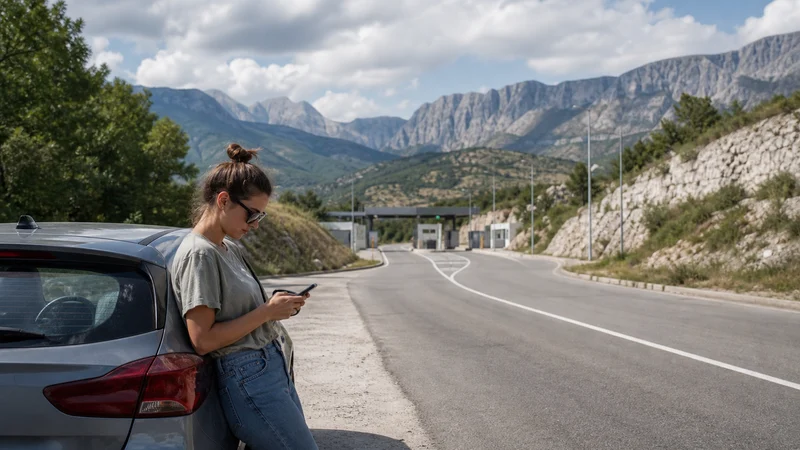

Mobile internet between Croatia and Bosnia and Herzegovina requires a plan that explicitly includes both countries. Croatia is within the EU roaming area, while Bosnia and Herzegovina is not currently part of EU “roam like at home”, so a home-SIM allowance that works in Croatia may incur different charges after the border.
A multi-country travel eSIM can remove the need to replace the data line at the crossing, but the phone still has to leave one partner network and register on another. Brief loss of service near the border is not necessarily a fault.
NoveSIM travel eSIMs are data-only. They do not provide a Croatian or Bosnian telephone number, conventional voice calls or carrier SMS. Messaging, maps and internet-calling apps can use the data connection where coverage is available.
Quick answer: Before travelling from Croatia to Bosnia and Herzegovina, confirm that the selected eSIM lists both countries, keep automatic network selection enabled and save the border route, accommodation address and documents offline. After crossing, allow the phone several minutes to register before changing settings.
Top Bosnia and Herzegovina eSIMs

Bosnia and Herzegovina eSIM
Fixed
1 GB, 7 days€ 3.552 GB, 15 days€ 4.883 GB, 30 days€ 6.21Unlimited
Unlimited, 1 day€ 3.55Unlimited, 3 days€ 7.54Unlimited, 5 days€ 11.54
Balkans eSIM
Fixed
1 GB, 7 days€ 4.442 GB, 15 days€ 7.103 GB, 30 days€ 9.32Unlimited
Unlimited, 1 day€ 4.88Unlimited, 3 days€ 11.09Unlimited, 5 days€ 17.30Why the Croatia–Bosnia Border Changes Mobile Data
The border is also a mobile-network boundary. A phone connected in Croatia must release the Croatian network and find an eligible network in Bosnia and Herzegovina. Mountain terrain, queues, tunnels and the exact crossing can delay that transition.
The change matters most for travellers using a domestic EU plan. EU roaming treatment in Croatia does not automatically extend into Bosnia and Herzegovina. Check the home operator’s country list and prices rather than assuming the same rules continue across the border.
Choose a Plan That Names Both Countries
Do not rely on a label such as “Europe” without opening the destination list. Regional plan definitions differ, and Bosnia and Herzegovina may or may not be included. Confirm:
- Croatia and Bosnia and Herzegovina both appear in the coverage list.
- The validity period covers the complete trip.
- The data allowance suits navigation, messaging and booking needs.
- Hotspot use is allowed if another device needs to connect.
- The exact phone is unlocked and eSIM-compatible.
Review the live Croatia eSIM plans before purchase and compare their country coverage with the Bosnia and Herzegovina segment of the itinerary.
Prepare the Phone Before Leaving Croatia
- Install the eSIM on stable Wi-Fi and keep its installation details available on another device.
- Select the travel eSIM for mobile data.
- Enable Data Roaming for the travel eSIM.
- Disable data roaming on the home SIM unless you intend to use it.
- Leave automatic network selection enabled.
- Download the border approach, destination address and next fuel or rest stop.
The Croatia-only setup sequence is explained in How to Install a Croatia eSIM. Complete it before reaching the border, where Wi-Fi and parking may be inconvenient.
What to Expect Immediately After Crossing
The phone may show no service, emergency calls only or a network name without working data for a short period. Keep the handset in an open position and allow automatic registration to finish. Driving through a narrow valley can make the transition slower than it would be in a city.
If service does not return after several minutes:
- Confirm that the travel eSIM is still enabled and selected for mobile data.
- Check that Data Roaming remains enabled for that line.
- Turn aeroplane mode on for about 20 seconds, then turn it off.
- Restart the phone once if registration still fails.
- Use manual network selection only if automatic selection cannot register.
Do not delete the eSIM. Removing an installed profile can make recovery harder and may prevent reinstallation without support.
When Manual Network Selection Is Appropriate
Automatic selection is the safest default because it can move between eligible partner networks. Manual selection is useful only when the phone repeatedly attaches to an unusable network or remains unregistered after the normal border transition.
Open the travel line’s network settings, disable automatic selection temporarily and test only networks permitted by the plan. Restore automatic selection after the connection works. The process is described in Manual Network Selection for a Croatia eSIM.
APN and Data Settings Across the Border
A country crossing normally does not require a new APN when the same travel eSIM covers both destinations. If manual APN entry is required for NoveSIM, use data.esim and leave username and password empty unless support provides different instructions.
Do not replace the NoveSIM APN with a domestic operator setting copied from a forum. An APN cannot solve an excluded country, exhausted allowance or absence of eligible network coverage.
Keep Navigation Available in Border Regions
Some Croatia–Bosnia routes pass through mountainous or sparsely populated areas where reception changes quickly. Download the complete section rather than only the border point. Save:
- The exact crossing intended for the vehicle and nationality.
- Accommodation details and host contact information.
- Vehicle documents and insurance information.
- The first route after the crossing.
- A fuel, charging or rest option that does not require a live search.
For broader driving preparation inside Croatia, use the Croatia road-trip mobile-internet guide.
Avoid Unintended Home-SIM Roaming
A dual-SIM phone may keep the home line active for incoming calls or SMS while the travel eSIM supplies data. Disable mobile-data switching so the phone cannot silently move data back to the home SIM when the travel line is reconnecting.
Incoming calls, voicemail and SMS can still create charges under the home operator’s rules in Bosnia and Herzegovina. Check those rules before keeping the line active. Data-only NoveSIM plans do not replace a telephone number or conventional voice service.
Related Articles
- Croatia eSIM Plans
- Mobile Data in Croatia
- Croatia Road-Trip Mobile Internet
- Manual Network Selection in Croatia
- Croatia eSIM Coverage
FAQ
Will an EU SIM that roams in Croatia also work free in Bosnia?
Do not assume so. Bosnia and Herzegovina is not currently part of the EU “roam like at home” area. Check the operator’s country list and Bosnia roaming prices before crossing.
Does a travel eSIM switch networks automatically at the border?
Usually, when automatic network selection is enabled and the plan covers both countries. Registration may take several minutes, particularly in weak-signal terrain.
Do I need to change the APN in Bosnia and Herzegovina?
Normally not when the same NoveSIM profile covers both countries. If manual APN entry is required, use data.esim unless support provides different instructions.
Should I delete the eSIM if data stops after the border?
No. Check the selected data line, Data Roaming, aeroplane mode and network selection first. Contact NoveSIM support before removing an installed profile.
Final Recommendation
Use a plan that explicitly includes Croatia and Bosnia and Herzegovina rather than relying on a general European label or EU roaming assumption.
Keep automatic network selection enabled, allow time for border registration and protect the home SIM from unintended roaming data.
Offline maps, documents and destination details remain essential because even a correctly configured multi-country eSIM can encounter temporary gaps in mountainous border regions.