


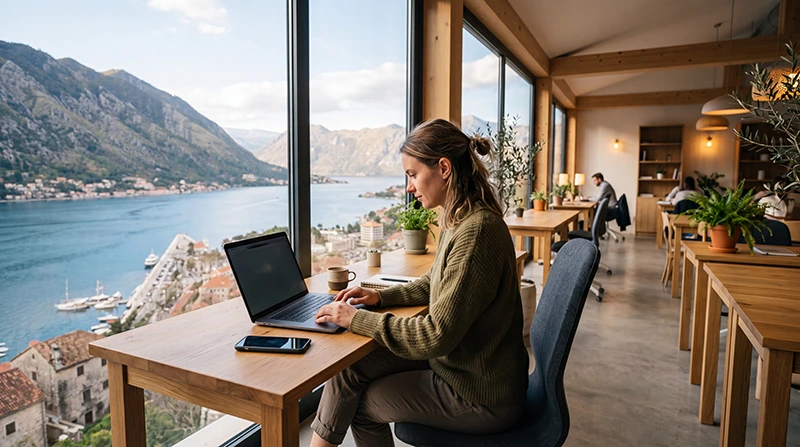

Coworking in Montenegro is concentrated in the capital and the main Adriatic destinations, but the best base is not simply the space with the highest advertised Wi-Fi speed. A remote worker needs suitable call conditions, dependable access hours, a workable desk and an independent connection when the venue network fails.
Podgorica suits a city-based working routine, while Budva, Tivat and Kotor combine work with the coast in different ways. Availability, day passes and seasonal opening can change, so confirm the specific workspace shortly before arrival instead of treating an old directory listing as a booking.
A NoveSIM travel eSIM can provide backup mobile data, but it is data-only. We do not provide a Montenegrin number, conventional calls or SMS. Internet meetings and messaging can use the eSIM where coverage and plan conditions allow, while ordinary phone services remain with another line.
Quick answer: Choose the city first, then test a coworking space for one day before committing to a longer pass. Confirm opening hours, call policy, assigned seating, power, upload performance and backup arrangements. Keep a separate eSIM or local mobile-data connection so one router problem does not cancel a meeting.
Top Montenegro eSIMs

Montenegro eSIM
Fixed
1 GB, 7 days€ 3.552 GB, 15 days€ 5.323 GB, 30 days€ 7.10Unlimited
Unlimited, 1 day€ 3.99Unlimited, 3 days€ 8.43Unlimited, 5 days€ 12.87
Balkans eSIM
Fixed
1 GB, 7 days€ 4.442 GB, 15 days€ 7.103 GB, 30 days€ 9.32Unlimited
Unlimited, 1 day€ 4.88Unlimited, 3 days€ 11.09Unlimited, 5 days€ 17.30Choose coworking in Montenegro by working pattern
| Base | Consider it when | Check before booking |
|---|---|---|
| Podgorica | You want a capital-city routine and year-round practical services | Distance from accommodation, evening access and meeting rooms |
| Budva | You want a coastal base with an active visitor season | Summer noise, traffic, workspace capacity and seasonal terms |
| Tivat | You prefer the Bay of Kotor area and airport access | Price level, call space and transport from the chosen accommodation |
| Kotor | You want an old-town or bay setting for a shorter work stay | Dedicated workspace availability, indoor signal and quiet-call options |
This comparison describes travel scenarios, not a fixed ranking of cities. A space can open, close, move or change its access model. Verify the current address and terms directly, and consider the daily journey from the accommodation rather than judging only the destination name.
Start with the work that cannot fail
List the tasks that determine whether a day is successful. A writer who works asynchronously has different requirements from a consultant leading client calls, a developer transferring large builds or a team that needs a private room. Separate essential conditions from convenient extras before comparing spaces.
- How many scheduled video or voice calls occur each day?
- Is a quiet booth or private room required?
- Does the work involve large uploads, remote desktops or VPN access?
- Must the desk remain available after normal office hours?
- Is an external monitor or ergonomic chair necessary?
- What is the fallback if the building loses internet or power?
A lounge with fast download speed may still be unsuitable when calls are prohibited or the upload connection becomes unstable under load. Ask questions in terms of the actual workday rather than requesting a generic claim that the Wi-Fi is “good”.
Verify the workspace before paying for a long pass
Contact the venue through its current official channel and confirm the date you intend to use it. Ask whether walk-ins are accepted, whether a day pass requires advance booking and whether the quoted price includes tax, meeting-room use or after-hours access.
Check the seating model. A hot desk may be sufficient for occasional laptop work but does not guarantee the same chair, monitor or quiet area each day. For confidential calls, ask whether booths can be reserved and whether their use has a time limit or extra charge.
Confirm practical details that directories often omit: power sockets at the desk, heating or cooling, secure storage, printing, kitchen access and the policy for calls in shared rooms. If accessibility matters, ask the venue directly about the entrance, lift, desk layout and facilities.
Use a day pass as a real connection test
Run the same tools used for work rather than relying on a single speed-test number. Open the company VPN, join a short test call, upload a representative file and check whether the connection remains stable when the room is occupied. Download speed alone does not describe latency, upload behaviour or short interruptions.
Test from the desk or call booth you will actually use. Wi-Fi can perform differently near the entrance, in a meeting room or behind thick walls. Ask whether the venue has a second internet connection and what staff expect members to do during an outage.
Do not run intrusive network scans or security tests without permission. A normal work simulation provides useful evidence without interfering with other members or the venue’s systems.
Keep independent mobile data as the backup
A coworking space solves the primary workspace problem; a travel eSIM or local SIM solves a different one. Independent mobile data can keep messaging active, allow a meeting to continue by hotspot where the plan permits it and provide navigation when moving between accommodation and the workspace.
Review the live Montenegro eSIM plans for allowance, validity and hotspot terms. Match the backup to the work risk. Occasional email recovery needs less data than a full video meeting or a large upload, and an “unlimited” label may still include a high-speed threshold or tethering condition.
Coverage inside one building depends on the partner network, device, walls, room and local conditions. Before an important call, test the hotspot at the actual desk. The Montenegro network guide helps with route-level coverage questions, but no national statement guarantees indoor reception.
Set up the phone before the first workday
- Install and label the travel eSIM on dependable private Wi-Fi.
- After arrival, select it for Mobile Data.
- Enable Data Roaming on the travel eSIM when required by the plan.
- Keep Data Roaming off on the primary SIM.
- Disable automatic mobile-data switching.
- Confirm whether hotspot use is included in the selected plan.
- Connect the laptop and run a brief test before the first scheduled meeting.
If manual NoveSIM APN entry is required, use data.esim and leave username and password blank. Do not delete the installed eSIM unless NoveSIM Support specifically instructs you to do so.
Plan differently for Podgorica and the coast
Podgorica can suit workers who value a regular city routine over a resort setting. Check the route between accommodation and workspace at the exact hours you will travel, plus access to food, exercise and any professional services needed during a longer stay.
On the coast, season affects the working environment. Budva, Tivat and Kotor can become busier, noisier and harder to cross at peak visitor times. A beautiful address is not automatically a productive base when the commute passes through congestion or the accommodation is surrounded by late-night activity.
Ask whether the space operates year-round and whether its hours change outside summer. For a multi-city stay, avoid paying for a long membership until transport days and accommodation moves are fixed. The Montenegro digital-nomad internet guide covers connectivity across a broader working itinerary.
Coworking, accommodation or café?
A dedicated coworking space is useful when calls, posture, regular hours and a professional setting matter. An apartment or hotel desk removes the commute but depends on the property’s router, furniture and noise. Ask the host for current information about the exact unit rather than a building-wide claim.
A café may work for a short email session, but it is not a dependable substitute for confidential calls or a full day. Seating, sockets, music, visitor volume and expectations about laptop use vary. Do not assume that purchasing one drink secures a desk for several hours.
For critical work, use two independent layers: a primary fixed or coworking connection and tested mobile data. The remote work in Montenegro guide covers accommodation, power and trip-level preparation beyond the coworking decision.
Protect calls and company information
Confirm the official coworking Wi-Fi name with staff and avoid similarly named networks. Use the security controls required by the employer, including approved VPN and multi-factor authentication. Position the screen so other members cannot read sensitive information and use headphones for calls.
Plan account recovery before travelling. A data-only eSIM does not receive ordinary SMS, so services that send verification codes still use the number-owning line or another approved method. Keep recovery codes securely offline and review the primary carrier’s roaming charges before relying on incoming messages.
Prepare for power and schedule disruption
Charge the laptop, phone and power bank before a meeting-heavy day. Know how long the laptop can operate without a socket and whether the mobile hotspot will drain the phone faster than expected. Carry the charging adapters and cables needed for every device rather than assuming the venue lends them.
Keep important documents available locally and allow extra time around travel days. A delayed bus, seasonal traffic or an accommodation change can remove the planned working window even when the internet itself is fine. Avoid scheduling the most important call immediately after an airport transfer or border crossing.
Remote-work checklist for a Montenegro coworking day
- Workspace booking and current opening hours confirmed.
- Call booth or meeting room reserved when required.
- Primary work connection tested with real tools.
- Independent mobile-data backup active and tested.
- Hotspot terms and remaining allowance checked.
- Laptop, phone and power bank charged.
- VPN, MFA and recovery method available.
- Critical files stored for offline access.
Related Articles
- Remote Work in Montenegro
- Internet for Digital Nomads in Montenegro
- Mobile Internet in Montenegro
- Best Network in Montenegro
- Montenegro eSIM Plans
FAQ
Where should I look for coworking in Montenegro?
Start with Podgorica for a city-based routine or Budva, Tivat and Kotor for a coastal stay. Verify the current workspace, opening dates and access conditions directly before choosing accommodation around it.
Should I book a Montenegro coworking space for a month?
Test it with a day pass first when possible. Check the desk, call conditions, real work connection, access hours and commute before committing to a longer membership.
Do I need backup mobile data in a coworking space?
It is sensible for important work. An independent eSIM or local SIM can protect messaging and, where coverage and hotspot terms allow, keep a call running during a venue internet problem.
Can a data-only eSIM handle work calls?
Internet meeting and messaging apps can use travel-eSIM data. We do not provide conventional carrier calls, SMS or a Montenegrin number, and hotspot availability depends on the selected plan.
Final Recommendation
Choose coworking in Montenegro by matching the city and workspace to the work that cannot fail. Confirm current access, call rules and desk conditions, then run a real test before purchasing a long pass.
Use the venue connection as the primary layer and keep separately tested mobile data for backup. Check hotspot terms, indoor signal and the remaining allowance before an important meeting.
Plan coast and capital stays differently, keep critical files offline and protect company accounts on shared networks. A reliable remote-work base is a verified combination of workspace, connection, power and recovery options—not a star rating in an old directory.