


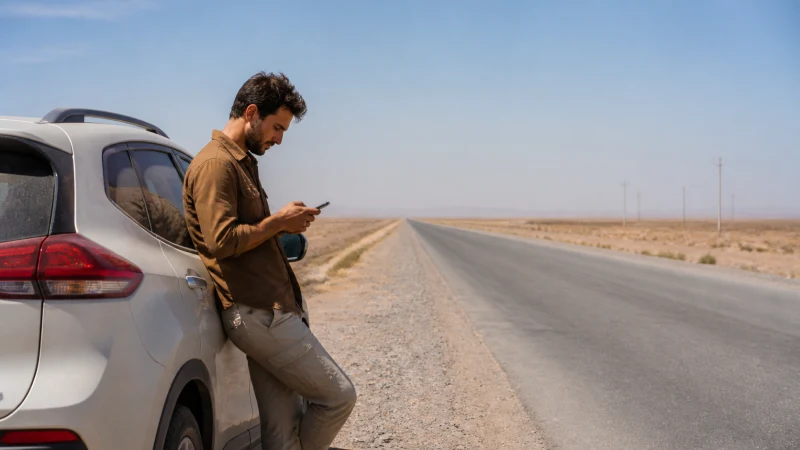

Before travelling from Bukhara to Khiva, arrange how you will reach your accommodation if mobile data is unavailable at the moment you arrive. The important preparation is a confirmed transport endpoint and saved directions, not a promise of signal throughout western Uzbekistan.
Your booking may involve a road transfer or a railway journey, and the final pickup arrangements depend on its actual destination. Do not treat a booking to Urgench as interchangeable with arrival in Khiva; confirm the onward leg with your host.
NoveSIM travel eSIMs supply mobile data. We do not provide an Uzbek telephone number, conventional calls or SMS, so check whether your driver or accommodation can communicate through an internet messaging app.
Quick answer: Keep the Bukhara–Khiva transport booking, driver contact and final accommodation address offline. Check your Uzbekistan plan’s expiry and remaining data before departure, carry phone power and expect that online messages may have to wait during the transfer.
Top Uzbekistan eSIMs


Khiva or Urgench: Confirm What Your Ticket Actually Says
Start with the transport document rather than the itinerary heading. Record the station or drop-off location, arrival time and any onward transfer. If a host is collecting you, send them those details and ask for a precise meeting point.
The official passenger railway website is the place to check services for your travel date. This article does not establish that a direct train or a particular departure is available on every date.
Save a readable version of the final address as well as a map pin. If the accommodation has a specific entrance or pickup arrangement, keep its instructions with the booking, where you can find them without reopening an online inbox.
For a Road Transfer, Ask About Communication Before Leaving
The driver should know the agreed destination and any planned stops. Ask which contact method they use and whether someone else can help if a message cannot be delivered. An app-only conversation is less useful if neither passenger nor driver can connect when plans change.
- Download the complete road route and arrival area while you have a reliable connection.
- Store the driver’s name, contact details and pickup instructions outside the chat app.
- Agree when you will send an arrival update, allowing for periods without data.
- Keep water, phone power and essential journey information accessible during the transfer.
For transport and emergency arrangements, follow the organiser’s advice for the actual journey. A consumer eSIM is not an emergency communication system. The road-trip connectivity guide explains how to prepare a wider driving route.
For Rail Travel, Keep Everything Needed to Board Offline
Download the issued ticket and check the departure station in Bukhara. Keep carriage and seat details available without a new login. A screenshot can be a useful backup, but it should not replace the ticket format required by the operator.
Do not reserve a work call or another time-critical online task for the journey on the assumption that onboard Wi-Fi or mobile coverage will support it. Read the Uzbekistan train internet guide if this transfer is part of a rail itinerary.
Choose the Plan for the Rest of the Trip, Not Just the Transfer
A domestic move from Bukhara to Khiva does not require a new country eSIM. Review the Uzbekistan plan details for validity, allowance and supported networks. If your current plan expires during the journey, resolve that before leaving your accommodation rather than waiting until arrival.
For a new profile, confirm that the phone is compatible and unlocked, then follow the installation guide on stable Wi-Fi. Keep the purchase instructions available and observe the selected plan’s activation rule.
Pause automatic photo uploads and app downloads. There is no need to buy a large allowance solely for reading saved directions; estimate the data you will use in Khiva and on later legs through the Uzbekistan data-planning guide.
A Network Icon Does Not Confirm a Usable Connection
The phone may show reception while an app still cannot load. Test something small, such as sending a text message through your usual internet app, before attempting a large upload. Do not interpret a single successful connection near a settlement as proof of continuous service along the route.
Consult the coverage guide for the distinction between operator maps and the exact journey. No speed or signal guarantee is made here for the Bukhara–Khiva corridor.
If the line worked before departure and stops working in transit, retain the installed profile and retry later. Persistent failure after arrival needs checks of plan validity, allowance and data settings, not repeated deletion and installation.
Make the Last Message Before Departure Useful
Tell your accommodation that you are leaving Bukhara, confirm the pickup arrangement and ask what to do if you cannot message on arrival. Keep that answer offline. This is more useful than sending several updates while moving and assuming each one was delivered.
Charge the phone before the journey and keep a power bank within reach. Where you travel with someone else, share the address and pickup details so that one flat battery does not remove the entire group’s instructions.
Related Articles
FAQ
Does an Uzbekistan eSIM cover the Bukhara–Khiva journey?
A plan that includes Uzbekistan can be used where its supported networks provide service. Country inclusion does not promise reception at every point between Bukhara and Khiva.
Can I arrange pickup using only a Khiva hotel map pin?
Save the address and entrance instructions too. Confirm your actual station or drop-off location with the host, especially when your transport booking names Urgench rather than Khiva.
Will the travel eSIM let me call a driver’s local number?
Not as a conventional telephone call: our travel eSIMs are data-only. Agree an internet calling or messaging method, or arrange another calling option before departure.
What should I download if data is limited?
Prioritise the ticket, transport contact, full route map and arrival instructions. Download entertainment on reliable Wi-Fi and keep the remaining allowance for communication after arrival.
Final Recommendation
Settle the final transfer to your Khiva accommodation while still in Bukhara. Confirm the location on the ticket and save the host’s instructions.
Check the existing Uzbekistan eSIM rather than automatically buying a second plan. Its validity, remaining allowance and supported networks matter more than the change of city.
Keep the journey workable without a live map or instant message. Mobile data is useful when available; offline bookings and an agreed pickup procedure provide the dependable backup.