


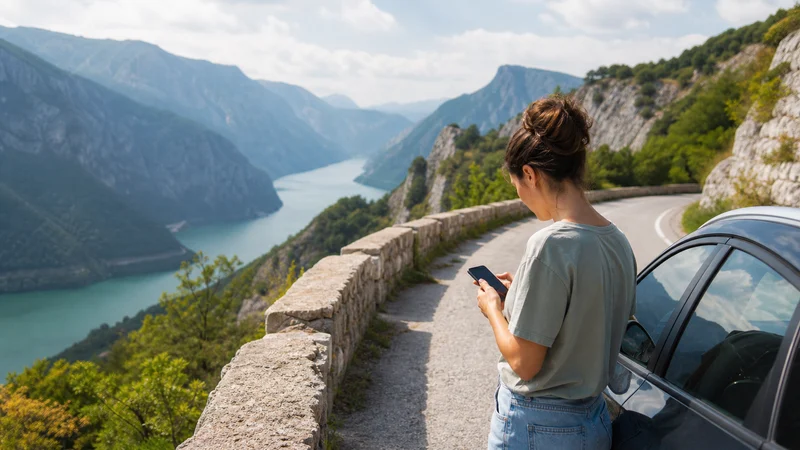

A Bosnia and Herzegovina road trip needs an offline-first connection plan. Mobile data is generally most dependable near cities and populated corridors, while mountain passes, river gorges, tunnels and remote camps can create temporary gaps.
A travel eSIM can keep one data setup available between Sarajevo, Mostar, Banja Luka, Trebinje and intermediate stops. It cannot guarantee continuous service on every road, so maps, accommodation details and the next fuel or meeting point should be downloaded before departure.
NoveSIM travel eSIMs are data-only. We do not provide a Bosnian number, conventional calls or SMS. Coverage, hotspot access and network generation depend on the purchased plan, device and local conditions.
Quick answer: Install the eSIM before the drive when permitted, use it as the selected data line and keep automatic network selection enabled. Download the complete route and alternatives, carry power and expect short losses of service in mountainous or sparsely populated sections.
Top Bosnia and Herzegovina eSIMs

Bosnia and Herzegovina eSIM
Fixed
1 GB, 7 days€ 3.522 GB, 15 days€ 4.843 GB, 30 days€ 6.16Unlimited
Unlimited, 1 day€ 3.52Unlimited, 3 days€ 7.49Unlimited, 5 days€ 11.45
Balkans eSIM
Fixed
1 GB, 7 days€ 4.402 GB, 15 days€ 7.053 GB, 30 days€ 9.25Unlimited
Unlimited, 1 day€ 4.84Unlimited, 3 days€ 11.01Unlimited, 5 days€ 17.17Plan by Route, Not by Country Average
Reception in central Sarajevo does not predict the road through a gorge or across a high plateau. Review the precise itinerary in the coverage guide, then identify the last populated stop before each remote section.
Download maps for the main route and one realistic alternative. Store accommodation names, addresses, reservation references and border-crossing information locally. Test the saved material in airplane mode before leaving.
Driving between Sarajevo, Mostar and the Coast
Major roads connect populated places, but valleys, tunnels and traffic disruption can interrupt live navigation. Start guidance while connected and keep the route available offline. If the phone loses service, continue only when the saved route and road conditions are clear; stop safely before changing settings.
Motorcycle Trips
A rider should not interact with network settings while moving. Mount the phone securely, use downloaded voice navigation and carry weather protection plus a power source suitable for the motorcycle. Weak-signal searching can increase battery use on long rural sections.
Share the day’s route and expected arrival time with a trusted contact. Live tracking is convenient when data works, but it is not a substitute for a written itinerary or normal road-safety preparation.
Camping and Campervan Travel
Official campsites near towns may have mobile service or guest Wi-Fi, but a remote overnight stop can sit behind a ridge or inside a forested valley. Download the campsite approach, rules, booking and exit route before arrival. Never choose an unsafe or prohibited place merely because it has a stronger signal.
Campervan travellers should check power consumption and hotspot terms before relying on the eSIM for work or entertainment. Large laptop updates and cloud backups are better completed on trusted Wi-Fi.
Cross-Border Road Trips
Bosnia and Herzegovina is outside the EU Roam Like at Home area. A home SIM that works under EU terms in Croatia may be charged differently after the border. A regional eSIM must list every destination explicitly.
For Montenegro routes, use the Montenegro and Bosnia eSIM guide. For Serbia, review the Bosnia–Serbia mobile internet guide. Download the checkpoint and onward route before reaching the border.
Phone Settings for the Drive
| Setting | Recommended starting point |
|---|---|
| Mobile Data | NoveSIM travel eSIM |
| Data Roaming | Enabled on the travel line |
| Network Selection | Automatic |
| Home-SIM data switching | Disabled |
| Manual APN when required | data.esim |
What to Do after a Coverage Gap
- Wait until the vehicle is safely parked.
- Confirm that the travel eSIM remains enabled and selected for data.
- Check Data Roaming on that line.
- Toggle Airplane Mode once and allow time for registration.
- Restart the phone if service does not return in a normally covered place.
- Use manual network selection only as a controlled test.
Do not delete the eSIM as routine troubleshooting. If reception returns but data remains slow, follow the Bosnia slow-data checklist.
Related Articles
- Mobile data in Bosnia and Herzegovina
- Mobile internet for hiking in Bosnia and Herzegovina
- Internet in Bosnia and Herzegovina national parks
- Mobile internet in remote villages
FAQ
Is mobile coverage continuous on a Bosnia road trip?
No. Terrain, tunnels, distance and congestion can interrupt service. Download the route and essential documents.
Can I use the same eSIM for Bosnia and Croatia?
Only when the purchased plan explicitly includes both countries. Check the destination list rather than assuming regional coverage.
Is an eSIM suitable for camping?
Yes for live data where a partner network is available, but remote camps require offline maps, saved bookings and adequate power.
Should I force a network after every signal gap?
No. Automatic selection is the normal baseline. Allow the phone to reconnect before trying one supported network manually.
Final Recommendation
Use mobile data as a flexible layer over an offline road-trip plan. Install the eSIM on reliable Wi-Fi, prepare maps and alternatives, and keep automatic network selection enabled while travelling.
Motorcycle, camping and campervan itineraries need extra power and a clear check-in plan. Those preparations matter more than trying to eliminate every temporary coverage gap.