


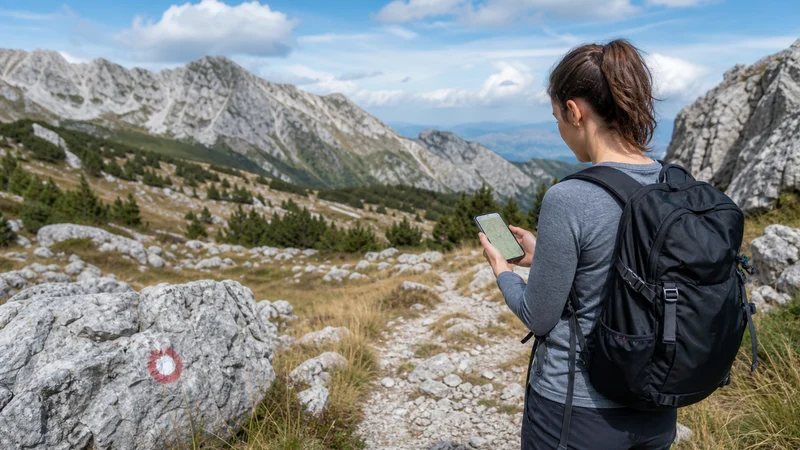

Mobile internet can help with weather updates, navigation and messages while hiking in Bosnia and Herzegovina, but it must not be treated as a safety system. Mountain terrain, forest, valleys and distance from settlements can interrupt service.
The essential route, return time and emergency information should therefore remain available without a connection. Choose a map designed for outdoor navigation rather than relying only on a city-focused map.
NoveSIM travel eSIMs are data-only and do not provide a local phone number. Networks, 4G, 5G, hotspot and performance depend on the plan, phone, terrain and local coverage.
Quick answer: Download the full hiking area and route before departure, share the itinerary with another person and carry enough battery for the day. Use mobile data for updates where signal exists, but never assume that a trail or emergency point will have coverage.
Top Bosnia and Herzegovina eSIMs

Bosnia and Herzegovina eSIM
Fixed
1 GB, 7 days4.00$2 GB, 15 days5.50$3 GB, 30 days7.00$Unlimited
Unlimited, 1 day4.00$Unlimited, 3 days8.50$Unlimited, 5 days13.00$
Balkans eSIM
Fixed
1 GB, 7 days5.00$2 GB, 15 days8.00$3 GB, 30 days10.50$Unlimited
Unlimited, 1 day5.50$Unlimited, 3 days12.50$Unlimited, 5 days19.50$Prepare a Route That Works Offline
Download the route, surrounding trails and an escape option rather than saving only a line between two pins. Check contours, distance, elevation and the map’s offline behaviour. Open it once with airplane mode enabled before leaving.
Carry any information required by the specific park, mountain area or guide. A phone map supplements appropriate local guidance; it does not establish that a route is open, marked or safe.
Share the Plan Before Starting
Tell a reliable person the route, group members and expected return time. Live location can be helpful when data is available, but it cannot replace that communicated plan. Agree what the person should do if the group does not report back.
Save accommodation and transport details locally as well. The Bosnia road-trip internet guide is useful when the trailhead is reached by car.
Protect the Phone’s Battery
- Start with a fully charged phone and suitable power bank.
- Use low-power mode and reduce screen brightness.
- Pause cloud photo backup and application updates.
- Use airplane mode through known long gaps when appropriate.
- Protect the device from cold, heat, rain and impact.
Searching continuously for a weak network drains battery. GPS can continue to position the phone on a downloaded map without mobile data, although device and app behaviour varies.
Use Connectivity Only from a Safe Position
Stop on stable ground before checking a map or changing settings. Do not troubleshoot while walking on an exposed section, crossing water or navigating traffic near a trailhead.
If reception disappears, continue according to the prepared route rather than repeatedly changing the APN. A terrain shadow is not a configuration failure. Test again from an open, safe location.
Prepare Mobile Internet for Hiking in Bosnia
- Confirm the phone is compatible and unlocked.
- Install and activate the plan according to its instructions.
- Select the travel eSIM for mobile data.
- Enable roaming on that line and disable home-SIM data switching.
- Test the map and messaging app with Wi-Fi off while still in a populated area.
For the complete setup sequence, use the Bosnia eSIM activation guide. If an APN correction is required, NoveSIM uses data.esim.
Return to Service after a Coverage Gap
Once back in an open or populated area, wait for automatic network registration. Toggle airplane mode or restart once if needed. Do not delete the eSIM; use the Bosnia mobile-data troubleshooting guide if normal service does not return.
Coverage cannot guarantee access to emergency assistance. Before the hike, identify the locally appropriate emergency procedure and carry equipment suitable for the route, weather and party.
Related Articles
- Bosnia and Herzegovina eSIM plans
- Bosnia and Herzegovina eSIM coverage
- Mobile internet for cycling in Bosnia
- Choosing a larger data plan for Bosnia
FAQ
Is there mobile signal on every hiking trail in Bosnia and Herzegovina?
No. Mountains, valleys, forest and distance from settlements can create gaps even when nearby towns have service.
Will offline maps work without mobile data?
Yes, if the correct area and route data were downloaded in advance. Test the chosen app in airplane mode before leaving.
Does GPS require a mobile signal?
GPS positioning can work without cellular data, but the map and route must already be stored on the device.
Should I change the APN when signal disappears in a valley?
No. Move to a safe open position and wait. Terrain-related loss is not corrected by changing APN settings.
Final Recommendation
Plan the hike as if mobile service may disappear: download the route, share the itinerary and carry adequate power.
Test mobile internet for hiking in Bosnia before reaching the trail and use live data for useful updates where coverage is available.
Offline preparation and appropriate outdoor judgement remain more important than any signal indicator on the phone.