


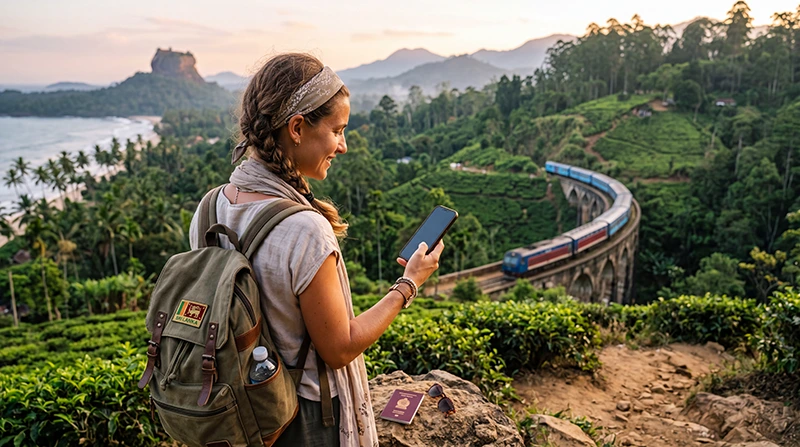

The best way to get internet in Sri Lanka for most short-term visitors is to install a travel eSIM before departure and activate its data line after landing. A local prepaid SIM can suit longer stays or travellers who specifically need a Sri Lankan number, while hotel Wi-Fi works best as a backup rather than the only connection.
Your choice matters once the trip moves beyond a hotel: mobile data is useful for ride-hailing in Colombo, train information in the hill country, accommodation messages in Ella and navigation along the south coast. Coverage can vary with terrain, so offline maps remain sensible even when you have a data plan.
NoveSIM travel eSIMs are data-only. They do not include a Sri Lankan telephone number or conventional calls and SMS, but apps such as WhatsApp, FaceTime and Messenger continue to work through mobile data.
Quick answer: Choose an eSIM if you want data ready soon after arrival without visiting a shop. Choose a local SIM if you need a local number or expect a long stay. Keep essential tickets, addresses and map areas offline because mountain and rural coverage is not uniform.
Top Sri Lanka eSIMs

Sri Lanka eSIM
Fixed
1 GB, 7 days€ 4.452 GB, 15 days€ 7.133 GB, 30 days€ 9.35Unlimited
Unlimited, 1 day€ 4.90Unlimited, 3 days€ 11.14Unlimited, 5 days€ 17.37
What Is the Best Way to Get Internet in Sri Lanka?
| Option | Best for | Main limitation |
|---|---|---|
| Travel eSIM | Visitors who want data without changing the physical SIM | Requires an unlocked, eSIM-compatible phone |
| Local prepaid SIM | Longer stays and travellers needing a local number | Purchase and registration take place after arrival |
| Home-carrier roaming | Very short or emergency use | Cost and allowances depend on the home operator |
| Hotel or café Wi-Fi | Laptop sessions and large downloads | No connection while moving between places |
| Pocket Wi-Fi | Groups sharing one connection | Another device to charge, collect and return |
Travellers comparing the first two options can use the more detailed Sri Lanka eSIM versus local SIM guide. If the price of home roaming is unclear, check the Sri Lanka roaming guide before enabling the home line abroad.
Why an eSIM Is Usually the Simplest Choice
An eSIM removes the need to find a mobile shop immediately after a long flight. It can be added over reliable Wi-Fi before departure, while the home SIM stays in the phone. After arrival, the traveller selects the eSIM for mobile data and enables data roaming on that line.
Before buying, confirm that the device supports eSIM and is not carrier-locked. Plan availability, supported networks, hotspot use and 4G or 5G access can vary by plan, device and local coverage. Review the available options on the Sri Lanka eSIM product page.
When a Local SIM Makes More Sense
A local SIM may be preferable when the trip lasts several weeks, a Sri Lankan number is necessary for conventional calls, or the phone cannot use eSIM. It can also appeal to travellers comfortable completing the local purchase and identity-registration process.
The trade-off is timing: the connection is arranged after arrival, and a single-SIM phone may require removal of the home SIM. Compare airport and city purchase conditions in the Sri Lanka tourist SIM guide.
What to Expect at Colombo Airport
Airport Wi-Fi can help with messages or retrieving a booking, but it should not be the entire connectivity plan. A pre-installed eSIM can be activated after the aircraft lands; a local SIM requires a counter visit. The Colombo Airport internet guide compares those arrival options in one place.
Do not leave the terminal until you have tested a web page with Wi-Fi switched off. This confirms that the phone is using the intended mobile-data line rather than the airport network.
Internet in Ella and the Hill Country
Ella town and established accommodation areas generally offer usable mobile service, but steep terrain can interrupt reception on trails and rural approaches. Nine Arch Bridge, Little Adam’s Peak, Ella Rock and Ravana Falls should be treated as places where the signal may change quickly rather than as guaranteed work locations.
Download the relevant map area and keep the accommodation address offline before hiking. On the Kandy–Ella railway, tunnels, cuttings and sparsely populated sections can interrupt data; the Sri Lanka train internet guide explains how to prepare for that journey.
Internet in Galle and Along the South Coast
Mobile data is useful inside Galle Fort, around the railway station and when continuing towards Unawatuna, Weligama or Mirissa. It helps with accommodation messages, maps, train changes, surf forecasts and driver contact. Hotel and café Wi-Fi may be suitable for uploads, but its quality depends on the individual property.
Travellers moving along the coast should save the next address before departure and avoid relying on one café network for urgent work. For navigation planning, see the dedicated Google Maps in Sri Lanka guide.
How Much Data Should You Buy?
Light users who mainly check maps and messages need far less data than travellers who upload video, tether a laptop or join calls. Estimate the plan from actual activities rather than trip length alone. The Sri Lanka data calculator guide gives practical ranges.
Set Up the Connection Before You Need It
- Confirm that the phone is unlocked and supports eSIM.
- Install the eSIM over stable Wi-Fi before departure, but follow the plan’s activation instructions.
- Keep the eSIM installed and label the line clearly.
- After landing, enable the travel line and select it for mobile data.
- Enable data roaming on the travel eSIM and disable mobile-data switching.
- Open a website with Wi-Fi turned off to test the connection.
- Download offline maps for mountain, rail and rural sections of the trip.
If the profile is installed but does not connect, do not delete it. Work through the Sri Lanka eSIM troubleshooting guide or contact support.
Related Articles
- Sri Lanka eSIM Plans
- Best SIM Card for Sri Lanka
- Internet at Colombo Airport
- Internet on Sri Lanka Trains
- How Much Data Do You Need for Sri Lanka?
FAQ
What is the easiest way to get internet in Sri Lanka?
For most visitors with an unlocked, compatible phone, an eSIM installed before departure is the easiest option because mobile data can be activated without visiting a shop.
Is Wi-Fi enough for travelling around Sri Lanka?
Wi-Fi may cover hotel use, but it does not help reliably during transfers, hikes or street navigation. Mobile data plus offline maps is a more practical combination.
Should I buy a SIM at Colombo Airport?
An airport SIM can suit travellers who need a local number. An eSIM is usually faster for travellers who only need data and want to avoid a counter visit.
Will mobile internet work everywhere in Sri Lanka?
No. Reception depends on the local network, terrain, building and device. Mountain roads, train routes and remote natural areas can have interruptions.
Final Recommendation
The best way to get internet in Sri Lanka is usually a travel eSIM when convenience and immediate mobile data matter most; use a local SIM when a Sri Lankan number or a longer-term local arrangement is essential.
Install before departure, test after landing and keep the home SIM from using unintended roaming data. Do not delete an installed eSIM while troubleshooting.
Combine mobile data with offline maps and saved booking details so that Colombo, Ella, the hill-country railway and the south coast remain manageable when coverage changes.