


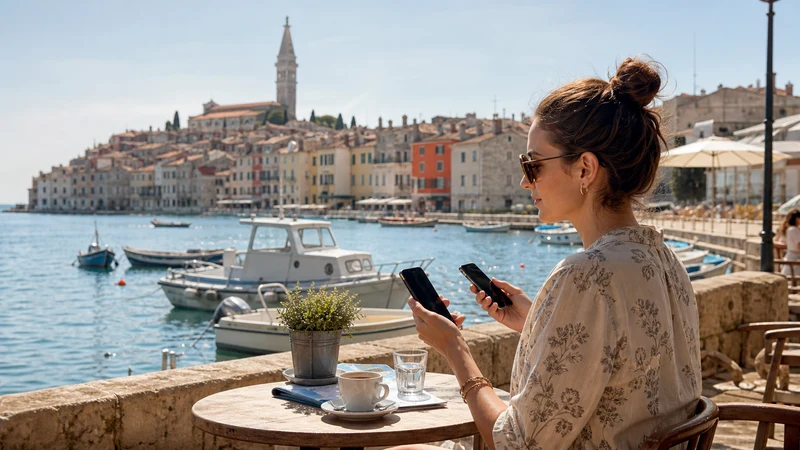

The best way to get internet in Croatia for most short-term visitors is a travel eSIM, provided the phone is compatible and unlocked. It can be prepared before departure, supplies mobile data after arrival and does not require replacing the physical SIM.
A local prepaid SIM is better when a Croatian number is essential. Home roaming can be simplest when the existing plan already includes Croatia, while pocket WiFi mainly suits a group willing to carry and charge another device.
NoveSIM travel eSIMs are data-only. They do not include a Croatian telephone number, traditional calls or SMS, but messaging, maps, email and internet-calling apps work through mobile data.
Quick answer: Choose a Croatia travel eSIM for straightforward data on a compatible unlocked phone; choose a local SIM for a +385 number; use home roaming only after confirming the allowance and charges; and treat hotel or public WiFi as a supplement rather than the only connection. Pocket WiFi is most useful when several people will stay together and share the same device.
Top Croatia eSIMs

Croatia eSIM
Fixed
1 GB, 7 days€ 2.222 GB, 15 days€ 3.553 GB, 30 days€ 4.44Unlimited
Unlimited, 1 day€ 2.22Unlimited, 3 days€ 5.32Unlimited, 5 days€ 7.99
Balkans eSIM
Fixed
1 GB, 7 days€ 4.442 GB, 15 days€ 7.103 GB, 30 days€ 9.32Unlimited
Unlimited, 1 day€ 4.88Unlimited, 3 days€ 11.09Unlimited, 5 days€ 17.30Europe Extra eSIM
Fixed
1 GB, 7 days€ 2.222 GB, 15 days€ 3.553 GB, 30 days€ 4.44Unlimited
Unlimited, 1 day€ 2.66Unlimited, 3 days€ 5.32Unlimited, 5 days€ 8.87Europe+ eSIM
Fixed
1 GB, 7 days€ 2.662 GB, 15 days€ 3.993 GB, 30 days€ 5.32Unlimited
Unlimited, 1 day€ 2.66Unlimited, 3 days€ 6.21Unlimited, 5 days€ 10.20Europe Lite eSIM
Fixed
1 GB, 7 days€ 2.222 GB, 15 days€ 3.553 GB, 30 days€ 4.44Unlimited
Unlimited, 1 day€ 2.66Unlimited, 3 days€ 5.32Unlimited, 5 days€ 8.87Compare the Main Internet Options in Croatia
| Option | Strongest advantage | Main drawback | Best fit |
|---|---|---|---|
| Travel eSIM | Can be prepared before arrival without changing the physical SIM | Requires a compatible unlocked phone and is data-only | Short holidays, road trips and independent travellers |
| Local prepaid SIM | May include a Croatian number and domestic voice service | Requires a shop or physical purchase and current activation checks | Longer stays or travellers who need local calls |
| Home roaming | Uses the existing SIM and number | Fair-use limits, daily fees or high non-EU charges may apply | Eligible plans with a confirmed Croatia allowance |
| Pocket WiFi | Can connect several devices to one mobile connection | Another device to collect, charge, return and keep nearby | Groups that remain together |
| Hotel or public WiFi | Useful for downloads and conserving mobile data | Unavailable between venues and may require a captive portal | A secondary connection, not full-trip coverage |
Why a Travel eSIM Is the Best All-Round Choice
Preparation is the principal advantage. The traveller can choose a package, receive installation details and add the profile while still connected to reliable home WiFi. On arrival, the remaining task is to select the correct line for data and follow the activation instructions.
An eSIM also avoids removing the home SIM. On a compatible dual-SIM phone, the original number can remain available separately for verification messages. Mobile data should be assigned to the travel profile, while roaming and automatic data switching remain disabled on the home line unless its use is intentional.
The disadvantage is equally clear: NoveSIM travel plans do not supply a Croatian phone number. A traveller who needs ordinary domestic calls rather than WhatsApp, FaceTime or another online service should compare a local SIM instead.
When a Croatian Prepaid SIM Is Better
A physical prepaid SIM is the stronger choice when a +385 number solves a specific need, such as repeated domestic calls, a longer work arrangement or a service that does not communicate through internet apps.
Croatia’s mobile network operators are Hrvatski Telekom, A1 Hrvatska and Telemach Hrvatska. Their prepaid packages, promotional allowances, registration procedures and retail availability can change. Check current operator information and use an authorised sales channel.
Ask how the package is activated, when it expires, whether it renews, how to view remaining data and whether adding credit automatically restarts the allowance. The Croatia SIM-card guide provides the full decision framework.
When Home Roaming Is Enough
Roaming may be the simplest option for a visitor whose existing plan already includes Croatia. Eligible EU and EEA plans generally receive domestic-rate roaming for periodic travel, subject to the tariff and fair-use policy. UK and other non-EU providers set their own Croatia charges.
Check Croatia by name in the provider’s current documentation. Confirm the included data, daily fee, overage rate and treatment of calls and SMS. Do not assume that a package labelled “Europe” automatically includes every country or every service.
The Croatia roaming guide explains the distinction between EU fair use, UK tariffs and data roaming on a travel eSIM.
Is Pocket WiFi Worth Carrying?
Pocket WiFi creates a private hotspot from a separate battery-powered device. It can be useful for a family or work group when everyone travels together and the rental or data package supports the required number of connected devices.
It is less convenient when people separate. Anyone who leaves the hotspot loses the connection, and the group depends on one battery, one signal and one piece of equipment. Rental collection, deposit, return instructions and damage terms can add complexity.
For one or two travellers with compatible phones, individual eSIMs usually provide more independence. Each person can navigate, message or change plans without staying near the shared router.
Can You Rely Only on WiFi?
Accommodation WiFi is useful for system updates, media downloads and cloud backup. Airport, café and ferry WiFi may help temporarily, but availability and performance vary, and a captive portal can fail at the moment a ticket or route is needed.
Ask staff for the exact network name before connecting. Avoid sending sensitive information through an unverified network, use HTTPS services and follow any organisational VPN policy. A mobile connection is more useful while walking, driving or waiting away from the venue.
The practical combination is cellular data for movement, trusted WiFi for large transfers and offline copies of essential documents.
Best Choice for Different Croatia Itineraries
Weekend in Zagreb, Split or Dubrovnik
A small or medium travel eSIM is normally the least disruptive choice. It covers directions, messages and reservations, while accommodation WiFi handles downloads. Visiting a shop for a local number rarely adds value unless ordinary calls are required.
One- or Two-Week Road Trip
Choose a plan whose validity covers the complete route and departure day. A personal eSIM provides independent navigation and avoids returning rental hardware. Download the main driving area offline before leaving each property.
Island Hopping and Ferry Travel
Mobile reception can vary near the coast, between islands and inside ferry cabins. Use cellular data when available, save tickets and accommodation details offline, and do not treat onboard WiFi as guaranteed. Check the route in the Croatia coverage guide.
Family or Small Group
Pocket WiFi can reduce the number of plans only when the group remains together. Separate eSIMs cost more in some cases but let family members separate without losing maps or messages. Compare that independence against the router rental and return process.
Remote Work
Use trusted accommodation or coworking WiFi as the main work connection and cellular data as a backup. If hotspot use is required, verify that the plan supports it and control laptop updates and cloud synchronisation. Unlimited packages may reduce data anxiety, but their high-speed thresholds still matter.
Phone without eSIM Support
Use a Croatian prepaid SIM, confirmed home roaming or pocket WiFi. Do not purchase an eSIM merely because the phone family is generally compatible; the exact model must support it and accept profiles from another provider.
How Much Data Should You Choose?
Maps, messaging and booking checks use much less data than video, cloud photo backup or laptop tethering. Estimate the activities that will happen away from WiFi rather than selecting a package from trip length alone.
- Download maps, entertainment and software updates before travel.
- Pause automatic photo and video backup on mobile data.
- Use lower video quality when streaming through cellular data.
- Check hotspot conditions before relying on a laptop connection.
- Add a validity and data buffer for the final transfer day.
The Croatia mobile-data guide covers consumption, route planning and seasonal travel conditions in more detail.
Set Up the Chosen Option Correctly
Once the decision is made, follow the dedicated step-by-step Croatia internet setup guide. For a travel eSIM, install on reliable WiFi, label the profile, select it for cellular data after arrival and enable roaming on that line.
Disable roaming and automatic data switching on the home SIM to prevent accidental fallback. The NoveSIM APN is data.esim. Do not delete an installed eSIM during troubleshooting unless NoveSIM support specifically instructs you to do so.
Related Articles
- Croatia eSIM Plans
- How to Get Internet in Croatia
- Best SIM Card for Croatia
- Roaming in Croatia
- Mobile Data in Croatia
FAQ
What is the best way to get internet in Croatia?
For most short-term visitors with a compatible unlocked phone, a travel eSIM is the most convenient data option. A local SIM is better when a Croatian number is needed, while home roaming works when the tariff clearly includes Croatia.
Is it better to use an eSIM or pocket WiFi in Croatia?
An eSIM gives one traveller an independent connection without carrying another device. Pocket WiFi can suit a group that remains together, but it adds battery, collection and return responsibilities.
Can tourists use free WiFi throughout Croatia?
WiFi is available at many properties and venues, but it is not continuous while moving and quality varies. Use it for large downloads, while keeping mobile data and offline documents for travel between locations.
Do I need a Croatian phone number?
Most short-term tourists do not. Messaging apps, email and internet calling work through data. A local number is useful when regular domestic calls or a specific Croatian service requires one.
Final Recommendation
For most tourists, the best way to get internet in Croatia is a travel eSIM prepared before departure, supported by trusted WiFi and offline copies of essential travel information.
Choose a local SIM only when a Croatian number adds real value, and use home roaming only after checking the exact allowance and charges. Pocket WiFi is a group solution rather than the automatic best choice.
Match the method to the handset, itinerary and communication needs, then complete the correct arrival settings. A clear decision before travel is more useful than switching between several poorly configured connections in Croatia.