


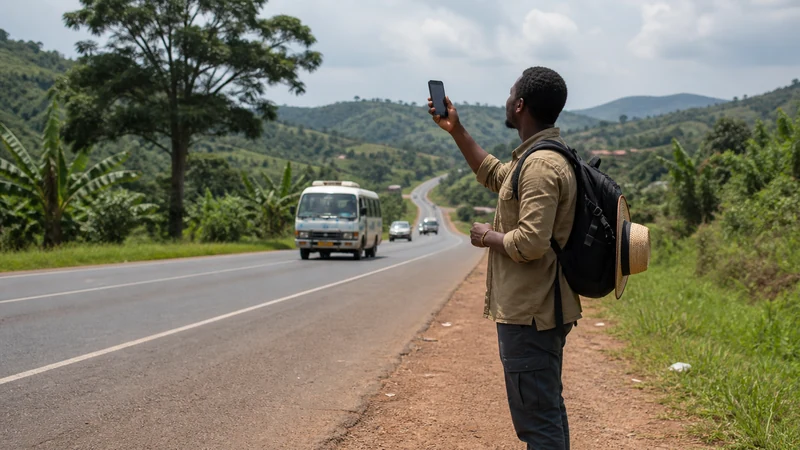

There is no single mobile network that can be called the best for every tourist and every location in Uganda. The most useful network is the one your selected plan is authorised to use where your itinerary actually needs mobile data.
A strong result in central Kampala does not predict reception on an intercity road, inside a national park or at a remote lodge. Choose by route, accommodation and travel tasks rather than an operator logo or one city speed test.
A NoveSIM Uganda eSIM uses the permitted partner access included with the selected plan. It is data-only and does not provide a Ugandan number, traditional calls or carrier SMS.
Quick answer: Check the current NoveSIM partner information against your important stops, keep network selection on Automatic and prepare offline maps and contacts for rural sections. Do not force one operator for the entire journey or assume that a network visible in a manual scan is authorised for the eSIM.
Top Uganda eSIMs

Uganda eSIM
Fixed
1 GB, 7 days€ 11.112 GB, 15 days€ 21.333 GB, 30 days€ 29.33Unlimited
Unlimited, 1 day€ 10.22Unlimited, 3 days€ 29.33Unlimited, 5 days€ 47.99
Why is there no universal best network in Uganda?
Mobile reception is location-specific. The same phone and plan can produce different results after moving a short distance, entering a building or travelling beyond a town.
Network performance can be affected by:
- distance from the serving mobile site;
- terrain and elevation;
- walls, roofs and other building materials;
- indoor or outdoor use;
- local network demand;
- temporary maintenance or faults;
- the phone’s supported bands and network modes;
- the selected plan’s permitted partner access;
- the precise position of the traveller.
A national reputation cannot answer whether mobile data will work inside one hotel room or along a particular park approach road. The guide to mobile networks in Uganda explains the difference between network visibility, authorisation and usable service.
Define what “best” means for your trip
Different travellers use mobile data for different purposes. The network question should start with the task that must work, not a theoretical maximum speed.
| Travel requirement | What “best” means |
|---|---|
| Airport transfer | Usable data for driver messages, the first address and maps |
| City sightseeing | Stable access between hotels, attractions and transport points |
| Intercity journey | Useful service on covered sections plus an offline route for gaps |
| Remote lodge stay | Realistic expectations at the exact property, not the nearest town |
| Safari itinerary | Connectivity where available without replacing operator safety procedures |
| Business travel | A tested primary connection and a practical backup for important work |
| Group travel | Enough independent access when travellers or vehicles separate |
A stable 4G connection for maps and messaging may be more useful than occasional 5G that disappears outside one small area.
Check the itinerary stop by stop
Break the journey into places where connectivity matters. A broad question such as “Does Uganda have coverage?” is less useful than a list of specific travel stages.
- List the arrival airport and first transfer.
- Add every city and regional town.
- Record the important intercity road sections.
- Add each lodge, park gateway and remote property.
- Identify where driver or operator communication is time-sensitive.
- Mark where maps or booking updates may be required.
- Prepare an offline alternative for every uncertain section.
Use the guide to Uganda eSIM coverage for route-level planning rather than treating one general coverage claim as proof for every stop.
How does NoveSIM partner access affect the choice?
A NoveSIM eSIM can register only through the partner access permitted by the selected plan. It does not provide unrestricted access to every Ugandan operator.
Before purchase, distinguish between:
- a network operating in Uganda;
- a network detected by the phone;
- a network authorised for the selected NoveSIM plan;
- a network with usable service at the present location.
These are not interchangeable. A network can appear in a manual scan while rejecting the eSIM because it is not an authorised partner for that plan.
Check current plan information if a specific partner matters to the itinerary. Partner access is a variable fact and should not be inferred from another eSIM provider, an old article or a previous trip.
Why should tourists use Automatic network selection?
Automatic selection lets the phone attempt registration with permitted partner access as network conditions change. It is the normal setting for everyday use.
Automatic selection helps because:
- the phone does not need a permanent operator choice;
- the eSIM’s permitted access controls registration;
- available signals may change along the route;
- the phone can retry after a temporary loss of service;
- a manually selected network may not be authorised.
Manual selection is useful for diagnosis when current plan information or NoveSIM support identifies a network to test. It is not a reliable method for choosing one operator for the whole country. Follow the Uganda manual network selection guide when a specific test is necessary.
Does a network scan identify the best operator?
No. A scan shows which broadcast signals the phone can currently detect. It does not measure the complete route or confirm that the eSIM can register.
| Scan result | What you can conclude | What remains unknown |
|---|---|---|
| Operator name appears | A signal was detected at the present location | Whether NoveSIM is authorised to register |
| Several operators appear | Several signals are visible | Which are permitted by the selected plan |
| Strong signal bars | The phone measures a stronger radio signal | Actual data performance and congestion |
| One operator is missing | The phone did not detect it during that scan | Whether it is available elsewhere |
| Registration succeeds | The SIM attached to that network | Performance at the next stop or road section |
Return the phone to Automatic after a manual diagnostic test unless NoveSIM support provides a different current instruction.
Do 4G and 5G determine which network is best?
Network technology is only one part of the result. A stable 4G connection is generally sufficient for maps, WhatsApp, email, booking apps and ordinary browsing.
5G availability depends on the plan, device, permitted network, region and local conditions. It should not be treated as a requirement for a successful Uganda trip.
| Observed result | Practical response |
|---|---|
| Stable 4G | Keep using it for normal travel tasks |
| Available 5G | Use it if stable, but do not build the itinerary around it |
| Strong signal with slow data | Check congestion, background traffic and the current location |
| Weak but usable connection | Complete essential tasks and save information offline |
| No usable service | Continue with the offline plan and test again after changing location |
The guide to 4G and 5G in Uganda for tourists explains device and coverage limitations in more detail.
Can official reports identify a national winner?
The Uganda Communications Commission publishes market and quality information about the country’s communications sector. These reports can show national trends and results from defined tests.
They should be interpreted according to:
- the date of the assessment;
- the operators included;
- the towns or routes tested;
- the devices and methods used;
- the performance measures recorded.
A result from selected towns cannot establish which network will be strongest at every lodge, road or national park. Current official material is available from the Uganda Communications Commission market reports.
Check the phone before comparing networks
A network cannot perform as intended when the phone lacks suitable technical support. Confirm both eSIM compatibility and carrier-unlocked status before purchasing.
- Find the exact model number in the phone settings.
- Check that the device supports eSIM.
- Confirm that the phone is not locked to the home carrier.
- Check its supported network modes and regional variant.
- Confirm the dual-SIM combination required for the trip.
- Review current NoveSIM compatibility information.
Use the guide explaining whether your phone supports an eSIM for Uganda. Do not assume that every regional version of a model has identical capabilities.
Install and test NoveSIM before judging the network
Install the travel eSIM before departure using stable private Wi-Fi. After arrival, make sure the phone is actually using NoveSIM before evaluating coverage or performance.
- Turn on the NoveSIM line.
- Select NoveSIM as the mobile-data line.
- Enable Data Roaming for NoveSIM.
- Disable automatic mobile-data switching.
- Keep roaming disabled on the primary SIM.
- Leave network selection on Automatic.
- Turn Wi-Fi off temporarily.
- Load a new webpage to test mobile data.
Follow the Uganda eSIM installation guide and the separate instructions to activate a Uganda eSIM.
How should you compare live performance?
Test the tasks that matter rather than relying only on a speed-test number. A connection can be useful for travel even when it does not produce the highest possible download result.
In a safe location, test:
- a new webpage with Wi-Fi disabled;
- the map for the next destination;
- a message to the accommodation or driver;
- the next booking reference;
- an internet voice call if it is important;
- a hotspot connection if the current plan permits tethering.
Do not consume a large part of the allowance through repeated high-volume speed tests. The Uganda mobile-data guide explains how to monitor usage and reduce background traffic.
What if the signal is strong but data is slow?
Strong signal bars do not measure every factor affecting performance. Local demand, background transfers, network management and the destination service can all affect speed.
Before changing networks:
- Pause cloud backup and application updates.
- Disconnect unnecessary hotspot devices.
- Test another website or application.
- Move outdoors or away from dense walls where practical.
- Turn Airplane Mode on briefly and then off.
- Restart the phone if necessary.
- Test again at another nearby location.
Use the guide to slow mobile data in Uganda if registration succeeds but the connection remains poor.
What if the phone shows no service?
Consider location before treating the result as a configuration failure. A signal disappearing after entering a remote area may indicate a coverage gap rather than a problem with the eSIM.
In a location where service should be available:
- confirm that NoveSIM is enabled;
- confirm that it is selected for data;
- check that Data Roaming is enabled on NoveSIM;
- leave network selection on Automatic;
- restart the connection;
- move to another location and test again.
Follow the guide for a Uganda eSIM that is not working when the problem continues. Do not delete the installed eSIM unless NoveSIM support instructs you to do so.
Choose differently for cities and rural routes
A tourist staying in Kampala has a different network question from someone travelling through several regional towns and remote properties.
| Itinerary type | Network priority | Offline preparation |
|---|---|---|
| Mostly Kampala | Reliable data around the actual hotel and city routes | Save the first address and essential contacts |
| Several towns | Useful partner access at each major stop | Download maps between towns |
| Road trip | Service on covered sections without expecting continuity | Save complete routes and accommodation directions |
| Safari itinerary | Connectivity in gateways and wherever permitted coverage exists | Keep permits, operator contacts and meeting points offline |
| Remote lodge stay | Property-specific expectations | Save lodge communication procedures before departure |
Review rural mobile coverage in Uganda before using a city experience to predict a remote result.
Safari travellers need a different definition of “best”
Inside a park or remote safari area, the best available mobile network may still provide weak or no service. The useful plan is one that supports connected stages while the traveller remains prepared for offline periods.
Before leaving a connected location, save:
- the complete itinerary;
- lodge and operator contacts;
- pickup points and departure times;
- booking references and permits;
- insurance and emergency information;
- the operator’s communication procedure;
- offline maps for relevant public roads.
Ordinary mobile networks are not satellite emergency systems. The Uganda safari mobile-internet guide explains how to prepare for remote activities.
Use a route scorecard instead of a national ranking
A simple scorecard makes the decision more useful than asking for one operator name.
| Check | Question to answer |
|---|---|
| Plan access | Which current partner access is included? |
| Compatibility | Can the exact phone use the eSIM and relevant network modes? |
| Arrival | Can the line support the airport transfer and first contact? |
| City stops | What service is expected around the actual accommodation? |
| Road sections | Where should gaps be expected? |
| Remote stays | What does the lodge or operator advise? |
| Fallback | Which routes, contacts and documents are saved offline? |
The practical winner is the plan and connection strategy that covers the important tasks while acknowledging where mobile service may disappear.
Related Articles
- Uganda eSIM Plans
- Mobile Networks in Uganda
- Uganda eSIM Coverage
- 4G and 5G in Uganda for Tourists
- Rural Mobile Coverage in Uganda
- Manual Network Selection in Uganda
- Mobile Data in Uganda
- Slow Mobile Data in Uganda
- Uganda eSIM Not Working
- Mobile Internet on Safari in Uganda
FAQ
Which mobile network is best for tourists in Uganda?
There is no universal winner for every itinerary. The best option is the permitted partner connection that works at your important stops and is supported by an offline plan for coverage gaps.
Does NoveSIM connect to every Uganda network?
No. NoveSIM can register only through the partner access permitted by the selected plan, even when the phone detects additional networks.
Should I select a Uganda network manually?
Leave selection on Automatic for normal use. Choose a network manually only for a specific authorised-partner test or when NoveSIM support requests it.
Does 5G identify the best network?
No. 5G availability varies by plan, device, partner network, region and local conditions. Stable 4G is normally enough for ordinary tourist activities.
Can official reports predict reception at my lodge?
No. Official reports provide valuable national or tested-location information, but they cannot predict the exact signal inside one lodge, hotel room or road section.
Why does a visible network reject my eSIM?
Visibility means the phone detected a signal. Registration also requires that the selected plan is authorised to use that network.
Will the same network work throughout a Uganda safari?
No network should be expected to provide continuous service across every park, road and remote property. Save operator contacts, permits and meeting information offline.
Final Recommendation
Choose a NoveSIM Uganda plan by comparing its current partner access with the cities, roads and remote stops in your actual itinerary. Avoid national rankings that are based on one operator name or one city result.
Keep network selection on Automatic and judge the live connection by whether it supports maps, messages and booking tasks. Use manual selection only for a specific permitted-partner test.
Before leaving connected towns, save routes, lodge contacts and meeting information offline. The best Uganda network strategy combines useful partner coverage where available with a journey that can continue when no mobile network is usable.