


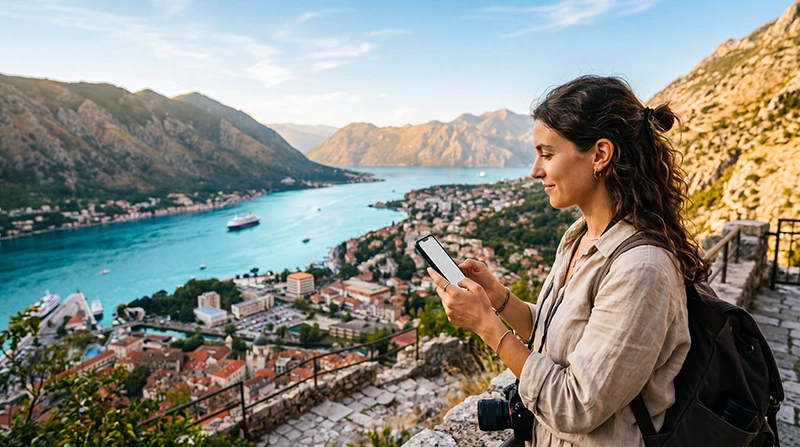

Montenegro has three mobile network operators: Crnogorski Telekom, One Crna Gora and Mtel. There is no single best network for every tourist because performance changes between coastal towns, inland roads, mountain valleys and individual buildings.
The practical choice is the network—or travel eSIM partner network—that covers the places where you will actually stay and travel. A short Budva or Podgorica visit is a different test from driving through Durmitor or crossing rural northern Montenegro.
NoveSIM travel eSIMs are data-only and may use one or more local partner networks depending on the plan. Check the live product page for the current partner, 4G or 5G access, hotspot terms and allowance.
Quick answer: Compare Crnogorski Telekom, One and Mtel against your exact route using the Montenegro regulator’s coverage portal. For a travel eSIM, prioritise a plan whose listed partner coverage fits both the coast and any mountain or cross-country legs; keep offline maps for remote sections.
Top Montenegro eSIMs

Montenegro eSIM
Fixed
1 GB, 7 days€ 3.552 GB, 15 days€ 5.323 GB, 30 days€ 7.10Unlimited
Unlimited, 1 day€ 3.99Unlimited, 3 days€ 8.43Unlimited, 5 days€ 12.87
Balkans eSIM
Fixed
1 GB, 7 days€ 4.442 GB, 15 days€ 7.103 GB, 30 days€ 9.32Unlimited
Unlimited, 1 day€ 4.88Unlimited, 3 days€ 11.09Unlimited, 5 days€ 17.30Which Mobile Operators Serve Montenegro?
Montenegro’s electronic communications regulator, EKIP, lists Crnogorski Telekom, One Crna Gora and Mtel as the country’s mobile operators. Older travel pages may still use the former T-Mobile or Telenor names, so check current branding rather than relying on an old comparison.
All three operate modern mobile networks, but a national availability figure cannot predict reception at one hotel, beach, canyon or road bend. EKIP provides operator and technology coverage maps, which are more useful when checked against a planned route.
Coverage on the Coast and in Major Cities
Podgorica and established coastal centres such as Herceg Novi, Kotor, Budva, Bar and Ulcinj are the easiest environments for mobile service. Even there, stone walls, crowded summer waterfronts and indoor rooms can affect speed and signal.
If the trip focuses on the Adriatic coast, compare coverage at the accommodation and any day-trip destinations. The Montenegro mobile internet guide explains how eSIM, local SIM, roaming and Wi-Fi fit different stays.
Mountain Roads and Northern Montenegro
Terrain matters more away from towns. Deep valleys, tunnels and mountain roads can interrupt reception despite broad population coverage. Durmitor, Prokletije, the Tara canyon area and minor roads deserve route-level planning rather than a general “best network” claim.
Download offline navigation and accommodation details before departure. The Google Maps in Montenegro guide explains how to prepare routes for gaps without changing mobile settings unnecessarily.
How to Compare Networks for a Travel eSIM
- List the overnight locations, long road sections and remote excursions.
- Check which Montenegro partner network is listed on the current eSIM product page.
- Compare that network on EKIP’s coverage portal at the same locations.
- Confirm whether the plan includes 4G, 5G and hotspot use where needed.
- Keep Network Selection on Automatic unless the plan authorises another partner for manual testing.
Review the live Montenegro eSIM options for current plan terms. Network availability can change, so the product page is more reliable than a fixed operator promise in an article.
Travel eSIM or Local Prepaid SIM?
A travel eSIM suits visitors who want data prepared before arrival and do not need a Montenegrin phone number. A local prepaid SIM may suit a longer stay or a traveller who specifically needs domestic calls and SMS, but purchase and identity-registration requirements should be checked with the operator.
With a data-only eSIM, WhatsApp and other internet apps continue through mobile data. The primary SIM can remain enabled for its number on a dual-SIM phone, but home-carrier roaming charges may still apply to calls, SMS or voicemail.
Settings After Arrival
Turn on the travel eSIM, choose it for Mobile Data and enable Data Roaming on that line. Keep roaming off on the primary SIM and disable automatic data switching. Start with Automatic Network Selection and allow time for registration.
If manual APN entry is required for NoveSIM, use data.esim and leave username and password blank. Do not delete the installed profile during troubleshooting unless NoveSIM Support explicitly instructs you to do so.
Related Articles
- Best SIM Card for Montenegro
- Mobile Internet for Visitors to Kotor
- How Much Data Do You Need in Montenegro?
- Montenegro eSIM Troubleshooting
FAQ
Which network is best in Montenegro?
No operator is best at every location. Compare Crnogorski Telekom, One and Mtel coverage for the precise coast, city, mountain and road itinerary.
Is 5G available in Montenegro?
Montenegro has 5G deployment, but access depends on the operator, plan, exact device and local coverage. Confirm the current eSIM product terms rather than assuming 5G is included.
Will mobile data work in Montenegro’s mountains?
Coverage can be interrupted by terrain, valleys and remote roads. Check route-level maps and keep navigation and essential details offline.
Can I switch networks manually with a travel eSIM?
Only test networks authorised for the selected plan. Start with Automatic selection; a visible carrier may reject registration if it is not a partner.
Final Recommendation
Choose a Montenegro network by itinerary, not by a universal ranking. City and coast coverage is only part of the decision when the trip includes mountain parks or long inland roads.
Verify the current partner network and plan features before buying, then compare them with the regulator’s route-level coverage information.
Prepare offline maps, use Automatic Network Selection first and preserve the installed eSIM if connection help is needed.