


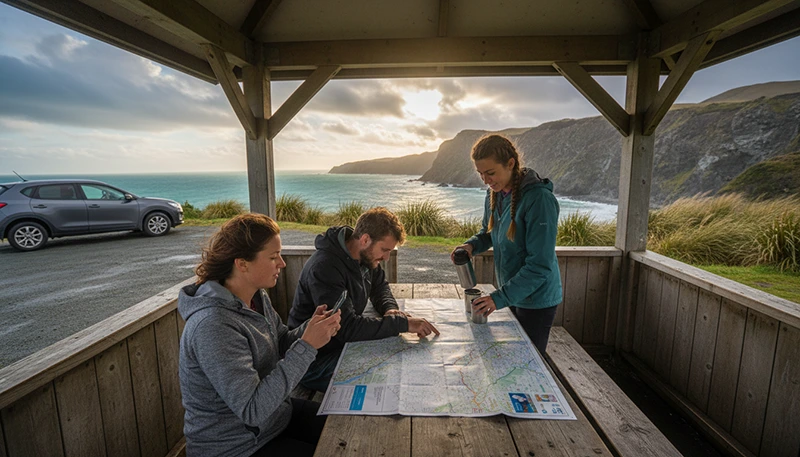

The best eSIM for a New Zealand road trip should provide enough mobile data for navigation, accommodation messages, weather checks and booking management throughout the journey.
Price matters, but it should not be the only consideration. Plan validity, data allowance, hotspot support, phone compatibility and realistic coverage expectations are equally important when travelling between cities, rural areas and remote landscapes.
Quick answer: choose a New Zealand eSIM that remains valid for your complete journey and includes enough data for maps, messaging and travel applications. Install it before departure, use it as your Mobile Data line after arrival and download offline maps before every long rural or mountain drive.
Top New Zealand eSIMs

New Zealand eSIM
Fixed
1 GB, 7 days2.50$2 GB, 15 days4.50$3 GB, 30 days6.00$Unlimited
Unlimited, 1 day3.00$Unlimited, 3 days7.50$Unlimited, 5 days12.00$
Asia eSIM
Fixed
1 GB, 7 days5.00$2 GB, 15 days9.00$3 GB, 30 days12.00$Unlimited
Unlimited, 1 day6.50$Unlimited, 3 days17.50$Unlimited, 5 days28.50$What Makes an eSIM Suitable for a New Zealand Road Trip?
A road-trip eSIM should match how and where you plan to travel. A plan that works well for a short city break may not be suitable for several weeks of driving across both islands.
Look for the following features:
- Coverage that includes New Zealand.
- Validity covering the full journey.
- A realistic mobile data allowance.
- Hotspot support when required.
- Compatibility with your exact phone model.
- Clear installation instructions.
- Simple activation after arrival.
- Access to customer support if setup assistance is needed.
Browse New Zealand eSIM plans.
How to Choose the Best Plan
| Traveller Type | Recommended Plan Priority |
|---|---|
| Short self-drive holiday | Simple installation and moderate data |
| Two-week road trip | Longer validity and at least a medium data allowance |
| Multi-week campervan trip | Extended validity and generous data |
| Remote worker | Large allowance and hotspot support |
| Family or group | Hotspot support or separate plans for each traveller |
| Light user | Smaller fixed-data plan with offline maps |
Choose Enough Validity for the Entire Journey
Plan validity is one of the most important factors for a road trip. A low-cost plan is not useful if it expires before the final driving days.
Count the complete period from the expected activation date until the day you leave New Zealand. Include additional time for:
- Arrival and departure days.
- Possible flight delays.
- Changes to the itinerary.
- Extra nights added during the trip.
- Time spent in cities before or after collecting the vehicle.
Check when validity begins. Depending on the plan, it may begin after installation, activation or the first connection to a supported network.
How Much Data Do You Need?
Your data requirement depends more on digital habits than on driving distance.
| Road Trip Length | Practical Starting Point |
|---|---|
| 3 to 5 days | 3 GB to 5 GB |
| 7 days | 5 GB to 10 GB |
| 10 to 14 days | 10 GB to 20 GB |
| 3 to 4 weeks | 20 GB or more |
| Remote work or frequent tethering | A larger allowance |
Maps, messaging, email and booking searches normally use less data than video streaming, video calls, cloud photo backup and laptop hotspot use.
Read how much data you need for New Zealand.
Fixed Data or Unlimited Data?
A fixed-data plan is often sufficient for travellers who primarily use maps, messaging, weather applications and occasional social media.
An unlimited plan may be more suitable when you expect to:
- Stream video regularly.
- Upload large numbers of photos.
- Use frequent video calls.
- Share data with other devices.
- Work remotely from a laptop.
Check the selected plan carefully. Unlimited plans may include fair-use conditions, reduced speeds after a usage threshold or restrictions on hotspot sharing.
Read the unlimited data eSIM guide for New Zealand.
Does the Cheapest eSIM Provide the Best Value?
Not necessarily. Compare the total plan rather than the headline price.
A cheaper plan may provide poor value when it:
- Expires before the journey ends.
- Includes too little data.
- Does not allow hotspot sharing.
- Has unclear activation instructions.
- Requires another purchase during the trip.
The best-value plan is usually the one that covers the entire journey without forcing you to monitor every small amount of mobile data.
Coverage Expectations on a New Zealand Road Trip
No eSIM can guarantee continuous signal across every road in New Zealand. Travel eSIMs connect through available local mobile networks, but coverage still depends on location, terrain, device compatibility and network conditions.
Signal may vary in:
- Mountain passes and deep valleys.
- National park areas.
- Dense forests.
- Remote coastal regions.
- Sparsely populated rural routes.
- Areas far from towns and major highways.
A temporary loss of signal does not necessarily mean the eSIM is faulty. Continue towards a more open or populated area before changing advanced phone settings.
North Island Road Trips
Common North Island routes connect Auckland, Hamilton, Rotorua, Taupo and Wellington. Mobile data can help with city traffic, accommodation messages, attraction bookings and route changes.
Download offline maps before journeys through rural Waikato, forested areas and volcanic landscapes. Signal can vary outside larger towns even when the same eSIM works normally in urban locations.
South Island Road Trips
South Island itineraries often involve longer distances, mountainous terrain and rapidly changing weather.
Prepare offline information before routes such as:
- Christchurch to Queenstown.
- Queenstown to Te Anau.
- Queenstown to Aoraki Mount Cook.
- Dunedin to the Catlins.
- Christchurch to the West Coast.
Save complete routes, fuel stops, accommodation details and important booking confirmations before leaving larger towns.
Why Offline Maps Are Still Essential
Even the best eSIM should be combined with offline navigation. Downloaded maps continue working when mobile signal becomes weak or unavailable.
Before every major drive:
- Download the complete route area.
- Save the final accommodation address.
- Mark planned fuel or charging stops.
- Save attraction entrances and meeting points.
- Download an alternative route where available.
- Take screenshots of important instructions.
Keep location services enabled so your phone can continue displaying its position on a downloaded map.
Hotspot Support for Passengers and Laptops
Hotspot sharing can be valuable when passengers need internet or when you plan to work from a laptop. Availability depends on the selected eSIM plan.
Hotspot use can consume data quickly because connected devices may automatically:
- Download operating system updates.
- Synchronise cloud storage.
- Upload photographs and videos.
- Stream higher-quality media.
- Run background applications.
Disable automatic updates and cloud synchronisation before connecting a laptop or tablet.
Can One eSIM Be Shared by the Whole Group?
One traveller may be able to share data through a mobile hotspot if the selected plan supports tethering. However, the connection disappears whenever that person moves away from the group or turns off the hotspot.
Separate eSIMs may be more practical when travellers:
- Plan different activities.
- Use separate rental vehicles.
- Need independent navigation.
- Want reliable access to tickets and bookings.
- Expect to separate during hikes or city visits.
Can You Keep Your Home SIM Active?
Yes. A compatible Dual-SIM phone can use a travel eSIM for mobile data while keeping the primary SIM available for calls, SMS and verification messages.
To reduce accidental roaming charges:
- Select the travel eSIM for Mobile Data.
- Turn off Data Roaming on the primary SIM.
- Disable Automatic Data Switching.
- Check the selected line before making traditional calls.
Your home provider may still charge for calls, voicemail or certain messages while abroad.
Will WhatsApp Keep Your Existing Number?
Yes. WhatsApp normally continues using the number already registered to your account while the travel eSIM supplies mobile data.
Do not choose Change Number unless you intentionally want to move the account to another telephone number.
How to Check Whether Your Phone Supports eSIM
Check the manufacturer’s specifications for your exact model and regional version. The device must also be carrier-unlocked.
You can dial *#06#. An eSIM-compatible phone may display an EID together with one or more IMEI numbers.
You may also find an option such as Add eSIM, Add Cellular Plan, Add Mobile Plan or SIM Manager in the phone settings.
How to Install the eSIM Before Your Trip
- Confirm that the phone supports eSIM.
- Check that it is carrier-unlocked.
- Choose a plan that includes New Zealand.
- Check the data allowance and validity.
- Connect the phone to stable WiFi.
- Open the installation instructions.
- Scan the supplied QR code or use the manual details.
- Label the new line as Travel or New Zealand.
- Keep it installed until the journey ends.
Installing the eSIM before departure gives you time to solve any installation issue while you still have reliable internet access.
Read how to buy an eSIM for New Zealand.
Recommended eSIM Settings in New Zealand
| Setting | Recommended Value |
|---|---|
| Travel eSIM | Enabled |
| Mobile Data | Travel eSIM |
| Data Roaming on travel eSIM | On |
| Data Roaming on primary SIM | Off |
| Automatic Data Switching | Off |
| Network Selection | Automatic |
| APN | data.esim when required |
What If the eSIM Does Not Connect?
- Confirm that the plan includes New Zealand.
- Check that the travel eSIM is enabled.
- Select it for Mobile Data.
- Enable Data Roaming on the travel eSIM.
- Disable roaming on the primary SIM.
- Turn off Automatic Data Switching.
- Leave Network Selection on Automatic.
- Check that the APN is data.esim.
- Enable Airplane Mode for 30 seconds and turn it off.
- Wait several minutes for network registration.
- Restart the phone if necessary.
Move to an open location before changing more settings because hills, buildings or local terrain may temporarily weaken the signal.
Do not delete the eSIM while troubleshooting. The installation QR code may be valid for one installation only.
Road Trip eSIM Checklist
- Choose validity covering the full journey.
- Select enough mobile data for your expected use.
- Check whether hotspot sharing is supported.
- Confirm that the phone is unlocked and eSIM-compatible.
- Install the eSIM before departure.
- Save the installation instructions offline.
- Download maps before every long drive.
- Save accommodation and rental information.
- Mark fuel or charging stops.
- Carry a car charger or power bank.
- Pause automatic cloud backups.
- Do not rely on continuous rural coverage.
Related New Zealand Travel Internet Guides
- New Zealand eSIM Plans
- Best eSIM for New Zealand
- Internet for a New Zealand Road Trip
- Mobile Data for a New Zealand Road Trip
- How Much Data Do You Need for New Zealand?
- Unlimited Data eSIM for New Zealand
- Local SIM vs eSIM in New Zealand
- New Zealand Roaming Charges
FAQ
What is the best eSIM for a New Zealand road trip?
The best option is an eSIM with validity covering the entire journey, enough data for navigation and bookings, and hotspot support when required.
How much data do I need for a two-week road trip?
Approximately 10 GB to 20 GB is a practical starting point for maps, messaging, bookings and moderate social media use. Choose more for streaming, remote work or regular hotspot use.
Will an eSIM work everywhere in New Zealand?
No mobile service can guarantee uninterrupted coverage everywhere. Signal may vary in mountainous, forested, rural and remote coastal areas.
Should I install the eSIM before arriving?
Yes. Install it while connected to reliable WiFi, but follow the plan instructions regarding when activation and validity begin.
Can I use the eSIM as a hotspot?
Hotspot availability depends on the selected plan. Check the plan conditions before relying on tethering for passengers or a laptop.
Can I keep my home SIM active?
Yes. Use the travel eSIM for Mobile Data, turn off roaming on the primary SIM and disable Automatic Data Switching.
What APN should I use for NoveSIM?
Use data.esim when manual APN configuration is required.
Final Recommendation
The best eSIM for a New Zealand road trip is not automatically the cheapest or largest plan. It is the plan that covers the complete journey, matches your expected data use and works with your phone.
For most tourists, a medium or generous fixed-data plan is enough for navigation, messaging and travel bookings. Travellers who stream, work remotely or share a hotspot may need a larger or unlimited option.
Install the eSIM before departure, configure the correct Mobile Data settings after arrival and download offline maps before every long rural, coastal or mountain drive.