
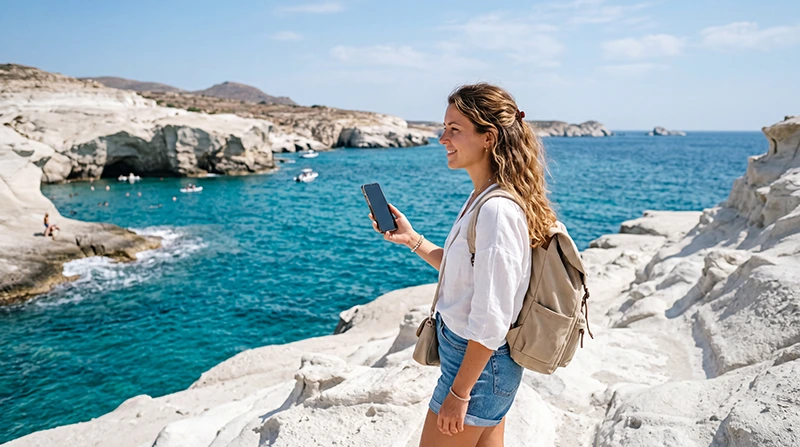

Milos is one of the most unique Cycladic islands in Greece, known for volcanic landscapes, turquoise water, white rock formations, fishing villages, boat trips, hidden beaches and relaxed Aegean atmosphere. Whether you are visiting Adamas, Plaka, Pollonia, Sarakiniko, Klima, Kleftiko, Firiplaka, Paleochori, Mandrakia or several Greek islands in one trip, reliable mobile internet can make your Milos holiday much easier.
Tourists in Milos use mobile data every day for Google Maps, ferry tickets, hotel check-ins, beach directions, restaurant reservations, car or ATV rental, taxi coordination, WhatsApp, translation, online banking, weather updates, boat tour confirmations and social media.
Quick answer: for most travelers, a Greece eSIM is the easiest way to stay connected in Milos. You can install it before your trip, activate it after arrival and use mobile data across the island without buying a physical SIM card.
Top Greece eSIMs
Why Mobile Internet Is Important in Milos
Milos is beautiful, but many of its best places are spread across beaches, villages, ports and coastal roads. A typical trip may include ferry arrivals, boat tours, ATV rental, beach hopping, sunset spots and restaurant bookings. Public WiFi can help in hotels and restaurants, but mobile data is much more useful while moving around.
- Navigate between Adamas, Plaka, Pollonia and beaches
- Use Google Maps and Apple Maps while driving or riding an ATV
- Contact hotels, apartments and transfer drivers
- Find beaches, restaurants and parking areas
- Book taxis, boat tours and activities
- Use WhatsApp, Messenger and Viber
- Open ferry tickets and travel confirmations
- Translate menus, signs and messages
- Check weather before beach or boat trips
- Access online banking and travel apps
Why Choose an eSIM for Milos?
An eSIM is a digital SIM card that works on compatible smartphones. Instead of inserting a physical SIM card, you install a mobile data plan digitally using a QR code or manual activation details.
This is especially useful in Milos because many travelers arrive by ferry or plane and continue directly to a hotel, apartment, rental car office, ATV rental point or beach area. You may not want to spend time looking for a local SIM card shop after arrival.
- Install before departure
- No physical SIM card required
- No airport or ferry port SIM card queue
- Use mobile data after arrival
- Keep your regular SIM active
- Useful for beaches, villages and ferry travel
- Good for boat trips and island hopping in the Cyclades
Best eSIM for Milos: What to Look For
| Feature | Why It Matters |
|---|---|
| Greece coverage | Your plan must include Milos and Greece. |
| Easy installation | You should be able to install it before travel. |
| Enough data | Maps, ferry apps, social media and travel apps can use data quickly. |
| Clear APN settings | Simple setup helps avoid connection problems. |
| Dual-SIM support | You can keep your regular SIM for calls and SMS. |
| Good for island hopping | Useful if you continue to Santorini, Paros, Naxos, Mykonos or Athens. |
Where an eSIM Helps Most in Milos
Milos Airport
Milos Airport is useful for travelers arriving from Athens or other Greek destinations. Mobile data helps immediately after landing with hotel details, taxi information, rental car instructions, transfer messages and booking confirmations.
Adamas Ferry Port
Adamas is the main ferry arrival point in Milos. Mobile data is very useful for ferry tickets, boarding information, port maps, transfer pickup points, hotel messages, schedules and directions to your accommodation.
Adamas
Adamas is one of the most practical bases in Milos, with hotels, restaurants, shops, car rental offices, boat tour operators and ferry connections. Mobile internet helps with maps, taxis, restaurant searches, accommodation messages and travel planning.
Plaka
Plaka is the island’s charming hilltop capital, famous for narrow streets, sunset views and traditional Cycladic houses. Mobile data helps with walking routes, restaurant bookings, parking information and photo sharing.
Pollonia
Pollonia is a relaxed coastal village with restaurants, hotels and sea views. Mobile internet helps with hotel communication, restaurant searches, beach directions, taxi coordination and ferry information for nearby island connections.
Sarakiniko Beach
Sarakiniko is one of the most iconic places in Milos, known for its white volcanic rocks and moonlike landscape. Mobile data helps with directions, weather checks, photo sharing, parking and return routes.
Kleftiko
Kleftiko is usually visited by boat tour and is one of the most famous coastal sights in Milos. Mobile internet helps with tour confirmations, meeting points, weather updates and operator communication before departure.
Klima
Klima is known for colorful fishermen’s houses and sunset views. Mobile data helps with driving directions, parking, walking routes, photos and nearby restaurant searches.
Firiplaka and Paleochori
Firiplaka and Paleochori are popular beach areas in Milos. Mobile internet helps with road directions, weather, restaurant searches, parking and return routes.
Milos eSIM vs Local SIM Card
| Feature | Milos eSIM | Local SIM Card |
|---|---|---|
| Install before arrival | Yes | No |
| Physical SIM required | No | Yes |
| Shop visit needed | No | Usually yes |
| Keep home SIM active | Yes | Depends on phone setup |
| Best for short trips | Yes | Yes |
| Best for convenience | Excellent | Moderate |
| Good for island hopping | Yes | Yes, but less convenient |
Milos eSIM vs Roaming
International roaming may be convenient if your home provider includes Greece at a good price. However, many travelers may face daily roaming fees, limited data or expensive international rates, especially if they use maps, ferry websites, social media and video calls frequently.
How Much Data Do You Need in Milos?
| Trip Type | Recommended Data | Best For |
|---|---|---|
| Short Milos stay | 3–5 GB | Maps, WhatsApp, bookings and light browsing |
| One-week Milos holiday | 5–10 GB | Daily navigation, ferry updates, social media and travel apps |
| Milos plus island hopping | 10–20 GB | Ferries, hotels, maps, transfers and travel apps |
| Heavy social media user | 10–20 GB+ | Photo uploads, videos, reels and frequent browsing |
| Remote worker | 20 GB+ | Email, hotspot, work apps and video calls |
Recommended Milos eSIM Settings
| Setting | Recommended Value |
|---|---|
| Mobile Data | Milos / Greece eSIM |
| Data Roaming | ON for the eSIM |
| APN | data.esim |
| Primary SIM | Calls and SMS if needed |
| Primary SIM Data Roaming | OFF |
| Automatic Data Switching | OFF |
How to Install a Milos eSIM
- Purchase your Greece or Milos eSIM.
- Open the QR code or installation details.
- Connect your phone to stable WiFi.
- Go to your eSIM settings.
- Scan the QR code.
- Install the eSIM profile.
- Label it as Milos, Greece, Travel or NoveSIM.
- Enable it after arrival in Greece.
How to Use a Milos eSIM After Arrival
- Turn on the eSIM.
- Select the eSIM for mobile data.
- Enable Data Roaming for the eSIM.
- Keep your primary SIM for calls and SMS if needed.
- Check APN data.esim if mobile data does not start automatically.
- Restart your phone if the connection takes longer than expected.
Milos eSIM for iPhone
If your iPhone supports eSIM and is unlocked, you can use a Milos eSIM or Greece eSIM. Most iPhones from iPhone XS, iPhone XS Max and iPhone XR onward support eSIM technology.
On iPhone, go to:
Settings → Cellular → Add eSIM
Milos eSIM for Android
Many Android phones support eSIM, including selected Samsung Galaxy, Google Pixel, Motorola, Xiaomi, Oppo and other models. Compatibility depends on the exact device, region and carrier lock status.
On Samsung Galaxy, go to:
Settings → Connections → SIM Manager → Add eSIM
Can You Keep Your Regular Phone Number?
Yes. Most modern dual-SIM phones allow you to keep your regular SIM active for calls and SMS while using your Milos eSIM for mobile data.
Will WhatsApp Work With a Milos eSIM?
Yes. WhatsApp works normally with mobile data from your Milos eSIM. Your WhatsApp account stays linked to your existing phone number.
Common Milos eSIM Problems and Fixes
eSIM Installed but No Internet
- Enable Data Roaming for the eSIM.
- Select the eSIM for mobile data.
- Check APN: data.esim.
- Restart your phone.
- Turn Airplane Mode on for 30 seconds, then off.
Signal but No Data
- Check that mobile data is assigned to the eSIM.
- Confirm Data Roaming is on for the eSIM.
- Disable automatic data switching.
- Set APN to data.esim.
Related Greece and Island Travel Internet Guides
- Best eSIM for Naxos
- Best eSIM for Paros
- Best eSIM for Greece
- Greece eSIM
- Best eSIM for Santorini
- Best eSIM for Mykonos
- Best eSIM for Crete
- Mobile Internet Greece
- APN Settings Greece eSIM
- eSIM Not Working Greece
FAQ: Best eSIM for Milos
What is the best eSIM for Milos?
For most tourists, a Greece travel eSIM is the easiest option for Milos because it offers simple setup, mobile data access and no physical SIM card swap.
Can I install my Milos eSIM before traveling?
Yes. Installing your eSIM before departure is recommended because you need a stable WiFi connection to download the eSIM profile.
Do I need Data Roaming on in Milos?
Yes. Data Roaming should be enabled for the eSIM. Keep Data Roaming off on your primary SIM if you want to avoid roaming charges.
Will WhatsApp work in Milos?
Yes. WhatsApp works normally using mobile data from your eSIM or WiFi. Your WhatsApp number does not change.
What APN should I use?
Use APN data.esim if your device requires manual APN configuration.
Is a Milos eSIM good for boat tours?
Yes. A Greece eSIM is useful for boat tours because it helps with meeting points, weather updates, tour confirmations and operator communication before departure.
How much data do I need for Milos?
Most tourists need 5–10 GB for a standard Milos holiday. If you use social media heavily, rent a car or ATV, take boat trips or continue island hopping, 10–20 GB may be better.
Final Recommendation
For most travelers visiting Milos, an eSIM is the simplest and most convenient way to stay connected. It is especially useful for ferry arrivals, airport transfers, Adamas, Plaka, Pollonia, Sarakiniko, Kleftiko boat tours, beach hopping, car rental and island hopping.
Install your Milos eSIM before departure, enable Data Roaming after arrival, select the eSIM for mobile data and keep your primary SIM for calls and SMS if needed.


