


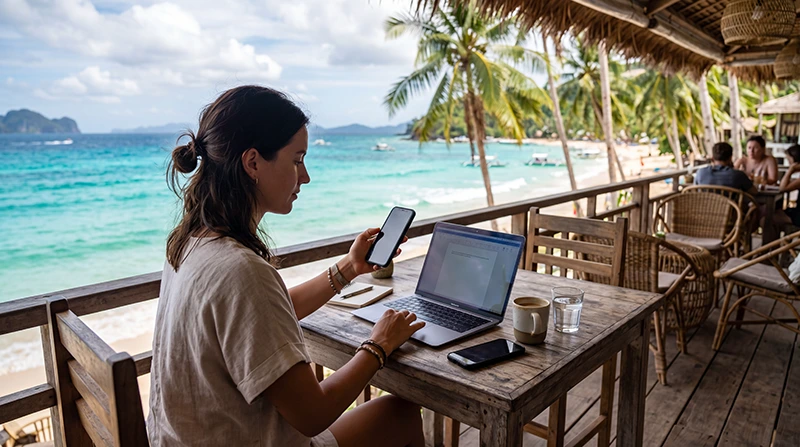

The best eSIM for digital nomads in the Philippines must support work across the actual itinerary, not merely promise nationwide data. Manila and Cebu workdays, island transfers and stays in Palawan, Siquijor or Bohol create different coverage and backup requirements.
A travel eSIM is useful because it can be installed before arrival and leaves the physical SIM slot available. It should not be treated as a substitute for accommodation Wi-Fi without first checking the partner network, high-speed allowance and hotspot terms.
NoveSIM travel eSIMs are data-only. We do not provide a Philippine number, conventional calls or carrier SMS. Calls through WhatsApp, Zoom and similar apps use the data allowance.
Quick answer: choose a plan that names its Philippine partner network, permits hotspot use and lasts for the full trip. Estimate laptop and video-call demand separately from phone use, test the eSIM before the first work session and keep a second connection plus offline access to essential files.
Top Philippines eSIMs


Choose the eSIM around the work pattern
| Work pattern | Plan priority | Backup |
|---|---|---|
| Email, chat and documents | Reliable validity and moderate data | Accommodation Wi-Fi |
| Daily video meetings | Large high-speed allowance | Second network or coworking day pass |
| Laptop tethering | Explicit hotspot support | Wi-Fi with tested upload speed |
| Multi-island travel | Partner coverage along every stop | Offline files and transport details |
Use the Philippines data calculator to separate ordinary phone use from video meetings, uploads and tethering.
Check coverage by island and property
No single network is strongest at every beach, town and mountain road. Check the listed partner network against the places where you will actually work. A coverage map is only a planning tool; building materials, terrain, congestion and weather can affect the usable signal.
Ask the accommodation host which networks work inside the room and whether a router restart or backup line is available. For a route-level comparison, see the Philippines network guide.
Read the plan limits before buying
- Confirm the high-speed allowance, not only the headline word “unlimited”.
- Check whether hotspot use is allowed and whether it has a separate cap.
- Match validity to the complete stay, including arrival and departure days.
- Read the activation rule before installing the profile.
- Confirm that top-ups are available if the project extends.
The unlimited-data guide explains why fair-use limits and speed policies matter for work.
Set up the phone before the first workday
- Install the eSIM while connected to stable private Wi-Fi.
- Label the travel and primary lines clearly.
- Select the Philippines eSIM for mobile data.
- Enable Data Roaming on the travel line when required.
- Disable automatic mobile-data switching.
- Test data and hotspot use with Wi-Fi turned off.
Follow the Philippines eSIM installation guide for the complete preparation sequence.
Build a two-connection work plan
For a deadline, client presentation or long upload, do not depend on one network. Combine accommodation or coworking Wi-Fi with mobile data on a different connection where possible. Test both before the meeting, not after the primary link fails.
Keep presentation files, access codes and client contact details available offline. A power bank is as important as a second network during a long transfer or power interruption.
Protect calls and accounts
Keep WhatsApp registered to the existing number unless you intentionally want to change it. The app can use eSIM data while the original SIM remains installed. Review the Philippines WhatsApp setup before changing SIM settings.
Use a trusted connection for sensitive accounts, keep device updates current and avoid installing unexpected certificates from public Wi-Fi portals.
Related Articles
- Internet in the Philippines for Digital Nomads
- Coworking Internet in the Philippines
- Philippines eSIM for Long Stays
- Mobile Internet in the Philippines
FAQ
Which Philippines eSIM is best for remote work?
The best option is the plan whose partner coverage, high-speed allowance, validity and hotspot policy fit your exact route and workload. There is no universal winner for every island.
Can I use a Philippines eSIM as a laptop hotspot?
Only when the selected plan permits tethering. Confirm the terms and test the hotspot before an important meeting.
Is one eSIM enough for multi-island remote work?
It may be enough for ordinary use, but important work should have a second connection and offline copies of essential files.
Does a travel eSIM include a Philippine number?
NoveSIM travel eSIMs are data-only and do not include a Philippine number, conventional calls or carrier SMS.
Final Recommendation
The best eSIM for digital nomads in the Philippines is one chosen for the work route, not just the largest headline allowance. Verify its network, hotspot policy, validity and high-speed limit.
Test mobile data and tethering before the first meeting, then maintain a second connection for critical sessions.
Keep essential work files offline and reassess coverage whenever the itinerary moves to another island.