
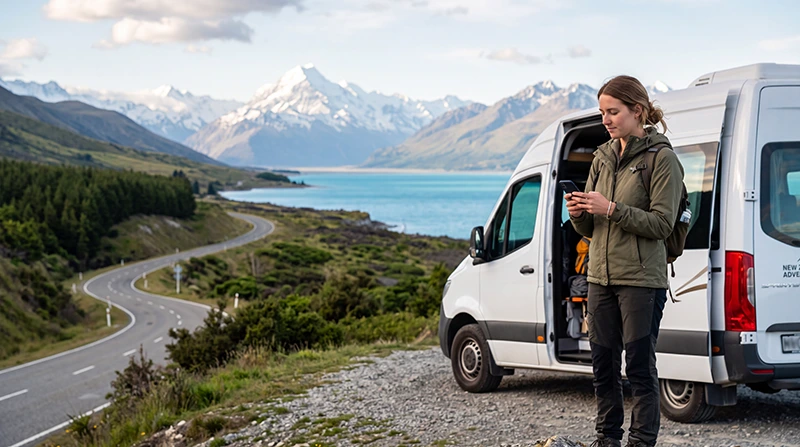

The best eSIM for digital nomads in New Zealand must support more than maps and occasional messaging. Remote workers may need mobile data for video calls, cloud applications, document uploads, hotspot use, client communication and travel between cities or rural destinations.
New Zealand offers attractive bases for remote work, but your connectivity needs can change as you move between serviced apartments, hostels, holiday homes, co-working spaces and scenic regions. A reliable eSIM should therefore have suitable validity, enough data for backup work and clear hotspot conditions.
Quick answer: the best eSIM for most digital nomads in New Zealand is a medium or high-data plan with validity covering the full stay and hotspot support for emergency laptop use. Use fixed WiFi as your main connection for long work sessions, while keeping the eSIM available for transport, backup connectivity and work during temporary WiFi outages.
Top New Zealand eSIMs
What Makes an eSIM Suitable for Digital Nomads?
A digital nomad plan should be selected according to work habits rather than holiday usage. The cheapest plan may be sufficient for messaging, but it may not support regular tethering, video meetings or large file transfers.
| Feature | Why It Matters |
|---|---|
| Enough validity | The plan should remain active for the complete working period |
| Realistic data allowance | Remote work can consume considerably more data than ordinary tourism |
| Hotspot support | Allows a laptop or tablet to connect when WiFi fails |
| Simple activation | Reduces downtime after arrival |
| Transparent plan rules | Helps you understand data limits, validity and supported use |
| Dual-SIM compatibility | Lets you keep your primary number available |
| Reliable support | Important when connectivity affects paid work |
Best eSIM Choice by Remote-Work Style
| Work Style | Recommended Plan Type |
|---|---|
| Light email and browser work | Medium fixed-data plan |
| Regular messaging and occasional calls | Medium or larger data plan |
| Frequent video meetings | High-data plan with reliable WiFi backup |
| Daily laptop hotspot use | Large allowance with confirmed tethering support |
| Long stay with stable accommodation WiFi | Moderate mobile plan used mainly as backup |
| Frequent travel between regions | Long-validity plan with sufficient reserve data |
The ideal plan is not necessarily the largest available option. It should cover your realistic mobile use without paying for data that will remain unused.
How Much Data Do Digital Nomads Need?
Your requirement depends on how often you work through mobile data instead of fixed WiFi. Email, messaging and document editing use relatively little data. Video calls, cloud synchronisation and large uploads consume much more.
| Usage Pattern | Suggested Starting Point |
|---|---|
| Mainly maps, email and messaging | 10 GB to 20 GB per month |
| Regular browsing and occasional hotspot use | 20 GB to 40 GB per month |
| Frequent video calls and file uploads | 40 GB or more per month |
| Mobile data as the main work connection | A substantially larger allowance |
These figures are planning estimates. Actual usage depends on meeting quality, software settings, automatic backups, cloud applications and the number of devices connected to the hotspot.
Read the complete New Zealand data allowance guide.
What Uses the Most Data When Working Remotely?
| Activity | Relative Data Use |
|---|---|
| Email and messaging | Low |
| Browser-based work | Low to moderate |
| Cloud documents | Moderate |
| Audio meetings | Moderate |
| Video meetings | High |
| Screen sharing | High |
| Large file uploads | High |
| Cloud backup | Potentially very high |
| Operating system updates | Potentially very high |
A laptop can consume data in the background even when you are completing simple tasks. Software updates, file synchronisation and media backup should be paused before tethering.
Travel eSIM or Local Prepaid SIM?
Both options can work for digital nomads, but they suit different priorities.
| Feature | Travel eSIM | Local Prepaid SIM |
|---|---|---|
| Purchase before arrival | Usually possible | Usually purchased after arrival |
| Physical SIM replacement | Not required | Usually required |
| Keep primary SIM installed | Yes, on compatible phones | Depends on device configuration |
| New Zealand telephone number | Not always included | Often available |
| Immediate arrival connection | Possible after correct setup | Requires purchase and activation |
| Traditional calls and SMS | Depends on the plan | May be included |
A travel eSIM is generally more convenient when your priority is mobile data. A local prepaid SIM may be more suitable for a longer stay when you need a New Zealand number for clients, accommodation or local services.
Compare a local SIM and eSIM for New Zealand.
Why Hotspot Support Is Essential
A mobile hotspot turns your phone into a temporary internet source for a laptop or tablet. It is valuable when accommodation WiFi is unstable, a co-working space closes unexpectedly or you need to finish urgent work while travelling.
Hotspot use is particularly useful for:
- Sending urgent files.
- Joining a short client call.
- Accessing cloud documents.
- Working during a WiFi outage.
- Connecting a second device.
- Managing bookings from a laptop.
Before purchasing an eSIM, check whether tethering is permitted. Hotspot availability can depend on the selected plan.
How to Prevent Excessive Hotspot Use
- Set the laptop connection as metered where supported.
- Pause operating system updates.
- Disable automatic cloud synchronisation.
- Close unnecessary browser tabs and applications.
- Pause photograph and video backup.
- Use audio instead of video when appropriate.
- Disconnect the hotspot immediately after work.
Use WiFi as Your Main Work Connection
Even a high-data eSIM is usually best treated as a backup rather than the only connection for full-time remote work. Stable accommodation or co-working WiFi is normally more suitable for long video calls, software downloads and large transfers.
Before booking accommodation, ask:
- Is WiFi included?
- Does it work inside the room?
- Is there a suitable desk?
- Is the connection shared by many guests?
- Are there usage limits?
- Is there a quiet place for calls?
Do not rely only on an accommodation listing that mentions WiFi. The connection may be available but too weak or congested for professional calls.
Best New Zealand Bases for Digital Nomads
Large cities and established tourism centres generally offer more accommodation, cafés, libraries and co-working options. Smaller towns may provide a quieter environment but fewer backup connections.
Auckland
Auckland can be practical for international arrivals, business services and transport connections. Mobile data helps with public transport, accommodation access and working between temporary locations.
Read the Auckland internet guide.
Wellington
Wellington offers a compact centre and a strong café culture, but weather and building structure can affect individual work locations. Keep an eSIM available when moving between accommodation and shared workspaces.
Read the Wellington internet guide.
Christchurch
Christchurch can serve as a useful base for South Island travel. A mobile plan is valuable when changing accommodation or travelling towards more rural destinations.
Read the Christchurch internet guide.
Queenstown
Queenstown attracts remote workers who want access to outdoor activities, but accommodation and shared WiFi can become busy. Confirm work facilities before booking a longer stay.
Read the Queenstown internet guide.
Working While Travelling Between Regions
Digital nomads often combine work with road trips or extended travel. Mobile coverage may vary in mountain areas, national parks, forests, rural roads and remote coastal regions.
Before leaving a city or town:
- Download the complete route.
- Save accommodation details.
- Store important files locally.
- Send time-sensitive work before departure.
- Download documents needed for the next day.
- Tell clients when you may be temporarily offline.
Do not schedule an important meeting while travelling through a remote scenic route unless you have confirmed a suitable location and backup connection.
Mobile Coverage Expectations
No eSIM can guarantee service everywhere. Coverage is generally easier to find in cities, larger towns and populated transport corridors. Signal may vary in mountain regions, deep valleys, forests, national parks and sparsely populated areas.
5G availability can depend on the phone, plan, supported frequencies, local partner network, congestion and location. Your phone may move between 5G, 4G, a slower connection or no service during the same journey.
A temporary loss of connection does not necessarily mean the eSIM is faulty. Test again after reaching a more open or populated location.
Protect Your Work on Public WiFi
Digital nomads frequently use WiFi in cafés, libraries, hostels and shared offices. Public networks are useful but should be approached carefully.
- Confirm the official network name.
- Avoid suspicious duplicate networks.
- Use secure websites and trusted services.
- Do not ignore browser security warnings.
- Disable file sharing and device discovery.
- Avoid sensitive account changes on unsecured networks.
- Forget the network after leaving.
Use mobile data for banking, password changes and confidential work when possible.
Can You Keep Your Home SIM Active?
Yes. A compatible Dual-SIM phone can use a travel eSIM for mobile data while the primary SIM remains available for calls, SMS and verification messages.
To reduce accidental roaming charges:
- Select the travel eSIM for Mobile Data.
- Turn off Data Roaming on the primary SIM.
- Disable Automatic Data Switching.
- Check the selected line before making traditional calls.
Your home provider may still charge for calls, voicemail or certain messages while abroad.
How to Check eSIM Compatibility
Your phone must support eSIM and be carrier-unlocked. Compatibility can vary by exact model and regional version, so check the manufacturer’s specifications.
You can dial *#06#. An eSIM-compatible phone may display an EID together with one or more IMEI numbers.
You may also see Add eSIM, Add Cellular Plan, Add Mobile Plan or SIM Manager in the device settings.
Recommended eSIM Settings
| Setting | Recommended Value |
|---|---|
| Travel eSIM | Enabled after arrival |
| Mobile Data | Travel eSIM |
| Data Roaming on travel eSIM | On |
| Data Roaming on primary SIM | Off |
| Automatic Data Switching | Off |
| Network Selection | Automatic |
| APN | data.esim when required |
What If the eSIM Does Not Work?
- Confirm that the plan includes New Zealand.
- Check that the travel eSIM is enabled.
- Select it for Mobile Data.
- Enable Data Roaming on the travel eSIM.
- Turn off Data Roaming on the primary SIM.
- Disable Automatic Data Switching.
- Leave Network Selection on Automatic.
- Check that the APN is data.esim.
- Turn Airplane Mode on for 30 seconds and turn it off.
- Wait several minutes for network registration.
- Restart the phone if necessary.
If you are in a rural or mountainous area, weak local signal may be the cause. Test the connection again after reaching a town or more open location.
Do not delete the eSIM while troubleshooting. The installation QR code may be valid for one installation only.
Digital Nomad eSIM Buying Checklist
- Choose validity covering the full stay.
- Estimate realistic monthly data use.
- Confirm hotspot support.
- Check whether the plan is data-only.
- Verify that the phone is carrier-unlocked.
- Confirm eSIM compatibility.
- Review activation instructions.
- Install before departure when permitted.
- Save setup details offline.
- Use fixed WiFi for large transfers and long calls.
- Pause automatic backups and updates.
- Keep reserve data for WiFi failures.
Related New Zealand Travel Internet Guides
- New Zealand eSIM Plans
- Best eSIM for New Zealand
- Mobile Internet in New Zealand
- Internet in New Zealand for Tourists
- How Much Data Do You Need for New Zealand?
- Internet for a Working Holiday in New Zealand
- Best eSIM for a Working Holiday in New Zealand
- Internet for a New Zealand Road Trip
- Internet for a South Island Road Trip
FAQ
What is the best eSIM for digital nomads in New Zealand?
The best option is a plan with enough validity, a realistic data allowance and hotspot support. It should provide reliable backup connectivity when accommodation or co-working WiFi is unavailable.
How much data does a digital nomad need each month?
Approximately 20 GB to 40 GB may suit regular browsing, communication and occasional hotspot use. Frequent video calls, large uploads and daily tethering require more.
Can I work entirely through an eSIM hotspot?
It may be possible where signal is strong and the plan supports tethering, but fixed WiFi is usually more suitable for full-time work, long meetings and large transfers.
Will an eSIM work in rural New Zealand?
It can work where a supported mobile network is available, but reception is not guaranteed in mountain areas, national parks, forests or remote coastal regions.
Do I need a New Zealand telephone number?
Not necessarily. Many digital nomads communicate through internet-based services. A local number may still be useful for accommodation, local clients or domestic services.
Can I keep my primary SIM active?
Yes. Select the travel eSIM for Mobile Data, turn off roaming on the primary SIM and disable Automatic Data Switching.
What APN should I use for NoveSIM?
Use data.esim when manual APN configuration is required.
Final Recommendation
For most digital nomads, the best eSIM for New Zealand is a medium or high-data plan with enough validity for the full stay and confirmed hotspot support. It should function as a dependable mobile connection for travel and as a backup when fixed WiFi fails.
Use accommodation or co-working WiFi for long video meetings, large downloads and cloud backup. Reserve mobile data for transport, urgent work, temporary outages and days when you change location.
Choose the plan according to your real workflow rather than holiday usage. Remote workers who depend heavily on tethering should select a larger allowance, while nomads with stable WiFi may only need a moderate backup plan.


